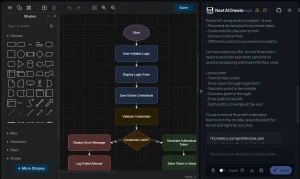
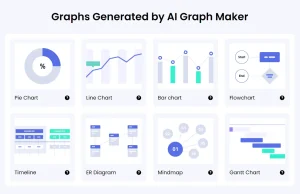
Texttoflowchart is an AI flowchart generator that allows you to generate professional flowcharts from text descriptions. It’s entirely free and does not require registration.
You input your workflow in plain language and the AI creates professional, editable, scalable flowcharts using the Mermaid.js JavaScript library.
This AI tool can particularly benefit content creators, designers, and developers. It helps visually represent processes, algorithms, and system architectures without complex software. Read on to learn how Texttoflowchart can boost your productivity and creativity.
Features
- AI-Powered Flowchart Generation: Simply describe the process in natural language and the AI generates a flowchart using Mermaid.js.
- Multiple Flowchart Types: Create process flows, decision trees, system architectures, and user journeys.
- Editable Diagrams: Edit the generated Mermaid.js code to customize the flowchart further.
- Download Options: Save flowcharts in SVG and PNG formats for high-quality graphics and easy sharing.
Use Cases
- Software Development: Visualize algorithms and system designs to understand and communicate complex processes.
- Business Analysis: Map out business processes and workflows for documentation and improvement.
- Education: Create educational diagrams to explain concepts and procedures to students.
- Content Creation: Generate visual representations of processes for blog posts, articles, and presentations.
- User Experience Design: Illustrate user journeys and interaction flows to improve design decisions.
Case Studies
I decided to test Texttoflowchart with a real-world scenario. I wanted to create a user registration flow for a new website I am developing. I typed in a description of the process:
"Create a flowchart for user registration process: When a user visits the registration page, they need to input email and password. The system validates the input. If validation fails, show error message and ask for input again. If validation passes, check if email already exists. If email exists, show error message. If email is new, create user account, send verification email, and redirect to dashboard."
The AI generated the Mermaid.js code almost instantly. The flowchart clearly outlined each step, including validation checks and error handling.
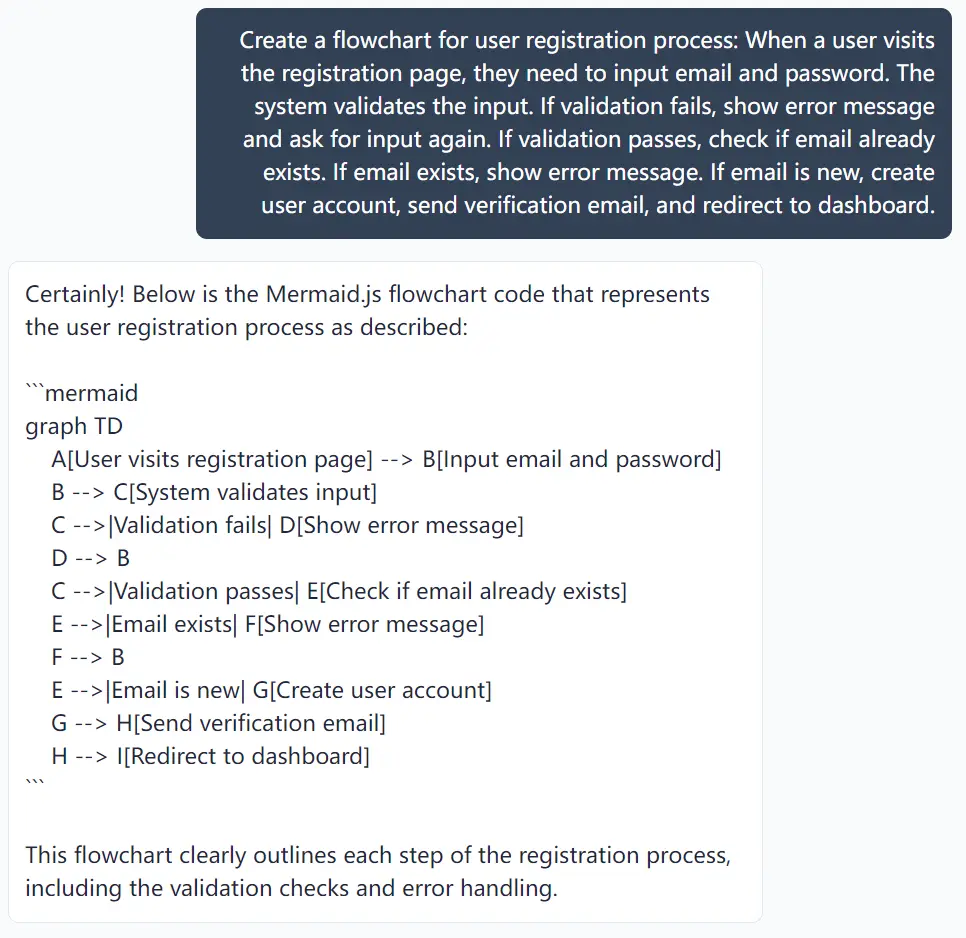
I then entered “OK” and the tool converted the code into a visual flowchart. I downloaded it as an SVG file and included it in my project documentation. The process was smooth and efficient.

The experience confirmed for me that Texttoflowchart effectively addresses the need for quick, clear flowchart generation. I saved valuable time and avoided the hassle of manual diagramming.
How to Use It
1. Input Your Workflow. Visit Texttoflowchart and describe your workflow in plain language.
2. Generate Mermaid.js Code. The AI will generate a detailed flowchart code, which you can preview and modify as needed.
3. Visualize and Download. Once satisfied, type in OK to generate your flowchart. You can then download it in SVG or PNG format for sharing or embedding.
4. Customize Further. Edit the Mermaid.js code directly in the provided editor to refine your flowchart.
Pros
- Quick Generation: Flowcharts are created rapidly from text descriptions.
- Ease of Use: Simple and intuitive interface, no steep learning curve.
- Customizable: Edit and tweak the generated flowcharts to fit your needs.
Cons
- Complexity Limits: Very complex flowcharts may need to be broken down into smaller parts.
- Reliance on Text Description: Accuracy depends on the clarity of the input description.
FAQs
Q: Can I customize generated flowcharts?
A: Yes, you can edit the Mermaid.js code directly to customize your diagram.
Q: Are there limitations on flowchart complexity?
A: Very complex flowcharts might need segmentation into smaller parts for optimal results.
Q: What is Mermaid.js?
A: A scripting language for generating diagrams and visualizations from text.
Q: Can I use it offline?
A: No, Texttoflowchart is a web-based tool and requires an internet connection.
Wrapping It Up
Texttoflowchart is a free and efficient solution for anyone needing to create flowcharts without any design software. From simplifying project workflows to designing decision trees, this AI tool helps you save time and focus on what truly matters.
Try Texttoflowchart today and simplify your flowchart creation process. Share your experience in the comments below!