MCP Feedback Enhanced
MCP Feedback Enhanced is an MCP server that brings a human-in-the-loop workflow to your AI interactions. It makes the AI confirm things with you instead of just guessing and potentially going off the rails. This approach can significantly reduce unnecessary operations.
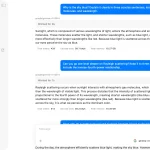
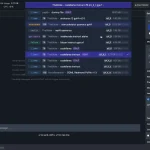
When your AI tool needs input or to verify a step, MCP Feedback Enhanced steps in. It figures out your environment, pops up an interface for you to give commands, text feedback, or even upload images. Then, it sends your feedback back to the AI so it can proceed, adjust, or stop based on what you said.
Features
- 🖥️ Dual Interface System – Qt GUI for local environments and Web UI for SSH remote setups with automatic environment detection
- 🎨 Modular Architecture – Completely refactored design with centralized management and modern themes
- 🖼️ Image Support – Upload PNG, JPG, JPEG, GIF, BMP, and WebP files via drag-and-drop or clipboard paste (Ctrl+V)
- 🌏 Multi-language Support – English, Traditional Chinese, and Simplified Chinese with smart system detection
- ⌨️ Keyboard Shortcuts – Ctrl+Enter to submit feedback, Ctrl+V for direct image pasting
- 🔄 Smart Resource Management – Automatic timeout handling and UI cleanup mechanisms
- 🎯 Cost Optimization – Reduce multiple AI tool calls into single feedback requests
Use Cases
- Code Review Workflows – Stop AI from making assumptions about code changes; get explicit user approval for modifications, refactoring decisions, or architectural choices before implementation
- File Management Operations – Prevent AI from automatically deleting, moving, or overwriting files by requiring user confirmation for any destructive file system operations
- Configuration Updates – Ensure AI doesn’t modify critical configuration files, database schemas, or deployment settings without explicit user review and approval
- Multi-step Development Tasks – Break complex development workflows into manageable chunks where users can provide feedback and course corrections at each stage
How to Use It
1. Install using uv package manager and run a quick functionality test:
# Install uv if not already installed
pip install uv
# Quick test to verify installation
uvx mcp-feedback-enhanced@latest test
2. Add the server configuration to your MCP-compatible client.
Basic Configuration (Recommended):
{
  "mcpServers": {
    "mcp-feedback-enhanced": {
      "command": "uvx",
      "args": ["mcp-feedback-enhanced@latest"],
      "timeout": 600,
      "autoApprove": ["interactive_feedback"]
    }
  }
}
Advanced Configuration (Custom Environment):
{
  "mcpServers": {
    "mcp-feedback-enhanced": {
      "command": "uvx",
      "args": ["mcp-feedback-enhanced@latest"],
      "timeout": 600,
      "env": {
        "FORCE_WEB": "true",
        "MCP_DEBUG": "false"
      },
      "autoApprove": ["interactive_feedback"]
    }
  }
}
3. Configure behavior using these environment variables:
- FORCE_WEB – Set to “true” to force Web UI usage (default: “false”)
- MCP_DEBUG – Enable debug mode with “true” (default: “false”)
- INCLUDE_BASE64_DETAIL – Include full Base64 encoding for images with “true” (default: “false”)
4. Configure your AI assistant with these rules for optimal human-in-the-loop workflow:
# MCP Interactive Feedback Rules
1. During any process, task, or conversation, whether asking, responding, or completing stage tasks, must call MCP mcp-feedback-enhanced.
2. When receiving user feedback, if feedback content is not empty, must call MCP mcp-feedback-enhanced again and adjust behavior based on feedback.
3. Only when user explicitly indicates "end" or "no more interaction needed" can you stop calling MCP mcp-feedback-enhanced, then the process is complete.
4. Unless receiving end command, all steps must repeatedly call MCP mcp-feedback-enhanced.
5. Before completing the task, use the MCP mcp-feedback-enhanced to ask the user for feedback.
FAQs
Q: How does this reduce AI platform costs?
A: Instead of AI making multiple speculative tool calls that might be wrong, the server consolidates these into single feedback requests. Users can approve or reject actions upfront, preventing costly iteration cycles and reducing total API calls by up to 96%.
Q: I’m seeing an “Unexpected token ‘D'” error. What’s up?
A: This usually means debug output is interfering. Try setting the environment variable MCP_DEBUG=false, or just remove it if you set it previously.
Q: Image uploads are failing.
A: Double-check the file size; it needs to be 1MB or less. Also, ensure it’s a supported format: PNG, JPG, JPEG, GIF, BMP, or WebP.
Q: The Web UI isn’t starting when I expect it to.
A: You can try forcing it by setting the environment variable FORCE_WEB=true. If it still doesn’t show, check your firewall settings to make sure it’s not blocking the connection.
Q: Does this work with Gemini Pro 2.5 for image analysis?
A: There’s a known compatibility issue with Gemini Pro 2.5 not correctly parsing uploaded image content. Claude-4-Sonnet handles image analysis much better, so we recommend using Claude models when you need image understanding capabilities.
Latest MCP Servers
Paper Search
Codebase Memory
CVE
Featured MCP Servers
Codebase Memory
Notion
Claude Peers
FAQs
Q: What exactly is the Model Context Protocol (MCP)?
A: MCP is an open standard, like a common language, that lets AI applications (clients) and external data sources or tools (servers) talk to each other. It helps AI models get the context (data, instructions, tools) they need from outside systems to give more accurate and relevant responses. Think of it as a universal adapter for AI connections.
Q: How is MCP different from OpenAI's function calling or plugins?
A: While OpenAI's tools allow models to use specific external functions, MCP is a broader, open standard. It covers not just tool use, but also providing structured data (Resources) and instruction templates (Prompts) as context. Being an open standard means it's not tied to one company's models or platform. OpenAI has even started adopting MCP in its Agents SDK.
Q: Can I use MCP with frameworks like LangChain?
A: Yes, MCP is designed to complement frameworks like LangChain or LlamaIndex. Instead of relying solely on custom connectors within these frameworks, you can use MCP as a standardized bridge to connect to various tools and data sources. There's potential for interoperability, like converting MCP tools into LangChain tools.
Q: Why was MCP created? What problem does it solve?
A: It was created because large language models often lack real-time information and connecting them to external data/tools required custom, complex integrations for each pair. MCP solves this by providing a standard way to connect, reducing development time, complexity, and cost, and enabling better interoperability between different AI models and tools.
Q: Is MCP secure? What are the main risks?
A: Security is a major consideration. While MCP includes principles like user consent and control, risks exist. These include potential server compromises leading to token theft, indirect prompt injection attacks, excessive permissions, context data leakage, session hijacking, and vulnerabilities in server implementations. Implementing robust security measures like OAuth 2.1, TLS, strict permissions, and monitoring is crucial.
Q: Who is behind MCP?
A: MCP was initially developed and open-sourced by Anthropic. However, it's an open standard with active contributions from the community, including companies like Microsoft and VMware Tanzu who maintain official SDKs.