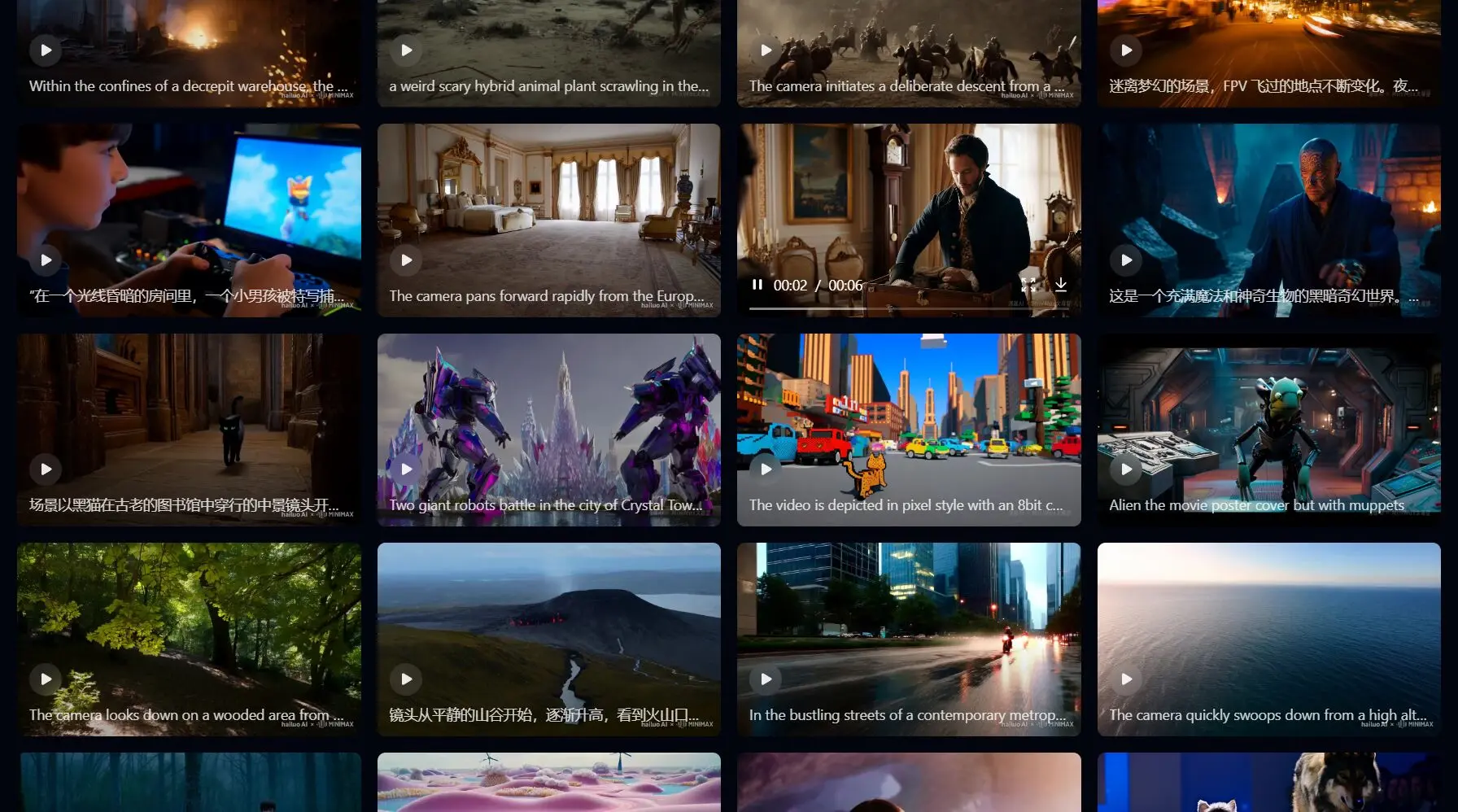
Hailuo AI is an AI-powered video generation platform developed by Chinese startup MiniMax that transforms text prompts and static images into high-quality video content. Built on advanced video generation models, it produces videos up to 10 seconds long in resolutions ranging from 720p to 1080p at 24-30 FPS.
The platform has gained traction among content creators, marketers, and filmmakers for one reason: it makes professional-grade video production accessible without expensive equipment or technical expertise.
With the recent release of Hailuo 2.3 and Hailuo 2.3 Fast models in October 2025, the platform has reached a new level of realism and efficiency that puts it in direct competition with industry leaders like Google Veo 3 and OpenAI’s Sora 2.
Hailuo AI currently provides a free tier that allows anyone to generate up to four videos daily. These clips have a maximum resolution of 768p and a length of up to six seconds, which is plenty for experimenting with prompts and getting a feel for its capabilities before considering a paid plan.
Features
Text-to-Video Generation (T2V)
Converts detailed text prompts into dynamic 6-10 second video clips with cinematic camera movements, lighting effects, and realistic motion physics. The latest 2.3 model demonstrates stronger prompt adherence and can handle complex instructions like “a dancer performing on a drone doing flips and tricks” with accurate choreography.
Image-to-Video Conversion (I2V)
Animates static images by adding motion, camera movements, and transitions while preserving the original composition, color palette, and subject details. Upload a product shot or concept art and watch it transform into a dynamic video sequence.
Subject Reference (S2V)
Maintains consistent character appearances across multiple scenes, solving one of the biggest challenges in AI video generation. Your characters look the same from clip to clip, which matters for serialized content.
Enhanced Motion Physics
Hailuo 2.3 brings significant improvements in how objects and people move. Complex body movements flow naturally, reflections behave correctly, and lighting transitions feel authentic rather than artificial. Dance sequences, action scenes, and product rotations all benefit from better physical consistency.
Micro-Expression Modeling
Faces now capture subtle details like eye movements, slight smiles, and genuine emotional shifts. The model renders these micro-expressions automatically across all characters, creating more believable performances for narrative content.
Multi-Style Support
Generates content in photorealistic, anime, illustration, watercolor, ink wash painting, and game CG styles with improved stability. The 2.3 model shows particular strength in anime and stylized content that previous versions struggled to maintain.
Camera Control System
Visual path editor lets you set precise pans, tilts, zooms, and tracking shots at specific timestamps. Mimic drone fly-throughs, tight close-ups, or sweeping landscape shots without touching 3D software.
AI Voice and Lip-Sync
Choose from 300+ natural-sounding voices across 17+ languages or clone your own voice with a 10-second sample. The system automatically generates timed captions and syncs lip movements to match audio, making avatar videos and character narrations look natural.
Prompt Enhancement Tools
Built-in enhancer rewrites rough ideas into structured cinematic prompts. DeepSeek integration suggests fresh angles, moods, and plot variations when you hit creative blocks.
Fast Rendering Option
Hailuo 2.3 Fast model delivers 2.5x faster rendering while maintaining high visual fidelity, reducing batch creation costs by up to 50%. Production teams can iterate quickly without sacrificing quality.
Multi-Platform Access
Available through web browser, iOS and Android apps, and API endpoints for developers. Cross-platform credit sharing means you can start a project on desktop and finish on mobile.
How to Use Hailuo AI
1. Visit the official Hailuo AI website at hailuoai.video and create an account. New users receive bonus credits to test the platform.
2. Choose your input method. For text-to-video, you’ll write a descriptive prompt. For image-to-video, upload a still image up to 20MB. You can combine both approaches by uploading an image and adding text instructions for how you want it animated.
3. Craft your prompt with specificity. The model responds better to detailed descriptions that include scene setting (location, time of day, mood), camera language (angles, movements like pan or tilt, shot duration), character details (appearance, actions, expressions), and any audio cues. Instead of “a woman walking,” try “a young woman with flowing blonde hair walks confidently across pink clouds at sunset, her white dress flowing naturally as soft birds soar around her.”
4. Select your model version. Choose Hailuo 2.3 for maximum prompt adherence and visual fidelity, or Hailuo 2.3 Fast when you need quicker iterations for testing concepts or producing volume content.
5. Configure output settings. Pick your resolution (720p or 1080p), duration (6 or 10 seconds), aspect ratio (16:9 for YouTube, 9:16 for social media, 1:1 for square posts), and frame rate based on your final platform.
6. Generate your video and wait. Free users queue up to three tasks while paid subscribers can run five tasks concurrently and process two simultaneously. Generation typically takes a few minutes depending on complexity and queue length.
7. Preview and refine. Review the generated video in your browser. If results drift from your vision, adjust your prompt and regenerate. The system learns what works, so keep successful prompts for future reference.
8. Download and export. Free users get 720p exports with watermarks. Paid subscribers download watermark-free files in multiple formats ready for direct upload to social platforms or further editing in traditional video software.
What Hailuo 2.3 Brings
The 2.3 version of Hailuo AI introduces significant advancements in realism and creative control. It features physically accurate motion physics, ensuring that characters and objects move with realistic gravity and inertia. The model also simulates cinematic camera movements, making pans, tilts, and zooms feel intentional and story-driven. A key improvement is the ability to capture micro-expressions, adding emotional depth to generated characters. Hailuo 2.3 also expands its stylistic range to include anime, illustration, and game-CG styles with better stability.
What Hailuo 2.3 Fast Adds
For creators who need to produce content at a higher volume, the Hailuo 2.3 Fast model offers a compelling solution. It delivers rendering that is 2.5 times faster while maintaining high visual fidelity. This speed makes it ideal for marketing agencies and enterprises that require rapid content generation for campaigns and social media. It’s a cost-effective option for high-volume creation.
Hailuo AI Pricing: Free vs. Paid Plans
What You Get for Free:
- Welcome Credits: New users who register an account typically receive a one-time welcome package of free credits to get started.
- Basic Features: Free users have access to fundamental features, allowing them to generate videos from text and images.
- Queuing Tasks: You can queue up to three video generation tasks at a time. However, you are limited to generating one video at a time.
- Watermarked Videos: Videos created with a free account will have a watermark.
Paid Subscription Plans:
For users who need more features and higher usage limits, Hailuo AI offers several paid subscription plans. These plans provide more credits, remove watermarks, and offer faster generation speeds.
- Standard Plan ($7.99/month): This entry-level plan gives you 1,000 credits monthly, enough to generate up to 83 videos. It includes 1080p video generation, fast-track processing, watermark removal, and access to Google’s Veo 3.1 model. You can queue up to 5 tasks, with one running at a time.
- Pro Plan ($27.99/month): This plan increases your monthly credits to 4,500, allowing for up to 375 videos. It adds the ability to generate 10-second videos and lets you run two tasks simultaneously with a queue of up to 8.
- Master Plan ($63.99/month): Aimed at more frequent creators, this tier provides 10,500 credits per month for up to 875 videos. It includes all the benefits of the Pro plan with an increased task queue of up to 10.
- Ultra Plan ($124.99/month): This plan offers 12,000 monthly credits and includes unlimited usage of the Hailuo models.
- Max Plan ($2399.99/billed yearly): The top-tier plan provides 20,000 monthly credits and offers unlimited usage of all Hailuo models.
Pros
- Multiple Advanced Models Under One Platform: Access to Hailuo 2.3, Hailuo 2.3 Fast, and earlier models provides flexibility for different use cases.
- Strong Prompt Adherence: The 2.3 model follows instructions more accurately than previous versions. Complex prompts with multiple elements, specific camera movements, and detailed character actions produce results that match intent rather than approximate interpretations.
- Improved Physical Realism: Motion physics feel natural. Objects move with proper weight, reflections behave correctly, fabric textures respond to movement, and lighting transitions look authentic. These details make outputs feel less “AI-generated” and more like real footage.
- Cinematic Quality Camera Work: Camera movements mimic professional cinematography. Pans feel intentional, tracking shots maintain focus, and depth of field adjusts naturally. The visual path editor gives precise control that other generators lack.
- Generous Free Tier: New users can test the platform without payment. While credits are limited and exports include watermarks, the free access lets you evaluate capabilities before subscribing.
- Fast Rendering Speed: The 2.3 Fast model delivers significantly quicker turnaround for batch creation. Production teams testing multiple concepts or creating series content benefit from reduced wait times without major quality drops.
- AI Image Generation: Beyond video generation, the platform bundles image creation, text-to-speech, voice cloning, and basic editing tools.
- API Access for Developers: Technical teams can integrate Hailuo’s capabilities into existing workflows through API endpoints.
Cons
- Credit System Can Be Confusing: Different actions consume different credit amounts based on resolution, duration, and model selection. New users often burn through initial credits quickly before understanding the cost structure, and there’s no refund for failed generations or unsatisfactory results.
- Short Video Duration: Maximum 10-second clips mean longer content requires stitching multiple generations together in external editing software. This limitation frustrates creators who want continuous 30-60 second sequences.
- Pricing Changes and Feature Removal: The platform eliminated daily login credits for free users in mid-2025 without advance notice. Early subscribers who paid annually expecting certain features found those perks removed, creating trust issues with the user base.
- Queue Wait Times: Free users face longer wait times during peak hours. Even paid subscribers report delays when the platform experiences high demand, though priority queuing helps somewhat.
- Watermarks on Free Outputs: Free tier exports include visible watermarks that limit commercial use. Personal projects and educational content work fine, but anyone creating client work or monetized content needs a paid subscription.
Related Resources
- MiniMax Official Documentation: Technical details about the Hailuo 2.3 model architecture, training methodology, and performance benchmarks directly from the development team. Updated October 2025 with the latest model release information.
- VEED AI Playground: Browser-based testing environment where you can compare Hailuo 2.3 alongside other video generation models like Veo 3, Seedance 1.0, and Fabric 1.0 to evaluate which tool fits your specific needs.
- Fal.ai API Platform: Developer-focused access to Hailuo 2.3 through Pro, Standard, and Fast endpoints. Includes technical implementation guides, pricing breakdowns for API calls, and sample code for integration.
- ImagineArt Creative Suite: Multi-model platform that includes Hailuo access plus image generation, background removal, upscaling, and other creative tools under one affordable subscription.
FAQs
Q: Can I use Hailuo AI videos for commercial purposes?
A: Paid subscribers own the intellectual property of downloaded videos and can use them commercially in advertisements, client work, YouTube monetization, and other revenue-generating projects without additional licensing fees. Free tier users receive outputs with watermarks intended for personal or educational use only. The platform grants a non-exclusive, royalty-free license to use your generated content for operating and promoting their services, but this doesn’t limit your commercial rights.
Q: How does Hailuo AI compare to competitors like Sora, Veo 3, and Runway?
A: Hailuo AI ranks second globally on Artificial Analysis benchmarks, surpassing Google Veo 3 in physics simulation and character consistency. Veo 3 maintains an edge in overall cinematic realism and native audio capabilities, while Sora excels at storyboard-oriented multi-shot editing. Hailuo’s strengths lie in prompt adherence, granular camera control, and cost-effectiveness. The web-based accessibility and generous free tier make it more approachable for independent creators than Runway’s professional pricing model. For quick stylized clips with strong prompt following, Hailuo punches above its weight.
Q: How long does it take to generate a video?
A: Generation time varies based on video complexity, selected model, and current platform demand. Standard Hailuo 2.3 renders typically complete in 2-5 minutes during normal load. The 2.3 Fast model reduces this to under 2 minutes for most clips. Free users experience longer waits during peak hours due to queue priority given to paid subscribers. Paid plans offer fast-track generation that moves your requests ahead of free tier users, and the ability to queue multiple tasks concurrently speeds up batch creation workflows.
Q: Can I edit videos after generation?
A: Hailuo AI includes basic browser-based editing tools for trimming clips, adding transitions, and applying visual presets like sci-fi neon or noir styles. For substantial editing, you’ll need to download your video and use traditional software like DaVinci Resolve, Adobe Premiere, or Final Cut Pro. The platform doesn’t offer frame-by-frame editing, advanced color grading, or complex compositing within its interface. Most users treat Hailuo outputs as raw footage that gets polished in their preferred editing environment.
See Also:
Changelog:
Oct 29, 2025
- Updated for Hailuo 2.3