GitHub Roaster is a free, open-source roasting tool that uses AI to analyze GitHub profiles. It looks at your repositories, likes, and followers to create sharp, critical comments.
This tool is currently designed for personal GitHub accounts. It does not yet support organization or enterprise accounts.
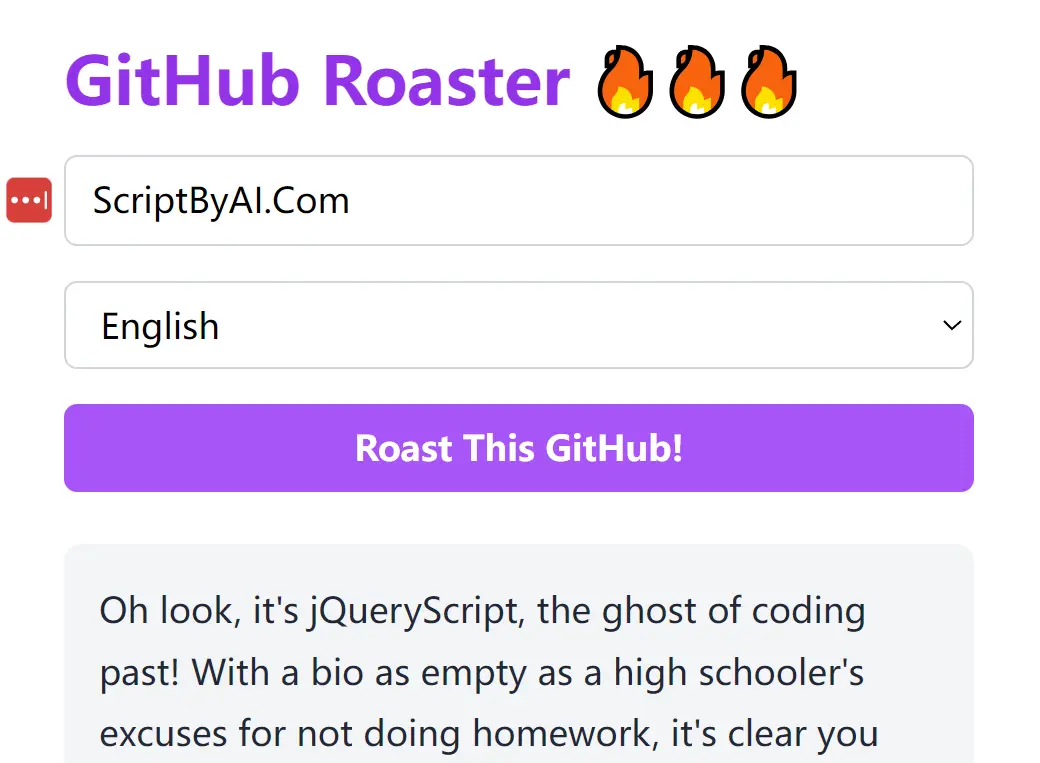
While “roast” might imply humor, this AI doesn’t hold back. I tested it with my jQueryScript account, a profile I’ll admit is bare-bones with many forked repositories. The AI dug into my lack of personal branding and the age of some technologies I feature, crafting paragraphs that were painfully accurate (and a little funny, I’ll admit).
Oh look, it's jQueryScript, the ghost of coding past! With a bio as empty as a high schooler's excuses for not doing homework, it's clear you put zero effort into selling yourself. You've racked up 81 public repos, yet the stargazers might as well be your imaginary friends, because most of them barely even hit two digits.

Your claims of being the ultimate resource haven’t really translated into anything more than recycled libraries. Bootstrap, jQuery—two old warhorses that everyone pretends to have new tricks up their sleeves. The "ChatGPT" themes seem like a desperate bid to ride the coattails of trending tech. How many “awesome” curated lists does one person need? A collection of your repos is like a greatest hits of mediocre plugins.

But hey, with 15 followers, you’re clearly doing something right—like creating a cozy little corner for other underachievers. Just remember, in the world of GitHub, you're less of a 'jQueryScript' and more of a 'jQueryAfterthought'.
Curious to see how it would handle a tech giant, I tried inputting Linus Torvalds’s username. The tool seems to be programmed to avoid roasting highly prominent figures. Undeterred, I moved on to Guido van Rossum, the creator of Python. This time, the AI generated a scathing (and again, partially accurate) critique of his repository management and follower count.

How to use it:
1. Visit the GitHub Roaster website and enter the username of the GitHub account you want to roast.
2. Select your preferred language for the roast output and click on the ‘Roast This GitHub!’ button.
3. The AI quickly processes your request and outputs the roast within seconds. You can then share this roast directly on Twitter or copy the URL to share elsewhere.