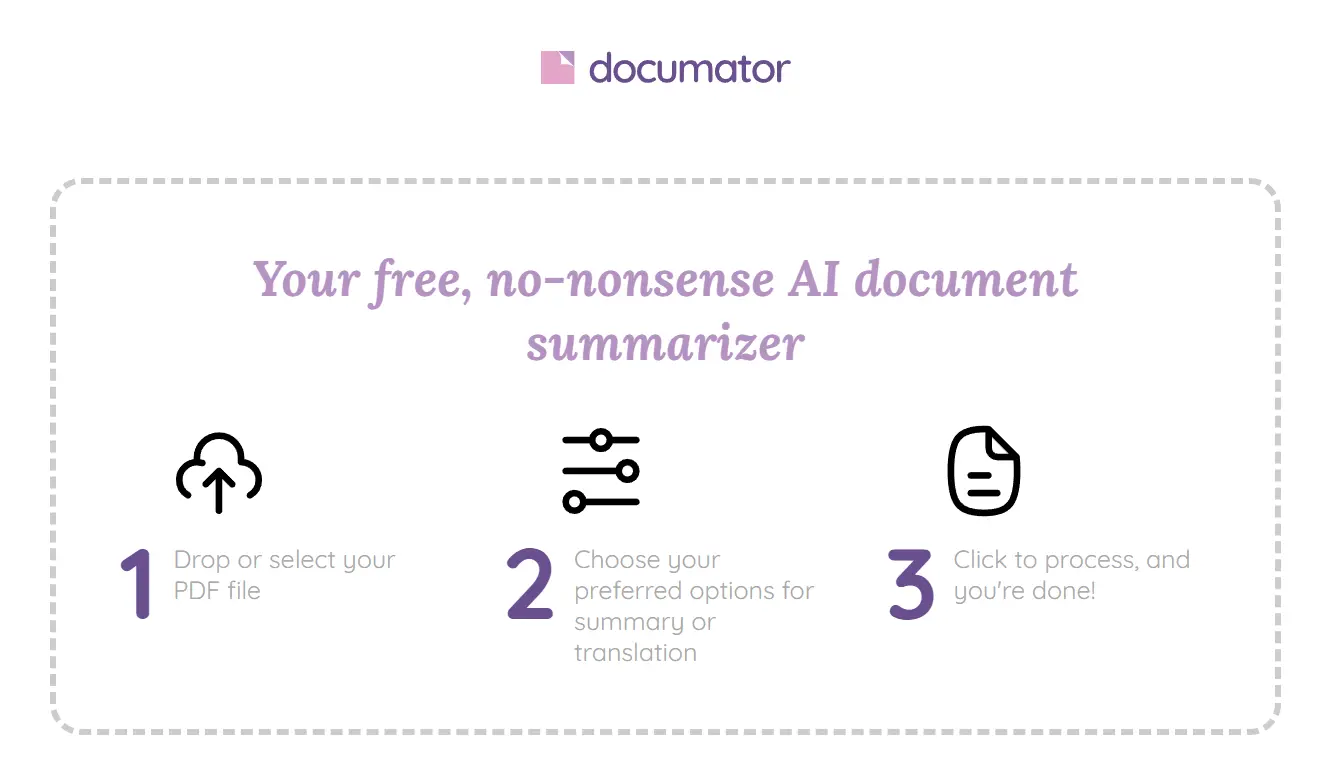
Documator is a free online tool that summarizes and translates documents using OpenAI’s latest GPT model.
It provides a simple drag-and-drop UI that allows you to quickly and accurately process documents up to 10 MB.
I used Documator to handle a lengthy document – the Google Adsense online agreement. This eight-page PDF presented a good test for the tool’s capabilities.
I uploaded the document, chose the “Concise” summary style, and selected “English” as the output language.
Documator immediately began processing the document. Within moments, it displayed the summarized content of my PDF, broken down page by page.
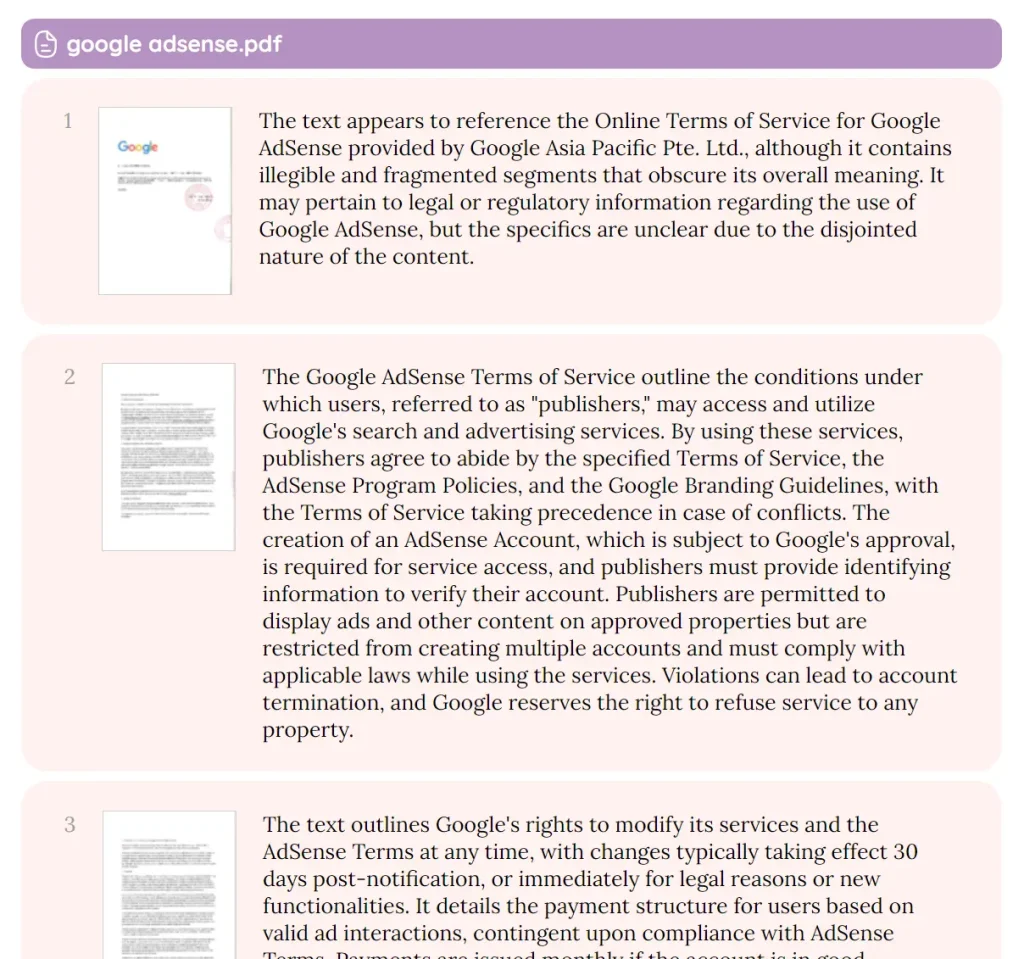
The tool has the ability to break down complex documents into digestible summaries, which can save time and improve understanding.
It’s useful for students tackling lengthy research papers, professionals reviewing contracts, or anyone needing quick insights from lengthy texts.
How to use it:
1. Visit the Documator website and drag and drop your document into the upload area. This tool accepts various file types, including PDF, DOCX, and TXT.
2. Select your preferred summary style: Concise, Complete, Outline, or Translation.
- Concise: Provides a brief overview of the key points.
- Complete: Delivers a more comprehensive summary.
- Outline: Presents the main ideas in a structured outline format.
- Translation: Translates the entire document into your chosen language.
3. Choose your desired output language. Documator currently supports English, French, Portuguese, German, Italian, and Spanish.
4. Click the “Process” button to initiate the summarization or translation process. Documator will analyze your document and display the results directly on the page. You can then quickly review the output, copy sections to your clipboard, or download the summarized/translated document.