WorkAny is a free, open-source alternative to Claude Cowork that allows you to execute tasks via natural language.
Describe what you need in plain English, and the app handles file organization, website generation, document creation, and code execution entirely on your device.
Features
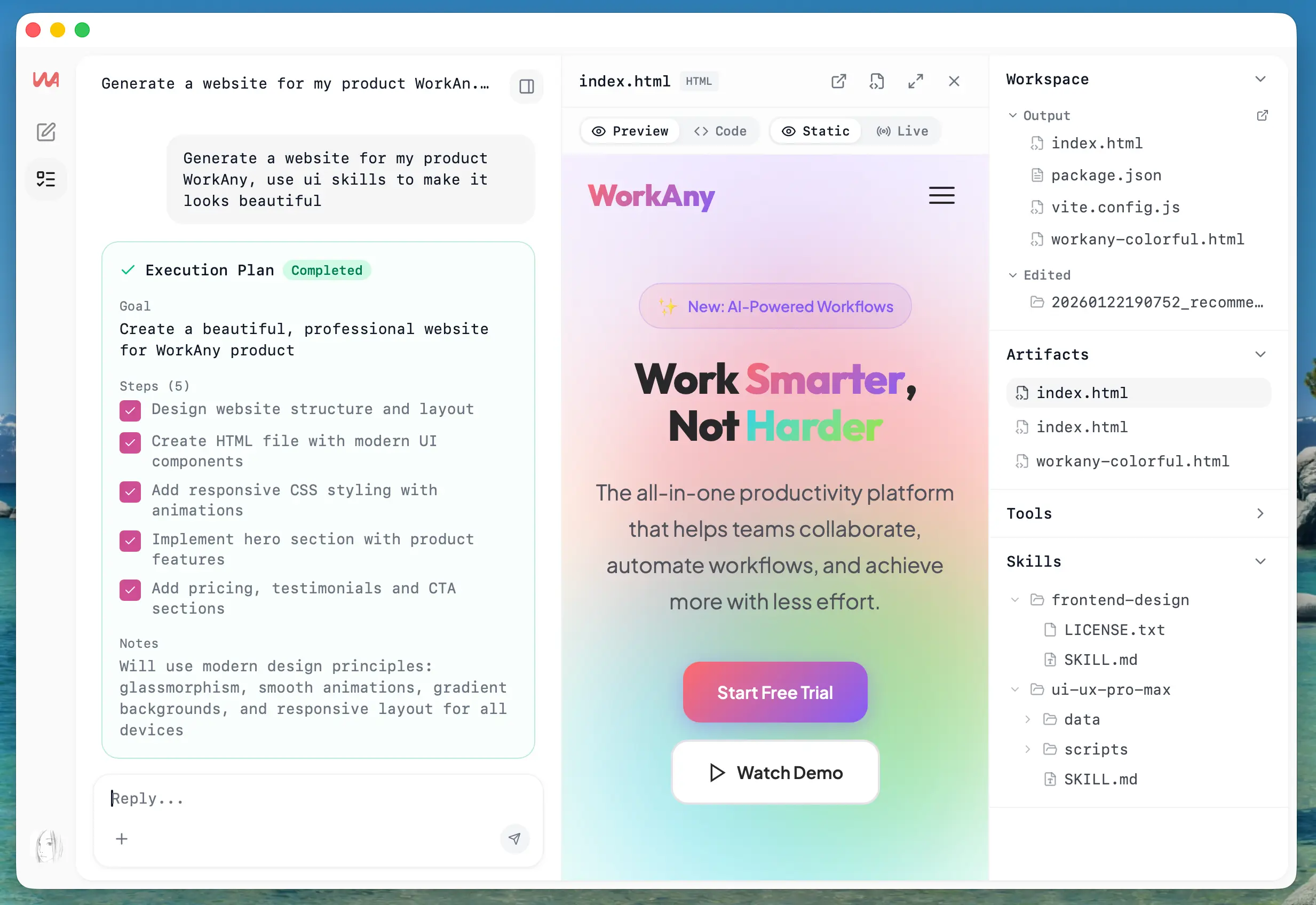
- Natural Language: The AI interprets your request, breaks it into steps, and executes the workflow.
- Code Generation: You see the agent writing scripts, creating functions, and building components with live streaming output that shows each step of the process.
- Live Artifact Preview: HTML, React, and code files render instantly in a preview window.
- Sandbox Execution: All code runs in an isolated environment powered by Codex CLI.
- MCP Support: You can integrate databases, APIs, file systems, and other resources through MCP.
- Custom Skills System: You can create specialized workflows for repetitive tasks using Agent Skills.
- Multi-Provider Support: Works with OpenRouter, Anthropic, OpenAI, and custom AI providers.
- Cross-Platform: Native applications for macOS (Apple Silicon and Intel), Windows (x64 installer and MSI), and Linux (deb and rpm packages) run directly on your operating system.
Use Cases
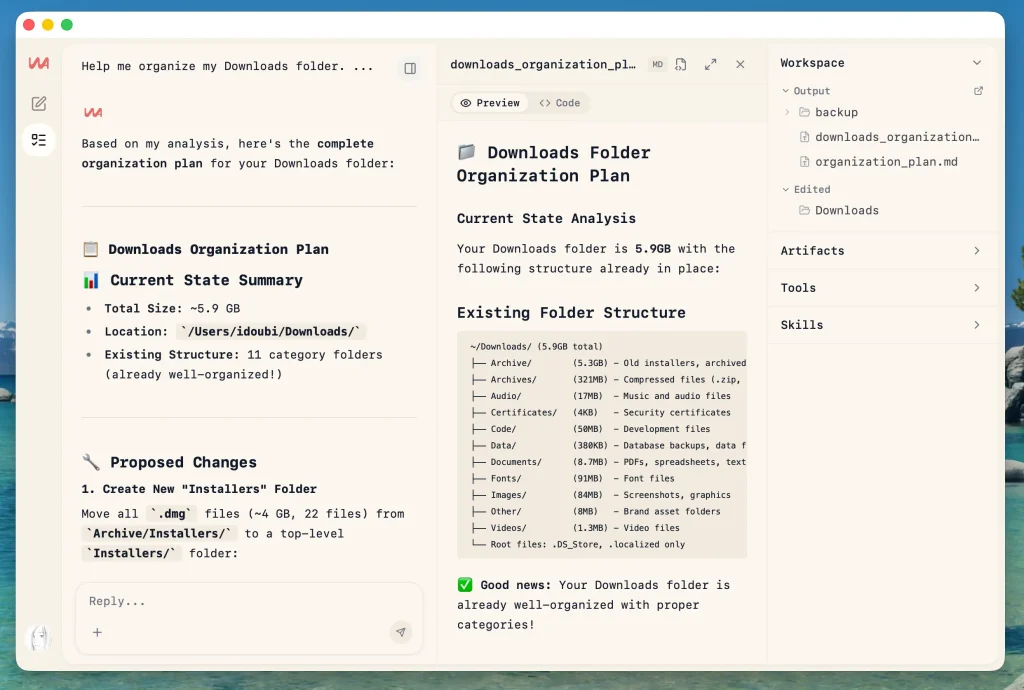
File Organization: The agent understands file formats, reads metadata, and creates logical folder structures based on the contents of your files.
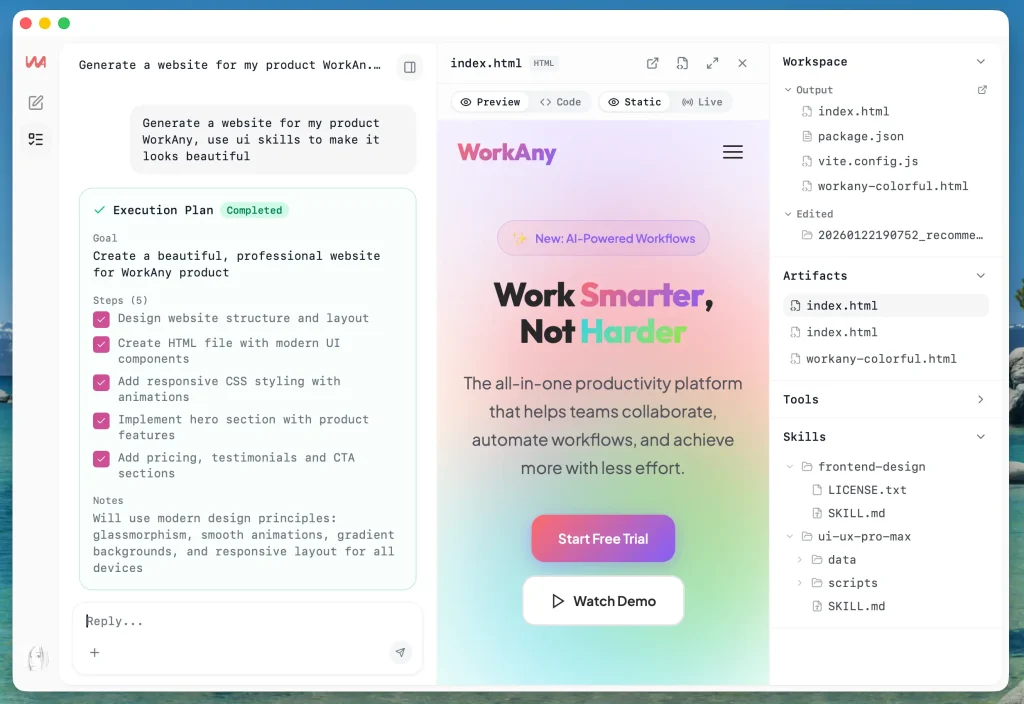
Website Development: Describe a website concept and receive a full React application with Tailwind CSS styling.
Document Creation: WorkAny generates formatted documents with proper structure, exports to your preferred format, and handles layouts automatically.

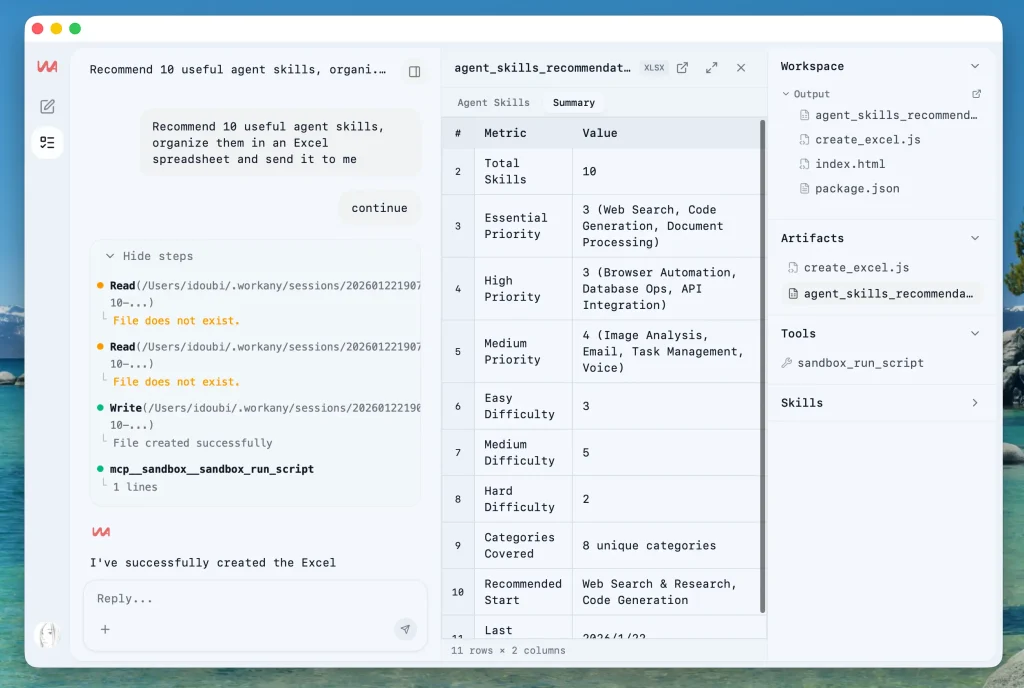
Spreadsheet Building: The agent creates Excel files with formulas, proper formatting, charts, and calculations based on your specifications.
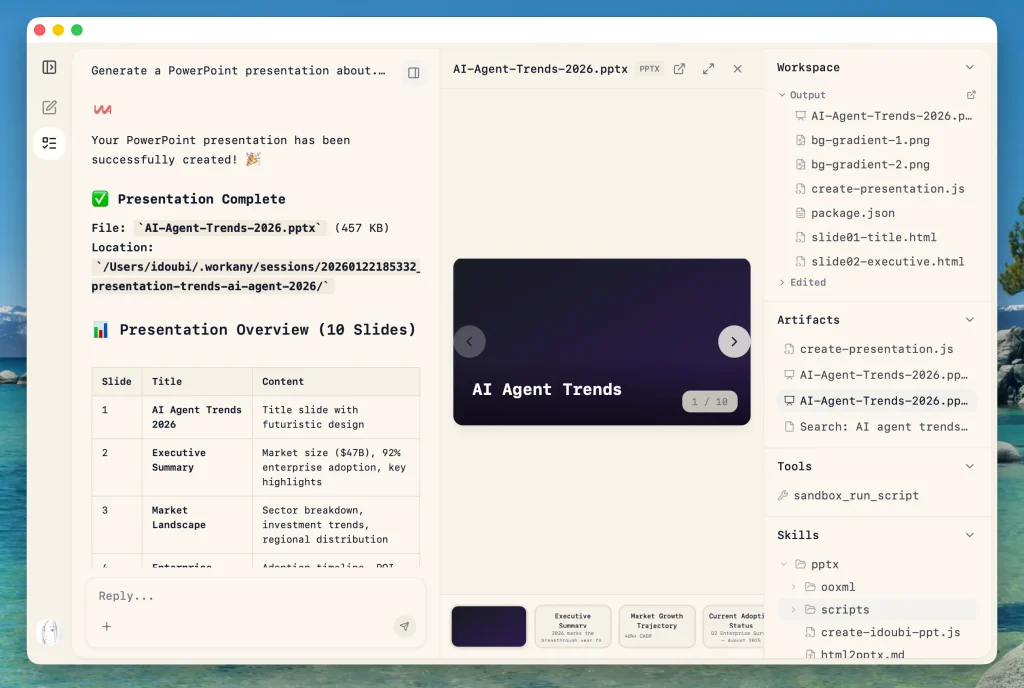
Presentation Design: Describe your slide deck concept and get a complete presentation. WorkAny handles structure, writes content, designs layouts, and creates visual elements that match your requirements.
How to Use It
1. Download WorkAny from the official website or GitHub releases page. The application provides installers for different operating systems:
- For macOS with M1, M2, M3, or M4 chips, download the Apple Silicon version.
- For older Intel-based Macs, use the Intel installer.
- Windows users choose between the standard x64 executable installer or the MSI package.
- Linux users select either the deb package for Ubuntu and Debian systems or the rpm package for Fedora and RHEL distributions.
2. After installation, open the application and configure your AI provider settings. You need an API key from Anthropic, OpenAI, or OpenRouter. The agent allows you to add multiple providers and switch between them.
3. Describe what you want in plain text. For example: “Organize the files in my Downloads folder by file type and date” or “Create a React component for a user login form with email and password fields.”
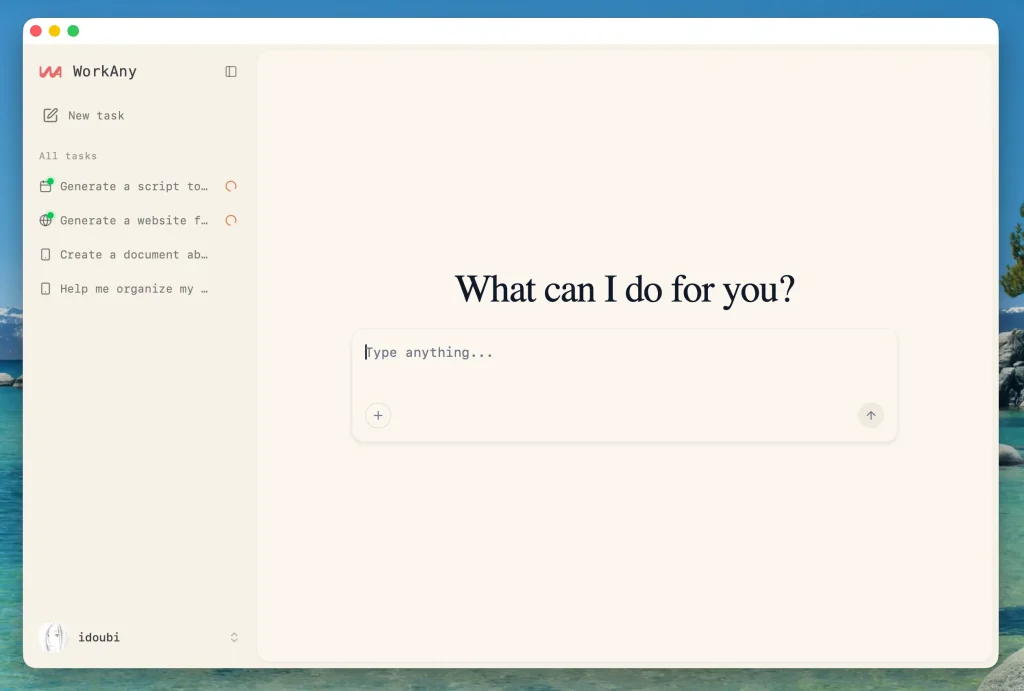
4. The agent processes your request and starts working immediately. You see streaming output as it generates code, executes commands, and builds your deliverables.
5. For code-based tasks, the sandbox executes everything in an isolated environment. You can review the generated code, test the output, and iterate by giving additional instructions. The agent maintains context throughout the conversation and understands follow-up requests.
Pros
- True Local Execution: The agent runs on your machine without sending file contents to external servers during task execution.
- No Subscription Fees: WorkAny itself costs nothing. You only pay for the AI provider API calls you consume.
- Transparent Sandboxing: You see exactly which directories the agent accesses and can revoke permissions instantly.
- Extensible Architecture: MCP support and custom skills let you connect the agent to internal tools your team already uses.
Cons
- API Key Requirement: You must supply your own Anthropic, OpenAI, or OpenRouter key.
- Limited Mobile Support: WorkAny targets desktop workflows only. No iOS or Android companion apps exist.
Related Resources
- Claude Code GitHub Repository: The underlying agent runtime that powers WorkAny’s task execution capabilities.
- Claude Agent SDK Documentation: Official documentation for the SDK used to build WorkAny’s agent functionality.
- Codex CLI Documentation: Information about the sandbox execution environment that keeps your system safe.
FAQs
Q: What exactly is WorkAny?
A: WorkAny is a desktop application that acts as an AI agent. You describe tasks in plain English, and the agent generates code, executes commands, and creates deliverables like websites, documents, and spreadsheets. The application runs locally on your computer and uses AI models from providers like Anthropic or OpenAI to understand and complete your requests.
Q: Do I need programming skills to use WorkAny?
A: No programming knowledge is required for basic tasks. You type natural language descriptions of what you want, and the agent handles the technical implementation. More advanced features like custom skills or MCP integration benefit from technical understanding, but the core functionality works for non-programmers.
Q: How much does WorkAny cost?
A: The application itself is completely free and open source. You only pay for API usage from your chosen AI provider (Anthropic, OpenAI, or OpenRouter).
Q: What’s the difference between WorkAny and cloud-based AI agents?
A: WorkAny runs entirely on your desktop computer. You control your data, work without depending on cloud service availability, and maintain privacy for sensitive tasks.
Q: Can I use WorkAny without an API key?
A: No. WorkAny requires an API key from at least one supported provider (Anthropic, OpenAI, or OpenRouter) to access AI models.
Q: How does the sandbox keep my computer safe?
A: WorkAny uses Codex CLI to run all code in an isolated environment. The sandbox prevents the agent from accessing your file system beyond designated folders, blocks system-level commands, and contains execution within controlled boundaries. Generated code can’t affect your operating system or personal files without explicit permission.
Q: Can I create my own custom skills?
A: Yes. The skills system lets you define specialized workflows for repetitive tasks. You write skill definitions that describe agent behaviors, save them to your skills directory, and WorkAny loads them on startup.