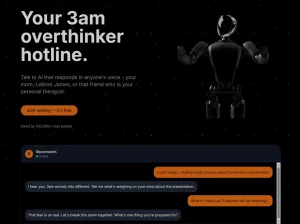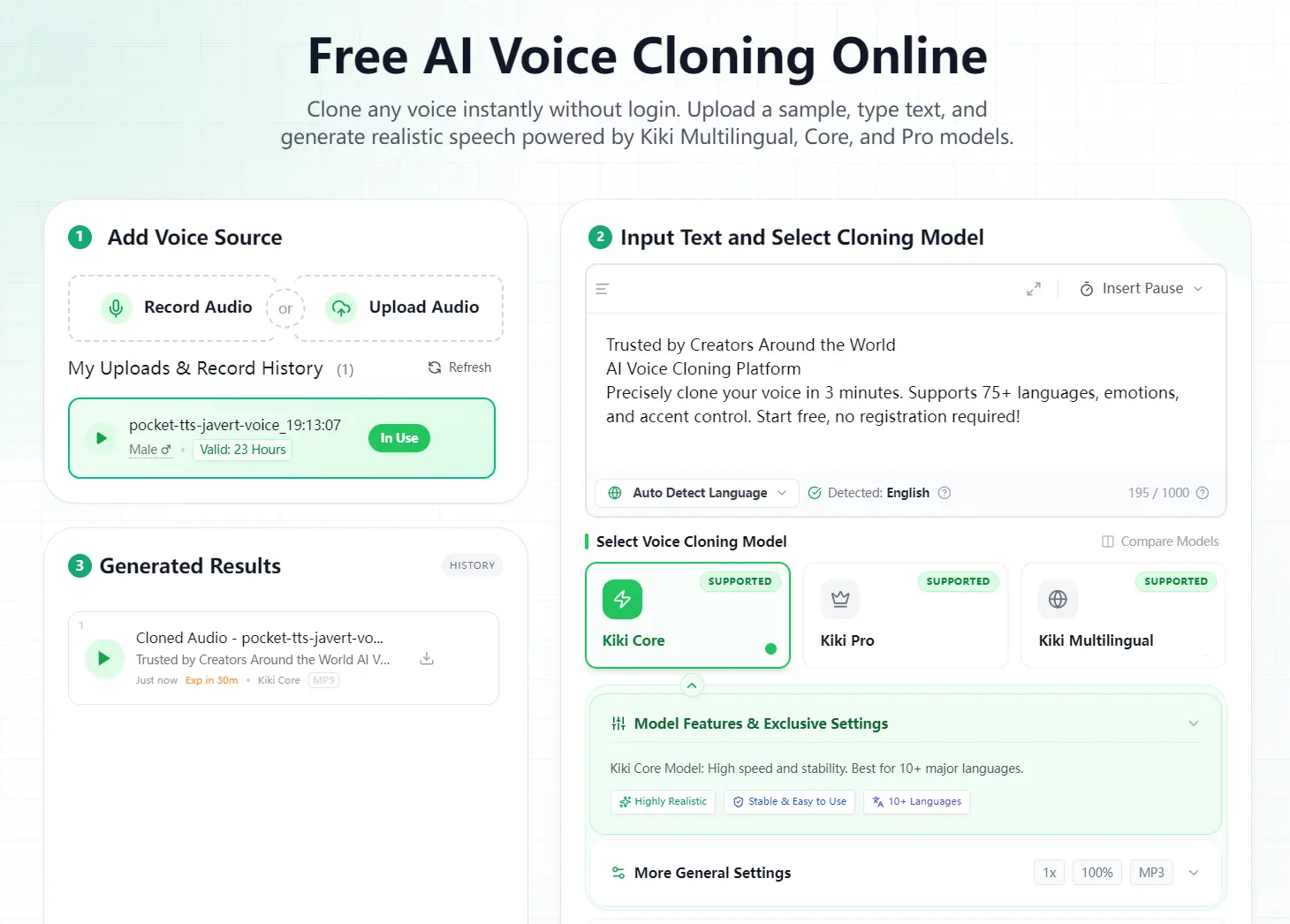
Kikivoice is a free AI voice cloning platform that replicates your voice from a short audio sample in under 3 minutes. The tool supports 75+ languages, emotion control, and accent adjustments without requiring registration.
You get 40,000 weekly credits as a visitor (no account needed). This credit allocation handles up to 40,000 characters per week. If you need more capacity, you can participate in their survey rewards program to earn an additional 100,000 credits by sharing your workflow feedback.
Features
- Three Models: Kiki Core provides balanced speed and quality with support for 10+ languages and fast processing. Kiki Pro offers ultra-realistic output with 15+ emotion controls and professional-grade quality across 8+ languages. Kiki Multilingual supports 75+ languages with cross-lingual synthesis and multiple accent options.
- Instant Voice Cloning: The system generates voice clones in seconds from a 3-15 second audio sample.
- Emotion and Tone Control: Kiki Pro model captures laughter, tone variations, and emotional nuance. You can adjust emotional intensity and expression to match your content requirements.
- Cross-Lingual Voice Synthesis: Your cloned voice can speak languages it never spoke in the original recording.
- Privacy Protection: Voice data gets encrypted during processing and auto-deletes after completion.
- Customization Options: You control speaking speed, pitch, pause insertion, regional accent, and voice gender based on the selected model.
- Multiple Export Formats: Generated audio downloads as MP3, WAV, OGG, AAC, or OPUS. You choose between standard and high-quality audio output.
See It In Action
Use Cases
- Video Content Creation: YouTubers and video creators use Kikivoice to generate consistent voiceovers across multiple videos.
- Podcast Production: Podcasters clone their voices to fix mistakes, add new segments, or create entire episodes from text.
- Multilingual Content Localization: Content creators produce videos in multiple languages using their own voice.
- Audiobook Narration: Authors and publishers convert written content into audiobooks using their own voice or a professional narrator’s voice clone.
- Corporate Training and E-Learning: Training departments create instructional videos and course materials with consistent narration.
How to Use It
1. Record or upload a clear audio sample of the voice you want to clone. The platform accepts WAV, MP3, M4A, AAC, OGG, OPUS, FLAC, WMA, ALAC, AIFF, AMR formats, plus video formats like MP4, MOV, MKV, AVI, and WEBM (maximum 50MB).
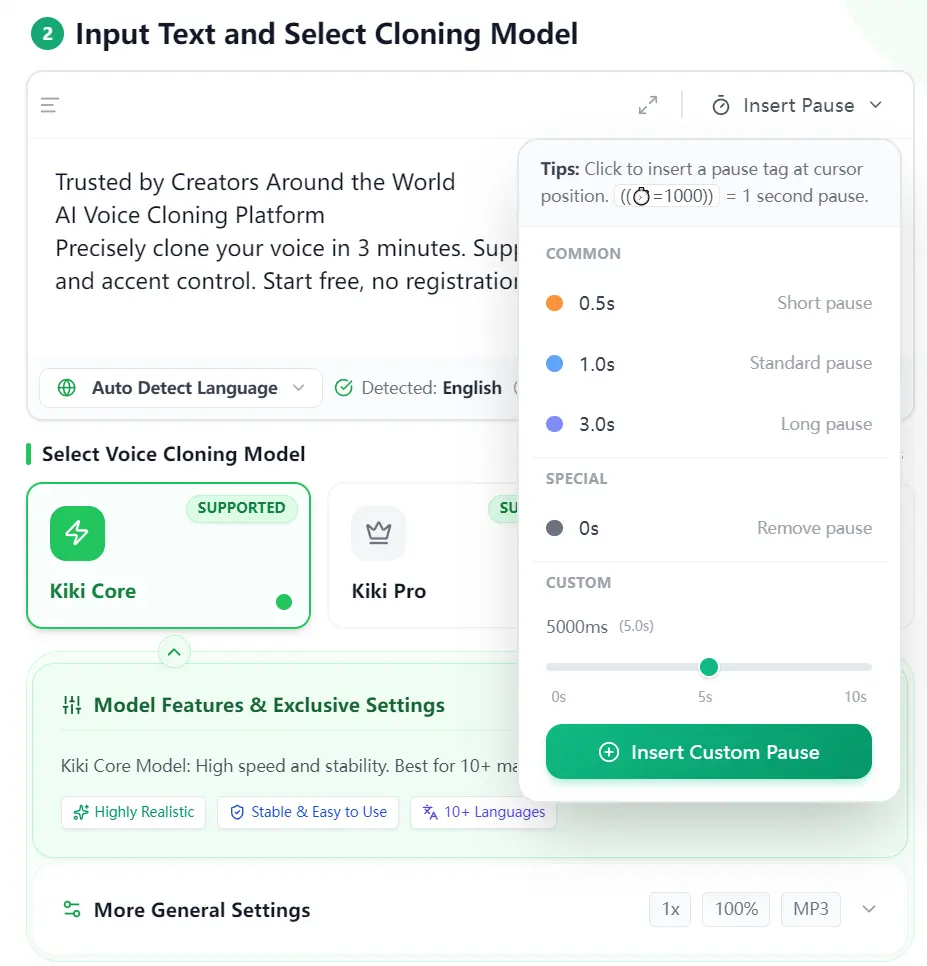
2. Enter the text you want the voice to speak. You can click the ‘Insert Pause’ button to add pause tags at your cursor position for natural-sounding speech patterns.
3. Select your cloning model based on your project needs. Kiki Core works for everyday content with fast generation. Kiki Pro suits professional projects that need emotional control. Kiki Multilingual handles global content across 75+ languages.
4. Configure your voice controls. Choose the language, adjust speed and pitch, select regional accent, set voice gender, and pick emotion settings (the available options depend on which model you selected).
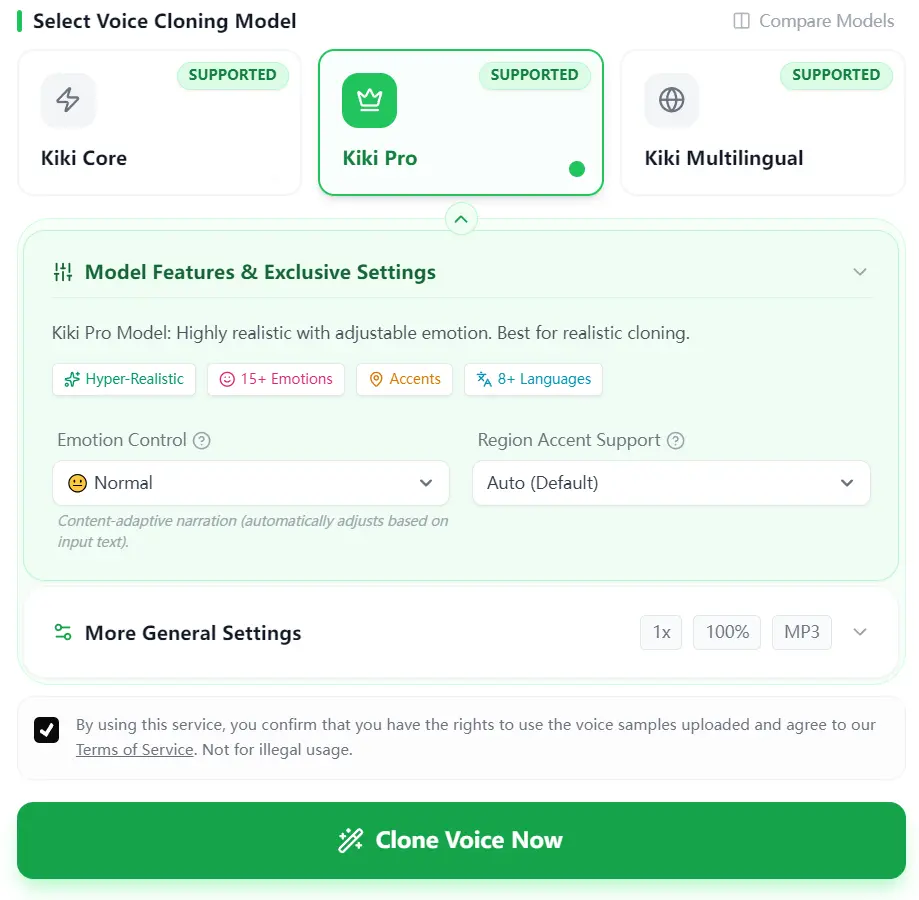
5. Click Generate to start the cloning process. Your audio typically processes in 30 seconds or less.
Pros
- Zero Barrier to Entry: No login or credit card is required.
- Fast Processing: Results typically appear in 30 seconds to 3 minutes.
- Format Flexibility: Supports a wide range of input and output audio formats.
- Survey Rewards: You can earn 100,000 additional credits by completing a workflow survey.
Cons
- Input Sensitivity: The output quality relies heavily on the quality of the uploaded sample.
- Credit Limits: Heavy users will eventually hit the weekly cap and must wait for the reset or pay.
- Text Length Restrictions: Free tier limits individual generations to 500-2,000 characters depending on the chosen model.
FAQs
Q: Does the free tier reset automatically?
A: Yes. Your 40,000 free credits reset weekly without requiring any action. The system automatically replenishes your credit balance at the start of each week.
Q: Can I use Kikivoice for commercial projects?
A: Yes. The platform supports commercial use for generated cloned voices.
Q: What happens if my cloned voice sounds mechanical?
A: Input audio quality directly affects output quality. Check your recording for background noise, unclear speech, or multiple overlapping voices. Try recording in a quieter space with a better microphone. You can also test different Kikivoice models since Kiki Core, Kiki Pro, and Kiki Multilingual produce different result qualities. The Kiki Pro model typically delivers the most natural-sounding output with its enhanced emotional controls.
Q: Can I clone celebrity voices?
A: No. The platform prohibits cloning voices without authorization. You can only clone voices for which you have explicit permission and usage rights.
Q: Do I need to delete my audio files manually?
A: No. The system automatically deletes uploaded audio after processing completes. You can also manually delete files from the voice cloning page at any time. Audio files expire and get removed from servers automatically if you don’t delete them yourself.