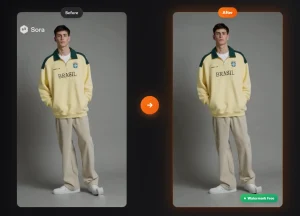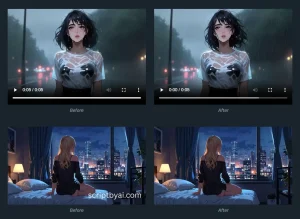
This is a free, AI-powered video watermark remover that helps you remove watermarks, logos, and text from any videos. It supports both fixed and moving watermarks across all major video formats.
Upload your video file, select the watermark area using the brush or crop tools, and the AI processes it within 30 seconds. The tool maintains original video quality while removing unwanted elements from your footage.
Before
After
Features
- AI-Powered Removal: Removes watermarks using advanced machine learning algorithms that analyze video frames and reconstruct backgrounds automatically.
- Quality Preservation: Your videos retain their original resolution, color accuracy, and sharpness throughout the removal process with zero compression artifacts.
- Dynamic Watermark Tracking: The tool detects and tracks moving watermarks across the video duration.
- Sora Watermark Specialization: A dedicated mode detects the specific “Sora” watermark from OpenAI videos. It removes these marks automatically in under 30 seconds.
Use Cases
- Content Repurposing: You can clean up old marketing videos or archived footage by removing outdated logos and watermarks, then reuse the content across current campaigns.
- Social Media Publishing: Creators and influencers remove watermarks from source footage before sharing on Instagram, TikTok, or YouTube.
- Professional Client Deliverables: Freelancers and agencies deliver polished final videos to clients without third-party watermarks or stock footage branding.
- AI Video Enhancement: Users working with Veo 3, Sora 2, or other AI video generators remove the default watermarks these tools apply.
How to Use It
1. Visit the Free Online Video Watermark Remover website and upload your video file in MP4, MOV, or AVI formats.
2. The platform presents two selection tools after the upload completes. The Brush tool lets you paint over watermark areas with adjustable brush sizes for precise coverage. The Crop tool removes watermarks positioned at video edges by trimming the frame. Choose whichever method fits your watermark location better.


3. Toggle the watermark type setting between Fixed and Moving. Fixed watermarks stay in one position throughout the video (like corner logos). Moving watermarks change position across frames (like animated text or tracking watermarks). The AI applies different processing algorithms based on your selection.
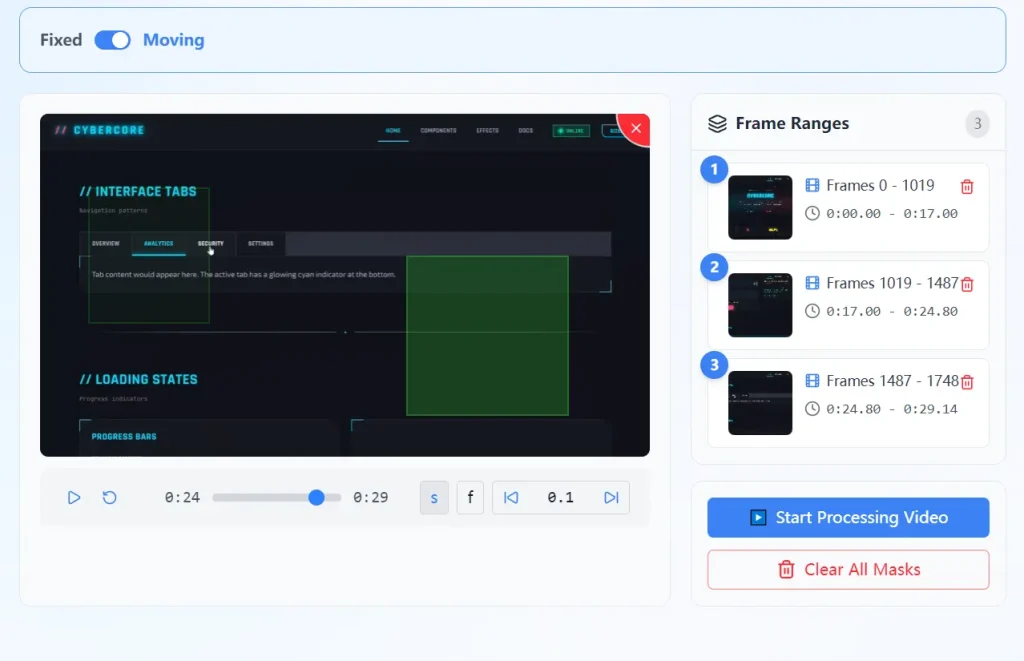
4. Click the “Remove Now” button after marking all watermark areas. The AI analyzes your video frame by frame, detects the marked elements, reconstructs the background pixels, and processes the entire clip. This typically takes 15-30 seconds depending on video length and complexity.
5. Preview the processed result in the built-in player before downloading. Check that watermarks removed completely and the background reconstruction looks natural. If you notice any issues, you can re-upload and adjust your selections.
6. Download the watermark-free video to your device. The file maintains your original resolution and format specifications
Pros
- Zero Cost: The tool is completely free to use.
- No Registration: You do not need to create an account or provide an email address.
- Quality Preservation: The output maintains the original resolution and color depth of the source file.
- Speed: Most standard clips process in 30 seconds.
Cons
- Complex Backgrounds: The AI might leave slight blurring or artifacts if the watermark covers a highly detailed or rapidly changing background.
- File Compression: Very large files may require compression before upload.
Related Resources
FAQs
Q: Do I need to pay to remove watermarks from high-resolution videos?
A: No. The tool is 100% free regardless of the video quality. There are no hidden charges.
Q: Does the tool keep a copy of my video?
A: No. Your videos are encrypted during the process and the system automatically deletes them after you complete your task.
Q: Will this lower the quality of my video?
A: The tool aims to preserve the original resolution and clarity. It only alters the specific pixels where the watermark is located.