Unfold is a free AI-powered course generator that generates interactive, personalized courses on any topic.
It uses Google’s most powerful Gemini model to create lessons matched to your specific goals, learning style, time constraints, and knowledge level.
Input a topic, the tool builds a structured path that evolves based on your responses, and then generates a custom curriculum with animated explanations tailored to your needs.
Features
- Adaptive questioning system: Asks follow-up questions based on your answers to understand your specific situation and learning context.
- Personalized curriculum generation: Creates course outlines tailored to your goals, current skill level, and available time commitment.
- Interactive animated lessons: Delivers content through visual animations that explain concepts step by step.
- Multi-format content delivery: Presents lessons in video, audio, and text formats so you can choose your preferred learning method.
- Contextual course design: Builds lessons around your real-world scenario (like your actual business, project, or personal goal).
- Progress-based structure: Organizes topics in a logical sequence that builds on previous lessons.
Use Cases
- Professional skill development: Learn job-related skills like SEO, content marketing, data analysis, or project management with courses built around your specific work situation.
- Technical learning for projects: Get step-by-step guidance on coding languages, frameworks, or tools adapted to the actual project you’re building.
- Creative skill acquisition: Master creative topics like music theory, dance styles, or visual design through personalized lessons that match your current abilities.
- Academic subject review: Study mathematics, sciences, languages, or humanities with explanations tailored to your existing knowledge gaps and learning pace.
- Business knowledge building: Understand business concepts like finance, operations, or strategy in the context of your actual company or industry.
How to Use It
1. Visit the Unfold website and type the topic you want to learn. The AI immediately asks for your name to personalize the experience.

2. Unfold then asks about your main purpose for learning this topic. For an SEO course, it generates options like “I want to rank a website higher on Google” or “I want to learn SEO to offer as a service.” You can select from suggested purposes or describe your goal in your own words through the chat interface.

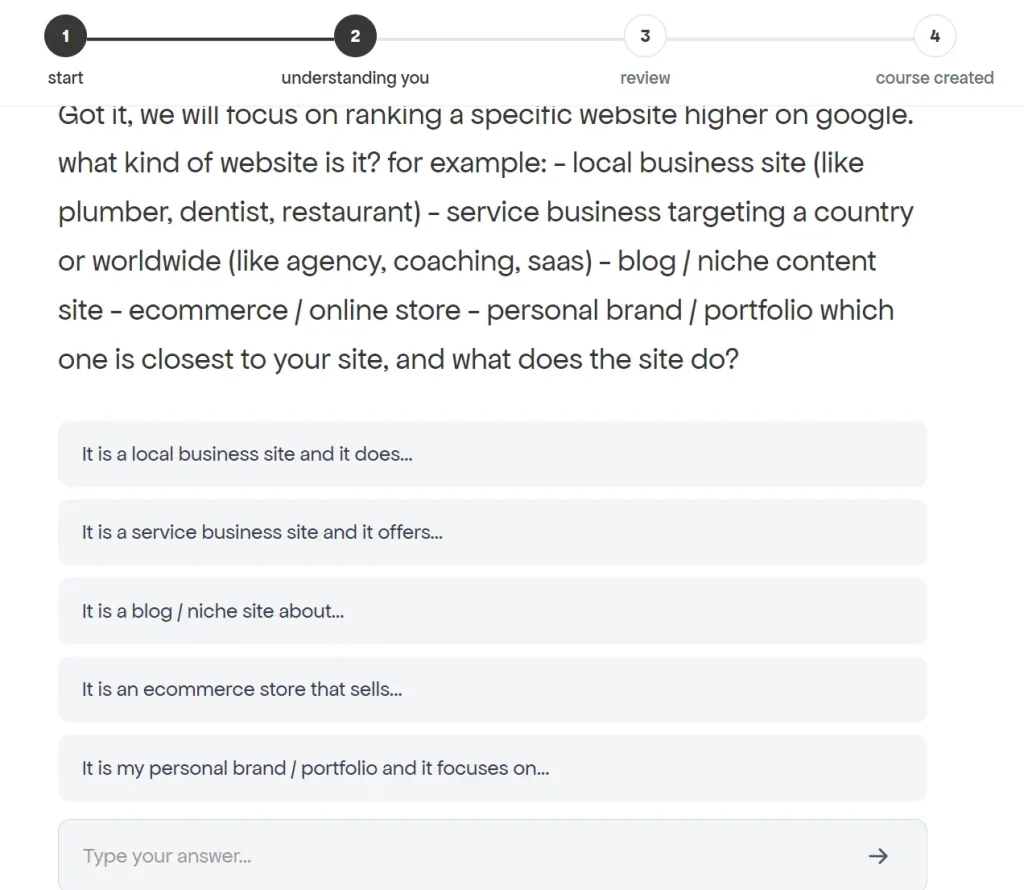
3. The tool then drills deeper based on your selection. If you chose “rank a website higher,” it asks about your website type (local business, blog, ecommerce, personal brand). Each answer triggers more specific questions. For a blog about SEO, it asked about my current status (not launched, 1-10 posts, 10-50 posts, or 50+ posts with traffic numbers).
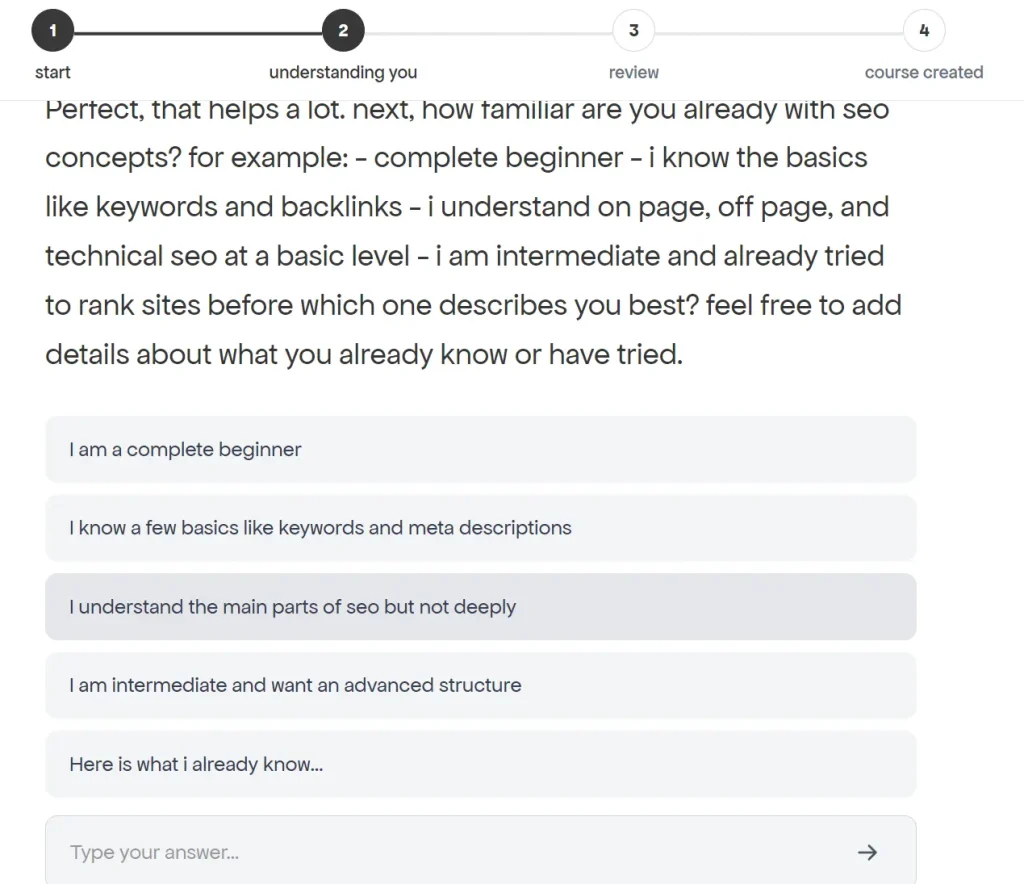
4. Unfold continues gathering context about your skill level. It presents options ranging from “complete beginner” to “intermediate looking for advanced structure” and allows you to explain what you already know in detail.
5. The questioning extends to your content preferences, learning style, technical comfort level, time availability, and success metrics. For SEO specifically, it asked whether I preferred short actionable steps or detailed explanations with examples, whether I was comfortable with basic WordPress settings or could handle schema markup, and how many hours per week I could dedicate to learning and implementation.
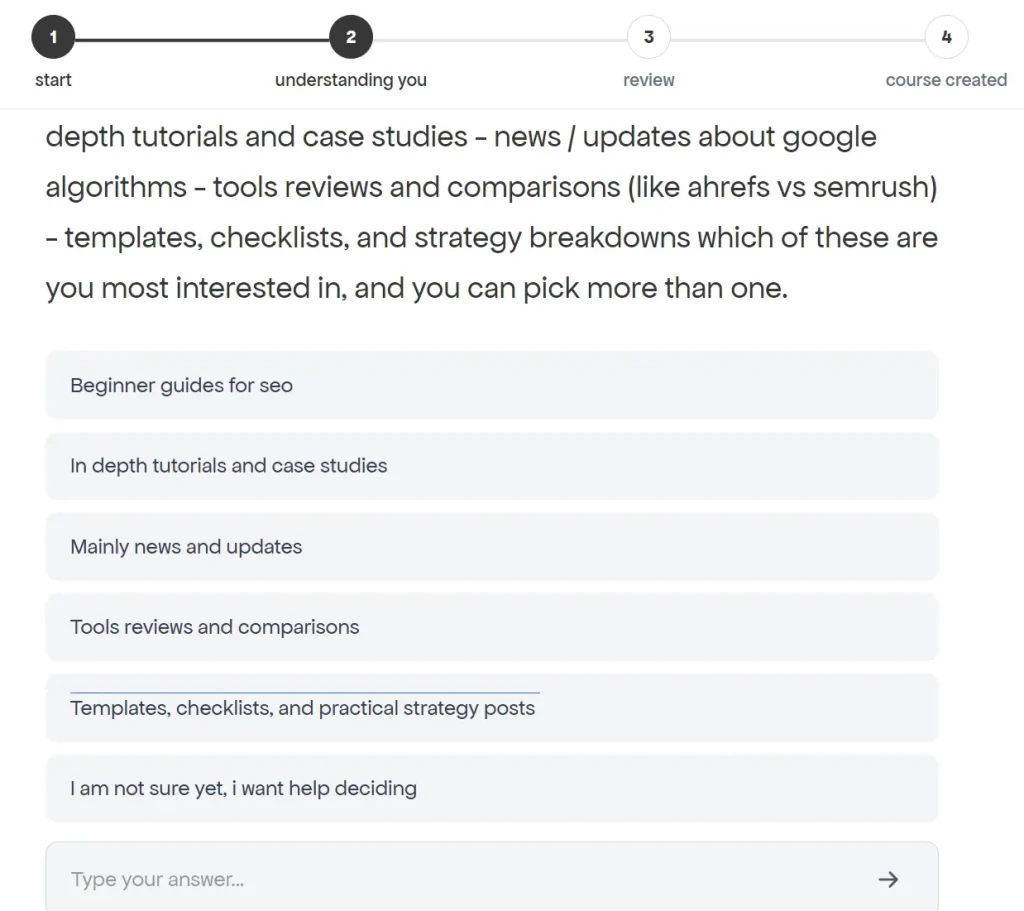
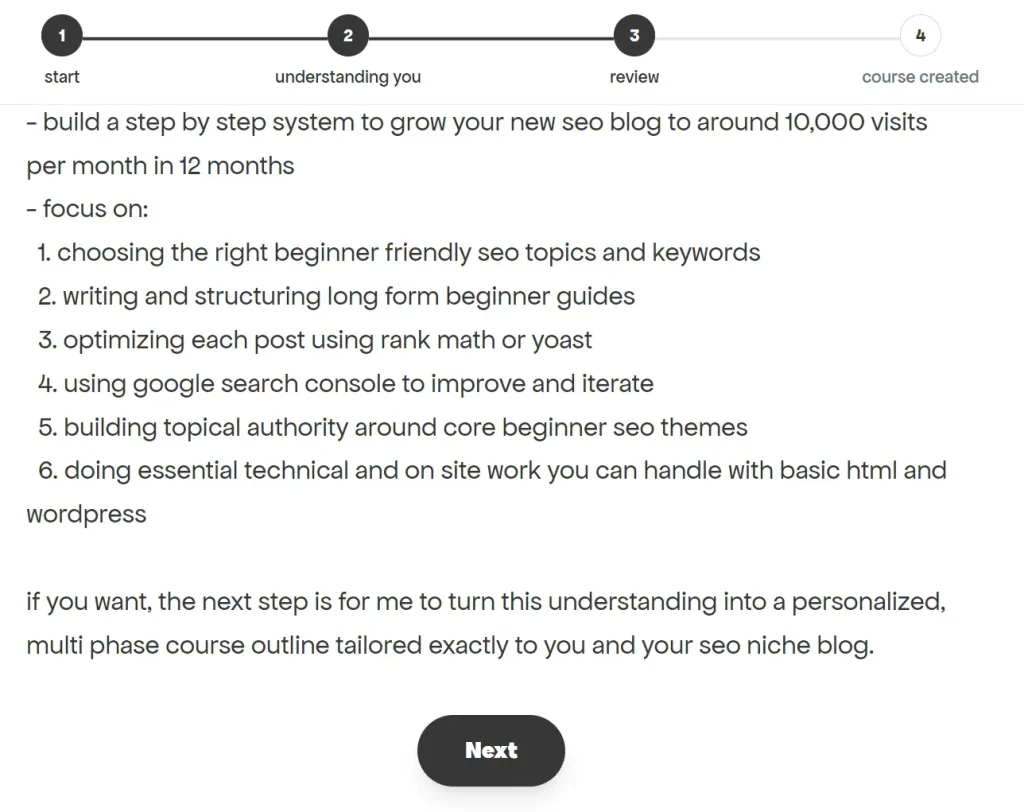
6. After you answer all questions, Unfold shows a summary of everything it learned about you. This review covers your goals, current situation, knowledge level, learning preferences, and constraints. You can verify this information before generation.
7. Click the “Generate” button and Unfold creates your course. My SEO example produced 18 modules covering topics like “The 10K Math: Breaking Down the Mountain,” “The Long-Tail Goldmine,” and “The First 100 Words Rule.”

8. Click “Start” to begin the interactive lessons.

Pros
- Zero Cost: The tool is completely free to use.
- High Relevance: The extensive interview process ensures the content matches your exact needs.
- Technical Flexibility: It adapts the difficulty level based on your stated technical skills.
- Actionable Structure: The output is a structured curriculum rather than a random wall of text.
Cons
- Time-Consuming Setup: The initial question-and-answer phase is long and requires patience.
- No Content Export: You cannot download the course materials as PDFs or documents for offline review.
- Limited Editing: Once a course is created, you cannot modify the curriculum or sequence.
Related Resources
- Khan Academy: Explore traditional structured courses if you prefer predetermined curricula over AI-generated content.
- Coursera: Access professionally designed courses with certifications when you need formal credentials.
FAQs
Q: Can I generate multiple courses on different topics?
A: Yes. You can create as many courses as you want on any topic. Each course starts with a fresh set of questions about that specific subject.
Q: Does Unfold save my progress through the course?
A: The platform saves your course structure and which lessons you’ve accessed.
Q: Can I skip the question process and jump straight to course generation?
A: No. Unfold requires the interview process because it uses your answers to personalize the curriculum.
Q: How long does it take to generate a complete course?
A: Course generation happens in seconds after you complete the questions. The interview itself takes 5-10 minutes, depending on how detailed your answers are.
Q: What kind of topics work best?
A: Practical, skill-based topics like marketing, coding, business, and hobbyist skills yield detailed courses.
Q: Can I save or share my generated course?
A: You get a unique URL for your course that you can bookmark or share. You cannot export the content into other formats like PowerPoint or PDF.