AI Clothes Changer is a free AI virtual try-on tool that enables you to virtually change the clothes you’re wearing in a picture.
You can use it to try on different outfits, experiment with new styles, and create fresh looks without ever stepping into a store.
Features:
- Smart Clothing Detection: Automatically identifies and marks clothing areas in uploaded photos for replacement.
- Text Prompt Control: Accepts natural language descriptions to guide the AI in changing specific clothing elements.
- Custom Upload Option: Supports both pre-loaded clothing styles and user-uploaded garment images.
- Manual Refinement Tools: Built-in brush and eraser tools allow users to fine-tune the areas selected for clothing replacement.
- High-Resolution Output: Generates detailed, realistic images suitable for sharing on social media or professional use.
- Privacy Protection: Keeps all uploaded content private and secure without sharing user data.
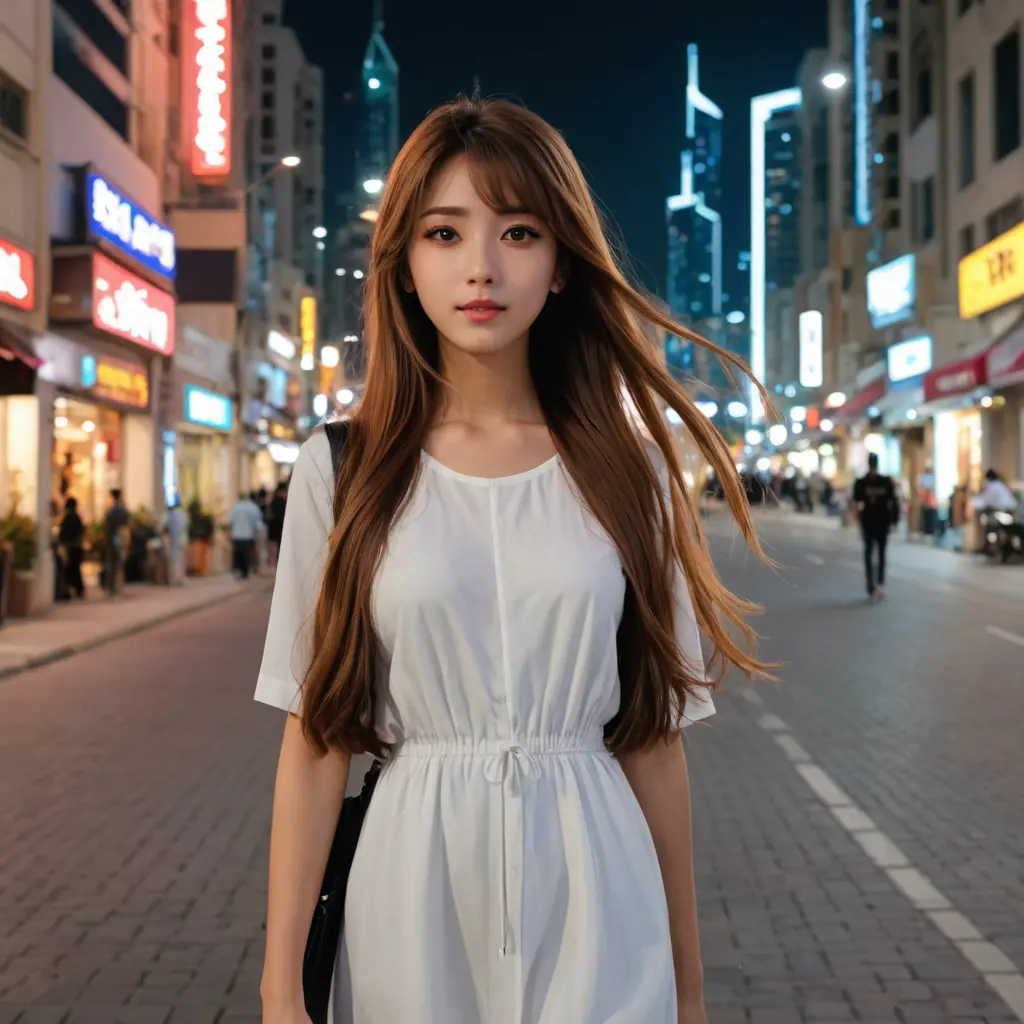
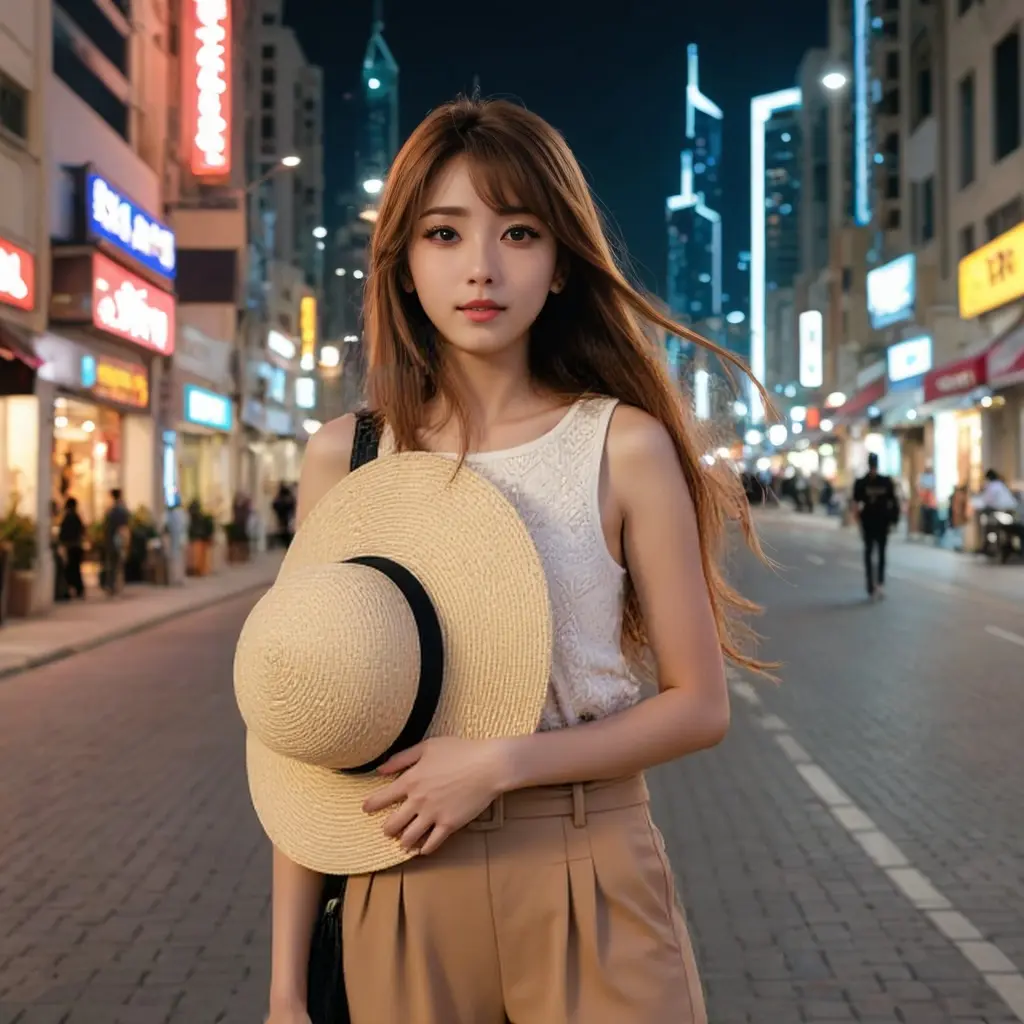
Examples:
Use Cases
- Content Creation: Fashion influencers and bloggers can create a variety of looks for their social media channels without needing to buy new clothes for every post.
- E-commerce: Online clothing stores can use the tool to show customers how different items will look on them, potentially reducing return rates.
- Personal Styling: If you’re not sure what to wear for a special occasion, you can use AIClothesChangers to try out different options and get a better sense of what works for you.
- Creative Projects: Artists and designers can use the tool to experiment with different fashion concepts and create unique visual content.
How to Use It
1. Upload a clear half-body or full-body portrait where the person is facing forward. Photos with good lighting and minimal background distractions work best for accurate clothing detection.
2. Browse the style column on the left side of the interface to choose from pre-loaded clothing options. You can also upload your own clothing images if you want to test specific garments.
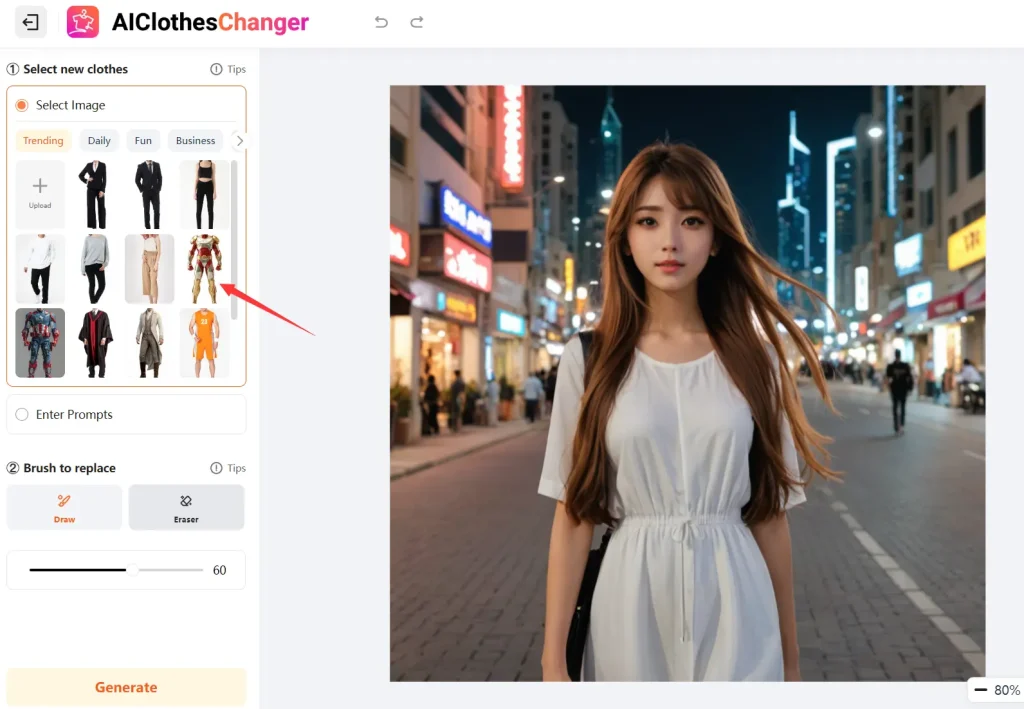
3. The AI automatically detects and marks the clothing areas to replace on your original image. Review these selections and use the built-in brush tool to add areas or the eraser tool to remove sections from the replacement zone.
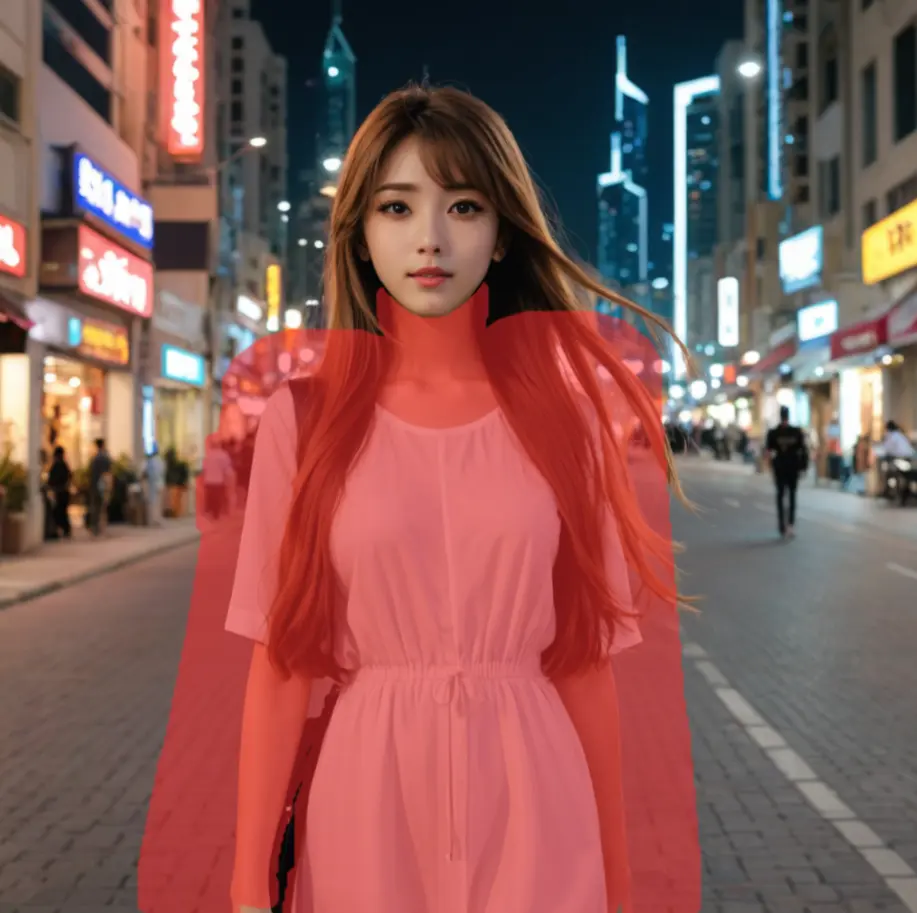
4. Add Text Instructions (Optional). Enter natural language prompts in the text field to provide additional guidance about the clothing change. For example, “change the shirt to a blue formal dress shirt” or “replace the dress with a casual summer outfit.”
5. Click the “Generate” button to start the AI processing. The transformation typically completes within 10-20 seconds. Once you are satisfied with the result, you can download the high-resolution image directly to your device or share it immediately on social media platforms.
Pros
- Fast Processing Speed: Results generate in under 30 seconds. This allows for quick experimentation with multiple outfit combinations during a single session.
- Realistic Output Quality: The AI produces convincing clothing swaps that maintain proper fabric textures, lighting consistency, and body proportions.
- Free Daily Usage: Users can perform up to five outfit changes per day without payment, making it cost-effective for casual experimentation.
- Commercial Usage Rights: Generated images can be used for business purposes, including online stores, marketing materials, and social media campaigns.
- Privacy-First Approach: All uploaded photos remain private and secure, with no data sharing or storage concerns for sensitive content.
Cons
- Daily Usage Restrictions: The five-per-day limit may be insufficient for heavy users or businesses requiring extensive outfit testing.
- Photo Quality Dependency: Poor lighting, awkward poses, or busy backgrounds can reduce the accuracy of clothing detection and replacement quality.
- Limited Clothing Database: While the pre-loaded options cover basic categories, users seeking niche or highly specific styles may need to upload their own reference images.
- Processing Variability: Complex clothing items with intricate details or patterns may not render as accurately as simple, solid-colored garments.
FAQs
Q: How accurately does AI Clothes Changer generate the clothing swaps?
A: The accuracy depends heavily on photo quality and clothing complexity. Simple garments on well-lit, front-facing photos typically produce highly realistic results, while intricate patterns or unusual poses may show some inconsistencies. The AI handles basic clothing swaps like shirts, dresses, and jackets most reliably.
Q: Can I use AI Clothes Changer for group photos or multiple people?
A: Currently, the tool works best with single-person portraits. Group photos may confuse the AI’s clothing detection algorithm, leading to inaccurate results. For group styling projects, process each person’s image individually.
Q: What happens if I exceed the five daily uses?
A: The platform restricts additional uses until the next day. Users requiring more frequent access would need to wait for the limit reset.
Q: Are there any clothing types that work better than others?
A: Solid colors and standard clothing silhouettes (shirts, dresses, jackets) produce the most reliable results. Highly detailed patterns, sheer fabrics, or avant-garde designs may not render as accurately due to the complexity of replicating these elements convincingly.



