Startup Domain Search is a free, open-source AI tool that generates up to 60 brandable domain name candidates from a plain-language description of your startup idea.
It also checks their real-time availability across multiple TLDs, and scores each name across six measurable dimensions so you can pick the best one with data behind your decision.
Most AI domain name generators give you a list and leave you guessing. This one adds a scoring layer on top of availability.
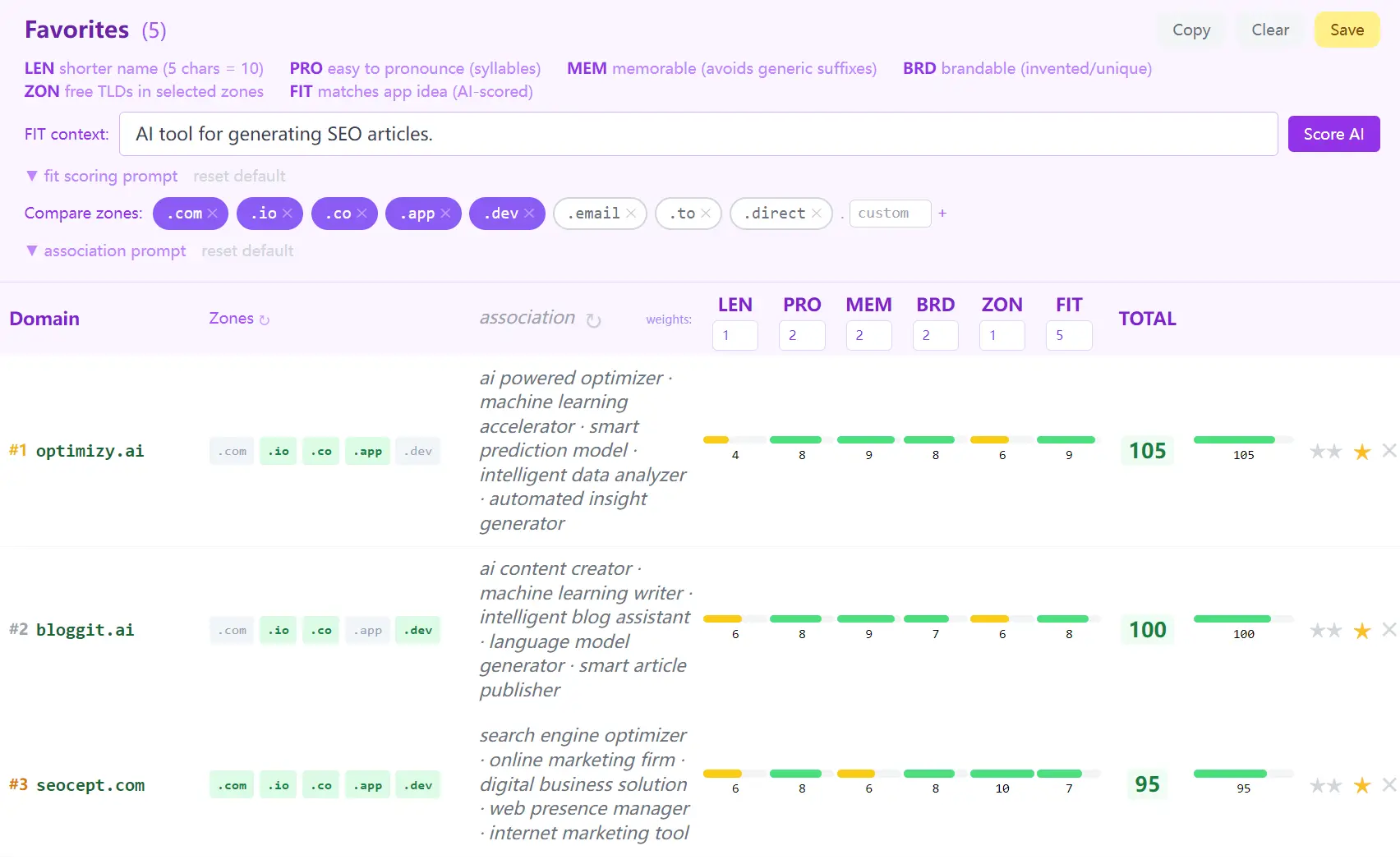
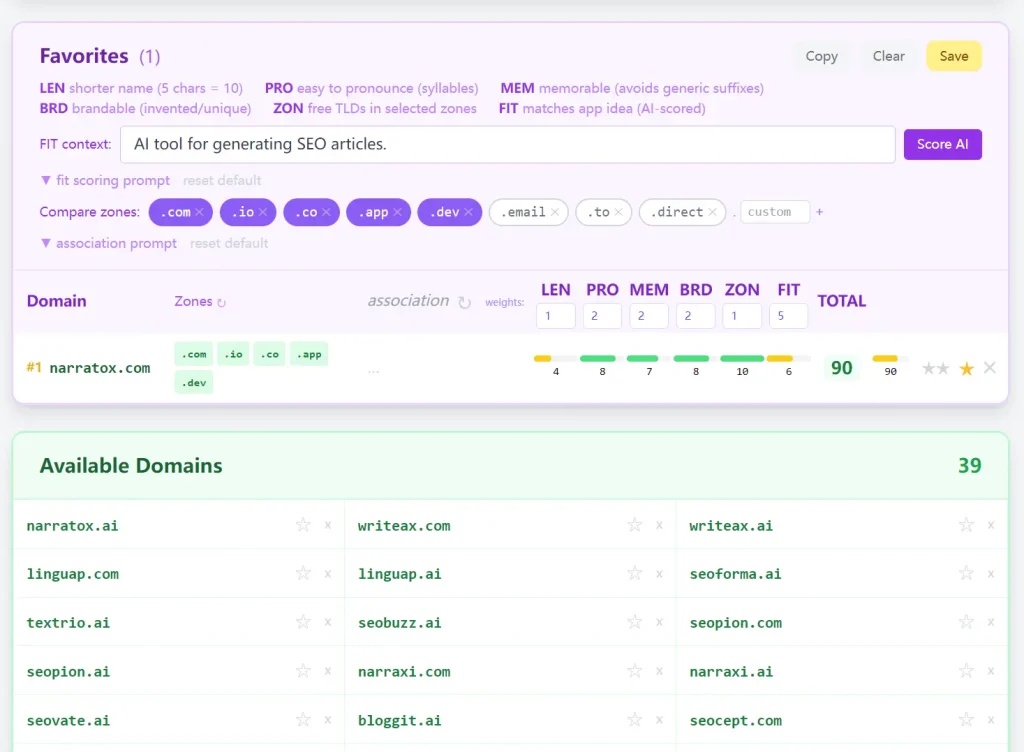
You see a ranked comparison table that weighs length, pronounceability, memorability, brandability, zone availability, and relevance to your specific idea. The result is a structured shortlist, not a wall of available names you still have to evaluate manually.
Features
- Generates 60 AI-powered domain name candidates from a startup description.
- Checks real-time domain availability across nine TLDs:
.ai,.com,.io,.app,.dev,.co,.email,.to, and.direct. - Scores every domain candidate on six dimensions: LEN (length), PRO (pronounceability), MEM (memorability), BRD (brandability), ZON (zone availability), and FIT (AI relevance to your concept).
- Uses a two-stage availability check: RDAP via rdap.org, followed by DNS-over-HTTPS via Cloudflare 1.1.1.1 to catch false negatives from unreliable registries like
.io,.ai, and.co. - Runs LEN and ZON scoring instantly in the browser as computed values, and scores PRO, MEM, BRD, and FIT in a single AI call.
- Lets you adjust the weight of each scoring dimension to match your own priorities.
- Generates three word-associations per favorited domain, factoring in both the name stem and the semantic meaning of its TLD.
- Includes a Quick Check mode to type any single domain stem and instantly check synonyms and all zones.
- Saves favorite sets as snapshots you can restore later.
- Supports Groq (recommended), OpenAI, and Anthropic API keys as drop-in replacements for the bundled key.
- Runs entirely in the browser as a static HTML and vanilla JavaScript app.
- Open-source under the MIT license, hosted on GitHub Pages.
Use Cases
- Find available domain names for a new SaaS.
- Evaluate a list of potential brand names based on objective memorability and pronounceability metrics.
- Check the exact availability of a specific word across dozens of different domain extensions simultaneously.
- Generate word associations tailored to your specific project concept and chosen domain extension.
How to Use It
1. Type a clear description of your product or startup concept into the description box. The more specific you are about what the product does and who it serves, the more relevant the generated names will be.
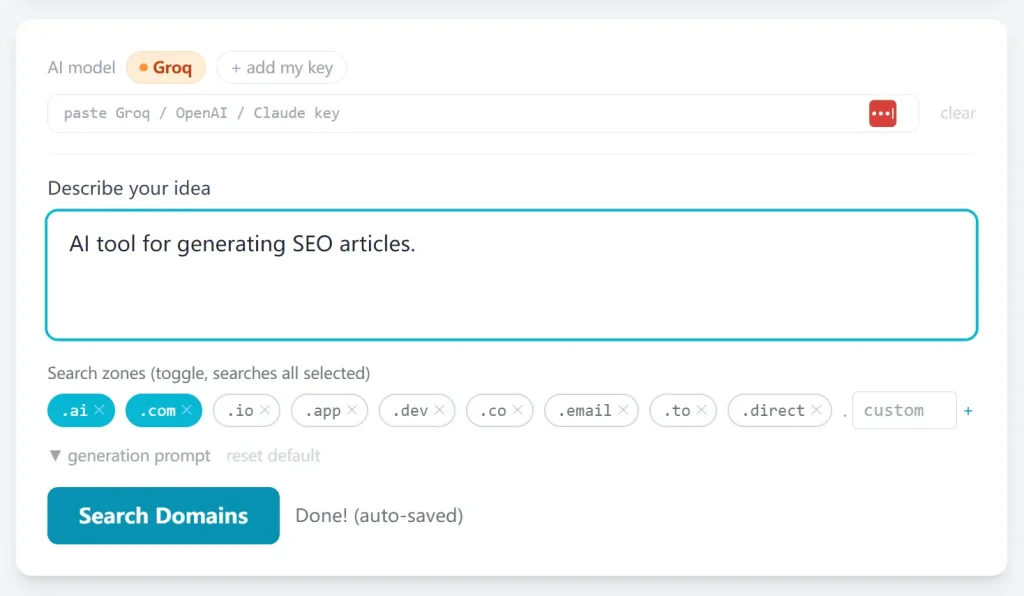
2. Toggle the TLD zones you want to check. Available options:
| TLD | Typical Use |
|---|---|
.ai | AI tools, machine learning products |
.com | General-purpose, most trusted |
.io | Developer tools, B2B SaaS |
.app | Consumer apps, mobile products |
.dev | Developer-facing tools |
.co | Startups, short brandable names |
.email | Email-related services |
.to | Action-oriented names (e.g., send.to) |
.direct | Direct, straightforward brand names |
3. Click Search Domains. Names stream into the results table as each is checked. The tool generates 60 candidates and processes availability in parallel: RDAP first, then DNS-over-HTTPS for any unconfirmed results.
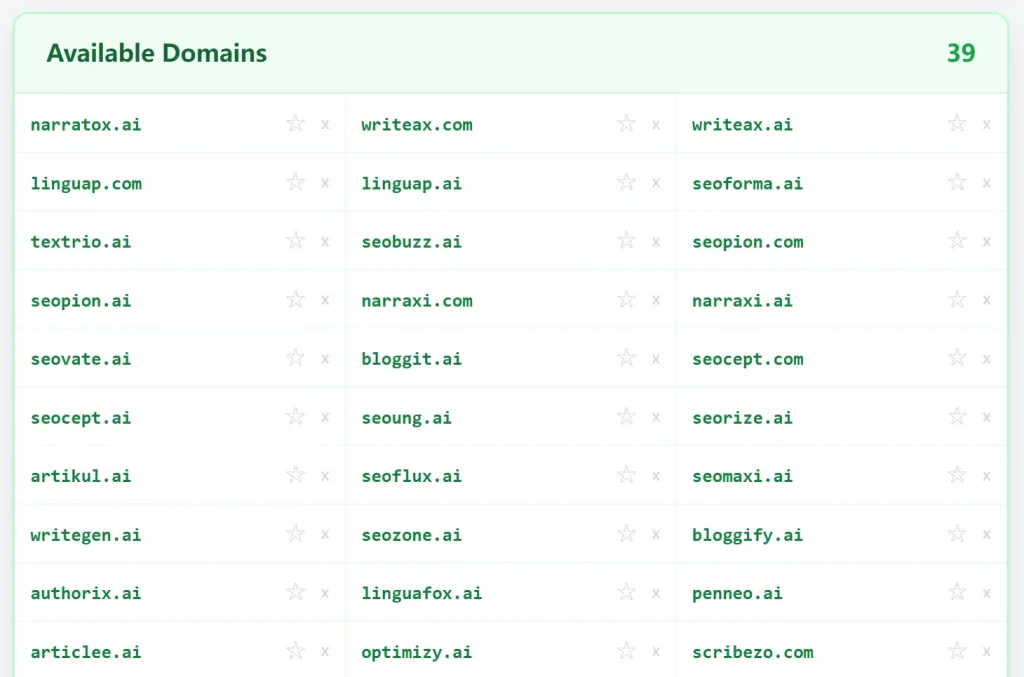
4. Click the ★ star icon next to any domain that catches your eye. Starred domains move into the Favorites scoring panel at the bottom of the page.
5. Enter your app description in the FIT context field inside the Favorites panel and click Score AI. The tool sends a single API call and populates PRO, MEM, BRD, and FIT scores for every favorited domain at once. LEN and ZON calculate automatically without an API call.
6. Use the weight controls next to each dimension to reflect your priorities. The six dimensions and what they measure:
| Dimension | What It Measures | How It’s Calculated |
|---|---|---|
| LEN | Name length (5 characters = perfect score of 10) | Computed locally |
| PRO | Natural flow when spoken aloud | AI-scored |
| MEM | Likelihood someone remembers it the next day | AI-scored |
| BRD | Uniqueness and ownable brand quality | AI-scored |
| ZON | Fraction of your selected TLDs that are available | Computed locally |
| FIT | How well the name reflects your specific concept | AI-scored |
The TOTAL column multiplies each dimension’s score by its weight and sums the result. Sort by TOTAL to see your top-ranked candidates.
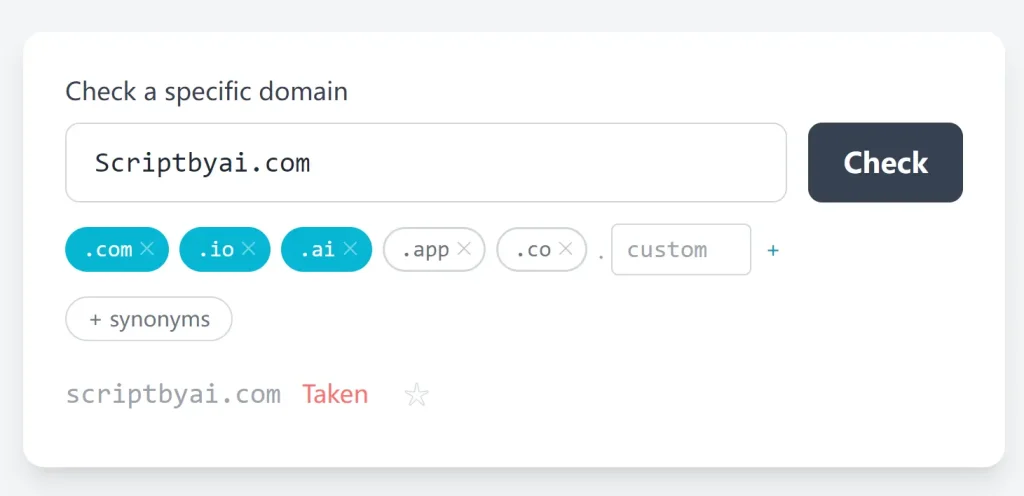
7. Type any single domain stem into the Quick Check field at the top of the page and click Check. The tool checks synonyms of that stem and all selected zones instantly, so you can validate a name you already have in mind without running a full 60-name search.
8. Each favorited domain displays three word-associations that factor in the name and the semantic meaning of its TLD (.ai maps to artificial intelligence, .io maps to developer tool, etc.). Click the ↻ refresh icon next to “association” to regenerate them with a custom prompt.
9. Click Save in the Favorites panel to snapshot your current favorite set. Click Restore to load a previously saved set. All data stays in your browser’s localStorage.
10. The bundled Groq key works for standard use. For heavy use or to switch providers, paste your own key into the AI provider row at the top of the search form.
| Provider | Key Prefix | Key Source |
|---|---|---|
| Groq (recommended) | gsk_ | https://console.groq.com |
| OpenAI | sk- | https://platform.openai.com |
| Anthropic/Claude | sk-ant- | https://console.anthropic.com |
Running It Locally
The repo requires no build step. Serve the project root over HTTP:
npx serve .Or use Python’s built-in server:
python3 -m http.server 8080Open http://localhost:8080 in your browser.
Pros
- No account or sign-up required.
- The two-stage availability check (RDAP + DNS-over-HTTPS) is more accurate than tools that rely on a single registry lookup.
- Everything runs in the browser with no backend server involved.
- Open source under MIT. You can self-host, fork, or modify it freely.
- The scoring system produces a ranked total rather than leaving the judgment call entirely to you.
Cons
- The bundled Groq key is on Groq’s free tier and may hit rate limits during heavy use.
- Your saved favorites are tied to a single browser and device.
- The AI scores for PRO, MEM, BRD, and FIT are subjective estimates from a language model, not empirical data.
Related Resources
- Groq Console: Get a free Groq API key to use your own key for heavy generation sessions.
- Cloudflare DNS-over-HTTPS: Technical documentation on the DoH resolver used for availability checking.
- RDAP.org: The registry data access protocol lookup service the tool uses for first-stage availability checks.
- domainsearcher-app on GitHub: Full source code, issue tracker, and contribution history for the project.