Node.js Debugger
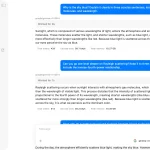
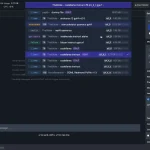
The MCP Node.js Debugger is an MCP server that connects MCP clients like Cursor and Claude Code directly to running Node.js applications for real-time debugging.
Instead of relying on console logs or static code analysis, you can ask your AI assistant to inspect live application state, set breakpoints, and examine runtime conditions while your application runs.
Features
- 🔍 Real-time Runtime Inspection – Examine variables, objects, and application state while your Node.js app runs
- 🛑 Dynamic Breakpoint Management – Set, list, and remove breakpoints through natural language commands
- 🤖 AI-Powered Debugging – Let Cursor or Claude Code analyze runtime errors and suggest fixes based on actual execution state
- 📡 Direct Integration – Works with Node.js’s native
--inspectdebugging protocol - 🔧 Live Code Execution – Run JavaScript snippets within your application’s runtime context
- 📊 Context-Aware Analysis – AI assistants can understand your application’s current state when providing debugging help
Use Cases
- Runtime Error Investigation – When encountering mysterious errors in production-like environments, connect your AI assistant to inspect the exact conditions that trigger the problem
- Database Connection Debugging – Examine connection strings, authentication tokens, and configuration values at runtime when database connections fail
- API Integration Troubleshooting – Inspect request/response objects, headers, and authentication data during API calls to identify integration issues
- Performance Analysis – Monitor variable states and execution paths during performance bottlenecks to identify optimization opportunities
How to Use It (Cursor)
1. Add the server configuration to your Cursor MCP settings file at ~/.cursor/mcp.json:
{
  "mcpServers": {
    "nodejs-debugger": {
      "command": "npx",
      "args": ["@hyperdrive-eng/mcp-nodejs-debugger"]
    }
  }
}
2. Launch your Node.js application with the inspect flag:
node --inspect your-app.js3. Begin debugging with AI Ask Cursor to help debug your application. The AI can now access your runtime environment directly.
How to Use It (Claude Code)
1. Add the MCP Server
claude mcp add nodejs-debugger npx @hyperdrive-eng/mcp-nodejs-debugger2. Verify Connection
claude
# Check MCP status
/mcp
3. Launch Debug Session Start your Node.js app in debug mode:
node --inspect your-app.js4. Then ask Claude Code to investigate runtime issues using the debugger.
Available Commands
- set_breakpoint – Add breakpoints at specific file locations
- list_breakpoints – Display all active breakpoints
- nodejs_inspect – Execute JavaScript code within the running application context
- remove_breakpoint – Delete specific breakpoints
FAQs
Q: Does this work with any Node.js application?
A: Yes, any Node.js application can use this debugger as long as it’s started with the --inspect flag. The application doesn’t need special configuration or dependencies.
Q: Can I use this with applications running in containers?
A: Absolutely. You need to expose the debug port (default 9229) from your container and ensure the MCP server can reach the debugging endpoint.
Q: Will this impact my application’s performance?
A: The Node.js inspect protocol has minimal performance overhead when no debugging operations are active. Setting breakpoints and inspecting variables will pause execution temporarily.
Q: Can I debug applications running on remote servers?
A: Yes, but you’ll need to configure the Node.js inspector to bind to a network interface (not just localhost) and ensure network connectivity between the MCP server and your application.
Q: Is this secure? Where does my code and data go?
A: The MCP server and your Node.js application both run on your local machine. The communication happens locally between the server, your app, and your AI assistant (Cursor or Claude Code). No code or runtime data should be sent to third-party servers beyond what your AI assistant’s own privacy policy states. It’s as secure as any other local development tool.
Latest MCP Servers
Paper Search
Codebase Memory
CVE
Featured MCP Servers
Codebase Memory
Notion
Claude Peers
FAQs
Q: What exactly is the Model Context Protocol (MCP)?
A: MCP is an open standard, like a common language, that lets AI applications (clients) and external data sources or tools (servers) talk to each other. It helps AI models get the context (data, instructions, tools) they need from outside systems to give more accurate and relevant responses. Think of it as a universal adapter for AI connections.
Q: How is MCP different from OpenAI's function calling or plugins?
A: While OpenAI's tools allow models to use specific external functions, MCP is a broader, open standard. It covers not just tool use, but also providing structured data (Resources) and instruction templates (Prompts) as context. Being an open standard means it's not tied to one company's models or platform. OpenAI has even started adopting MCP in its Agents SDK.
Q: Can I use MCP with frameworks like LangChain?
A: Yes, MCP is designed to complement frameworks like LangChain or LlamaIndex. Instead of relying solely on custom connectors within these frameworks, you can use MCP as a standardized bridge to connect to various tools and data sources. There's potential for interoperability, like converting MCP tools into LangChain tools.
Q: Why was MCP created? What problem does it solve?
A: It was created because large language models often lack real-time information and connecting them to external data/tools required custom, complex integrations for each pair. MCP solves this by providing a standard way to connect, reducing development time, complexity, and cost, and enabling better interoperability between different AI models and tools.
Q: Is MCP secure? What are the main risks?
A: Security is a major consideration. While MCP includes principles like user consent and control, risks exist. These include potential server compromises leading to token theft, indirect prompt injection attacks, excessive permissions, context data leakage, session hijacking, and vulnerabilities in server implementations. Implementing robust security measures like OAuth 2.1, TLS, strict permissions, and monitoring is crucial.
Q: Who is behind MCP?
A: MCP was initially developed and open-sourced by Anthropic. However, it's an open standard with active contributions from the community, including companies like Microsoft and VMware Tanzu who maintain official SDKs.