Ask Human
The ask-human MCP server solves one of the most frustrating problems in AI development: false confidence and hallucinations.
Instead of your AI making up endpoints, APIs, or implementation details, this server gives it a direct line to ask you questions when it’s genuinely uncertain.
Features
- 🚀 Zero Configuration Setup – Install and run with a single command
- 📝 Markdown Q&A Interface – Questions appear in a simple markdown file you can edit
- ⚡ Real-time File Watching – Instant feedback when you provide answers
- 🔄 Multi-Agent Support – Handle questions from multiple AI instances simultaneously
- 🔒 Built-in Safety Limits – Prevents system overload with configurable timeouts and size limits
- 📊 Persistent History – Complete Q&A logs for debugging and reference
- 🌐 Cross-Platform Compatibility – Works on Windows, macOS, and Linux
- 🔧 Flexible Configuration – Customizable timeouts, file paths, and resource limits
- 🛡️ Security Features – Input sanitization, file locking, and secure permissions
How to Use It
1. Installation
pip install ask-human-mcp
ask-human-mcp
2. Configure your MCP Clients
Cursor
{
  "mcpServers": {
    "ask-human": {
      "command": "ask-human-mcp"
    }
  }
}
Claude Desktop
{
  "mcpServers": {
    "ask-human": {
      "command": "ask-human-mcp"
    }
  }
}
HTTP Mode (for remote access):
ask-human-mcp --port 3000 --host 0.0.0.0Then configure your MCP client:
{
  "mcpServers": {
    "ask-human": {
      "url": "http://localhost:3000/sse"
    }
  }
}
3. Basic Workflow
- AI encounters uncertainty – Instead of guessing, it calls
ask_human(question, context) - Question appears in file – Check
ask_human.mdfor new questions with unique IDs - You provide the answer – Replace “PENDING” with your response
- AI continues – Receives your answer and proceeds with accurate information
4. Sample Q&A Format
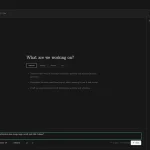
When your AI asks a question, it appears like this in ask_human.md:
### Q8c4f1e2a
ts: 2025-01-15 14:30
q: which auth endpoint do we use?
ctx: building login form in auth.js
answer: PENDING
You simply replace the “PENDING” with your answer:
answer: POST /api/v2/auth/login5. Command Line Options
ask-human-mcp --help                        # Show all options
ask-human-mcp --port 3000 --host 0.0.0.0   # HTTP mode
ask-human-mcp --timeout 1800                # 30-minute timeout
ask-human-mcp --file custom_qa.md           # Custom Q&A file
ask-human-mcp --max-pending 50              # Max concurrent questions
ask-human-mcp --max-question-length 5000    # Max question size
ask-human-mcp --rotation-size 10485760      # Rotate file at 10MB
6. Advanced Configuration
{
  "mcpServers": {
    "ask-human": {
      "command": "ask-human-mcp",
      "args": ["--timeout", "900", "--max-pending", "25"]
    }
  }
}
7. Available API Methods
ask_human(question, context="")– Ask a question and wait for responselist_pending_questions()– Get all questions awaiting answersget_qa_stats()– Retrieve statistics about the current Q&A session
8. Resource Limits
| Setting | Default | Purpose |
|---|---|---|
| Question Length | 10KB | Maximum characters per question |
| Context Length | 50KB | Maximum characters per context |
| Pending Questions | 100 | Maximum concurrent questions |
| File Size | 100MB | Maximum ask file size |
| Rotation Size | 50MB | Size trigger for file archiving |
FAQs
Q: What happens if I don’t answer a question?
A: Questions have configurable timeouts (default 10 minutes). After timeout, the AI receives a timeout message and can either retry or handle the situation gracefully.
Q: Can multiple AI agents use this simultaneously?
A: Yes, the server handles concurrent questions from multiple agents. Each question gets a unique ID and file locking prevents conflicts.
Q: Where are the Q&A files stored?
A: By default, ask_human.md is created in your current working directory. You can specify a custom path with the --file option.
Q: How do I handle sensitive information in questions?
A: The server includes input sanitization and creates files with restricted permissions. For extra security, use custom file paths in secure directories.
Q: Can I run this on a remote server?
A: Yes, use HTTP mode with --host 0.0.0.0 --port 3000 and configure your MCP client to connect via the HTTP endpoint.
Latest MCP Servers
Codebase Memory
Microsoft Learn
Paper Search
Featured MCP Servers
Codebase Memory
Microsoft Learn
Notion
FAQs
Q: What exactly is the Model Context Protocol (MCP)?
A: MCP is an open standard, like a common language, that lets AI applications (clients) and external data sources or tools (servers) talk to each other. It helps AI models get the context (data, instructions, tools) they need from outside systems to give more accurate and relevant responses. Think of it as a universal adapter for AI connections.
Q: How is MCP different from OpenAI's function calling or plugins?
A: While OpenAI's tools allow models to use specific external functions, MCP is a broader, open standard. It covers not just tool use, but also providing structured data (Resources) and instruction templates (Prompts) as context. Being an open standard means it's not tied to one company's models or platform. OpenAI has even started adopting MCP in its Agents SDK.
Q: Can I use MCP with frameworks like LangChain?
A: Yes, MCP is designed to complement frameworks like LangChain or LlamaIndex. Instead of relying solely on custom connectors within these frameworks, you can use MCP as a standardized bridge to connect to various tools and data sources. There's potential for interoperability, like converting MCP tools into LangChain tools.
Q: Why was MCP created? What problem does it solve?
A: It was created because large language models often lack real-time information and connecting them to external data/tools required custom, complex integrations for each pair. MCP solves this by providing a standard way to connect, reducing development time, complexity, and cost, and enabling better interoperability between different AI models and tools.
Q: Is MCP secure? What are the main risks?
A: Security is a major consideration. While MCP includes principles like user consent and control, risks exist. These include potential server compromises leading to token theft, indirect prompt injection attacks, excessive permissions, context data leakage, session hijacking, and vulnerabilities in server implementations. Implementing robust security measures like OAuth 2.1, TLS, strict permissions, and monitoring is crucial.
Q: Who is behind MCP?
A: MCP was initially developed and open-sourced by Anthropic. However, it's an open standard with active contributions from the community, including companies like Microsoft and VMware Tanzu who maintain official SDKs.