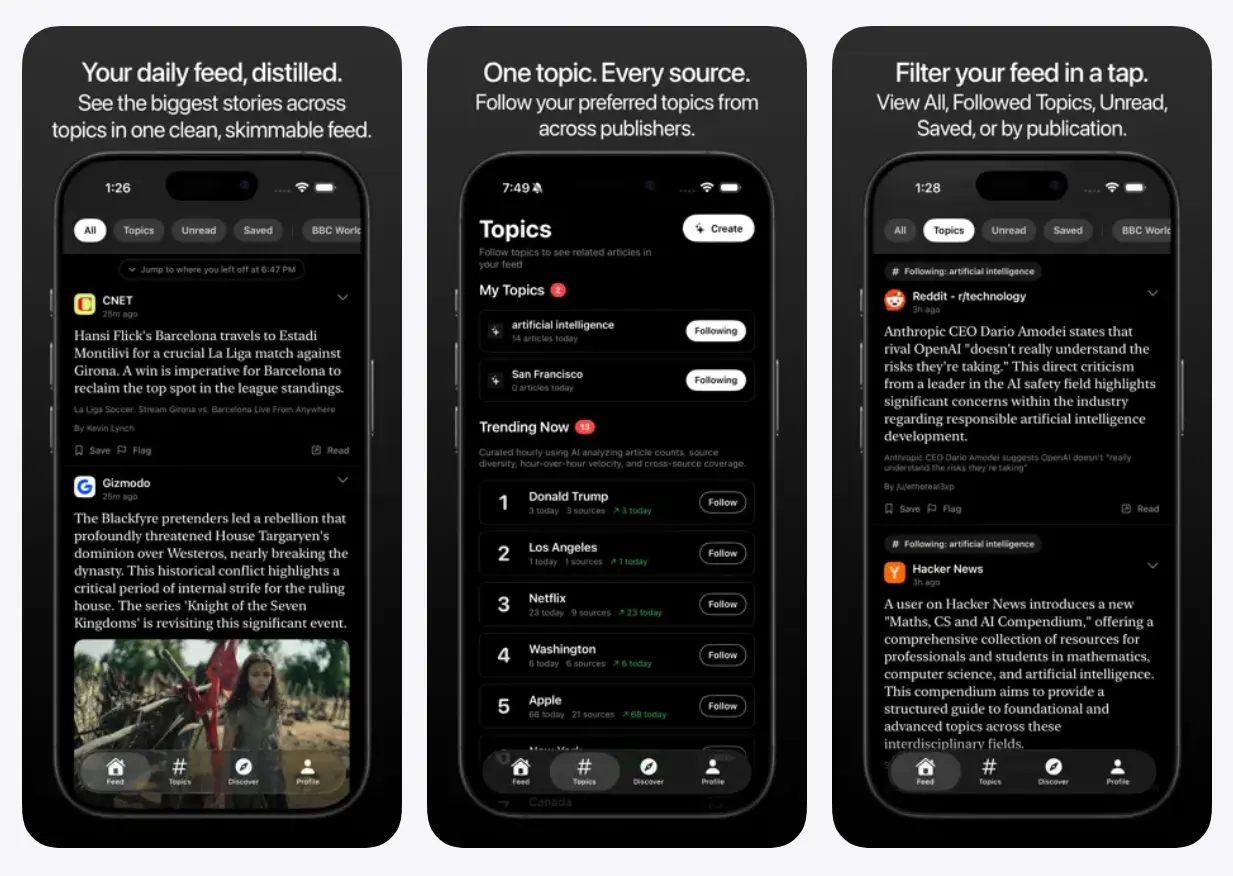
Nutgrafe is a free AI-powered news summarizer that reads articles from top publications and compresses each one into a single, factual paragraph of 400 characters or less.
The name comes from journalism’s “nutgraf,” the paragraph in a story that tells you exactly what happened and why it matters. That is the precise format Nutgrafe applies to every article in your feed.
Social media feeds around 2015 provided quick, real-time news orientation. That experience got buried under reactions, outrage, and endless conversation over time. Nutgrafe brings back that earlier experience.
I find it useful on mornings when I want a clear picture of what happened overnight in tech and AI news, because the summaries are fact-anchored and stripped of editorializing.
Features
- Generates original summaries of 400 characters or fewer for each news article.
- Every summary links directly to the original publisher’s website.
- You can follow specific topics and publications to build a custom feed.
- Sends daily email briefings containing the top stories.
- Summaries include key points and a short explanation of the story’s significance.
- Runs via a web application and dedicated iOS and iPad apps.
Use Cases
- Read the daily email briefing to learn about major events before starting work.
- Subscribe to specific hashtags to track developments in niche industries.
- View the core facts of an article before deciding to use its limited monthly publisher views.
- Scan the short summaries to filter out opinion pieces and focus on factual reporting.
How to Use It
1. Go to the nutgrafe.com website or download the iOS/iPad app from the App Store.
2. Sign in with your email address.
3. Your feed starts empty. Navigate to the Discover section to browse available sources. You’ll find major news outlets, independent blogs, and topic-specific publications.
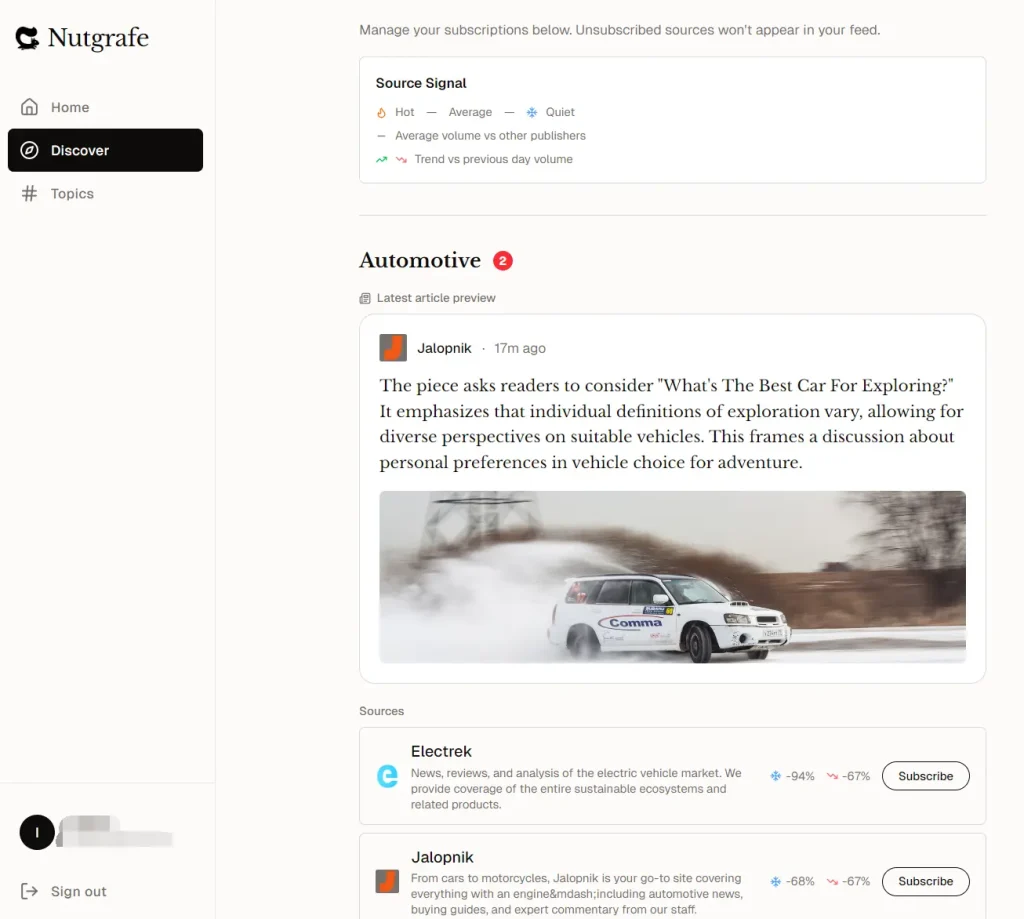
4. Tap Subscribe next to any source to add it to your feed. You can also browse and subscribe to feeds by hashtags to follow specific topics.
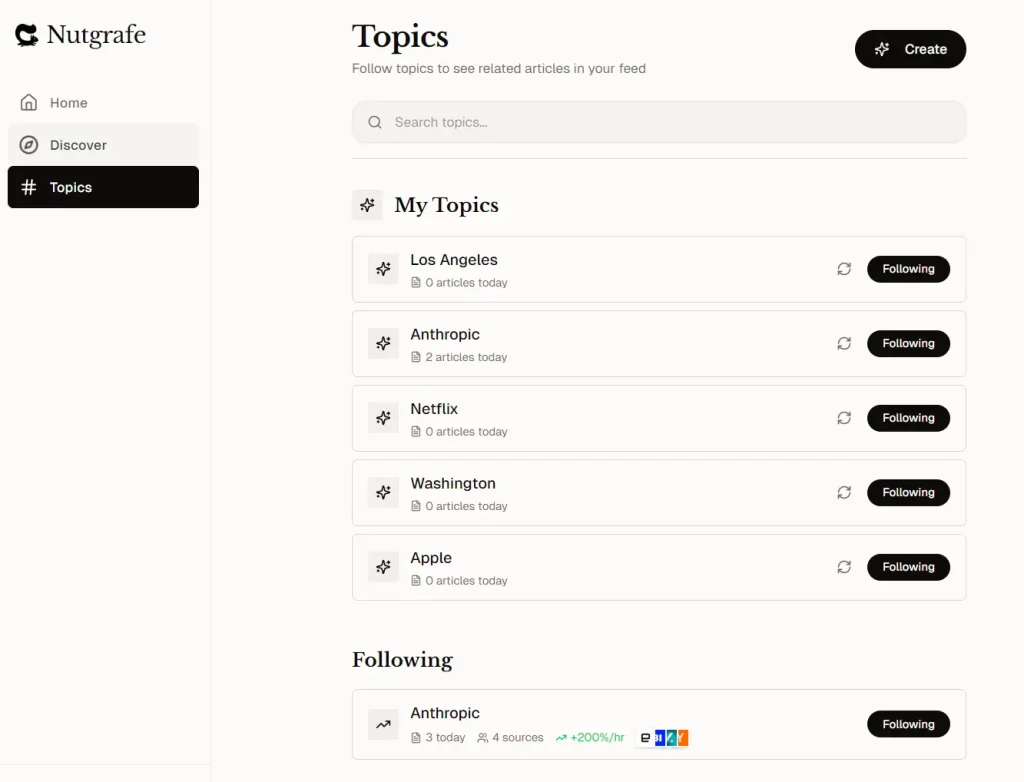
5. Return to the home screen. Your feed now shows summaries from your selected sources in chronological order.
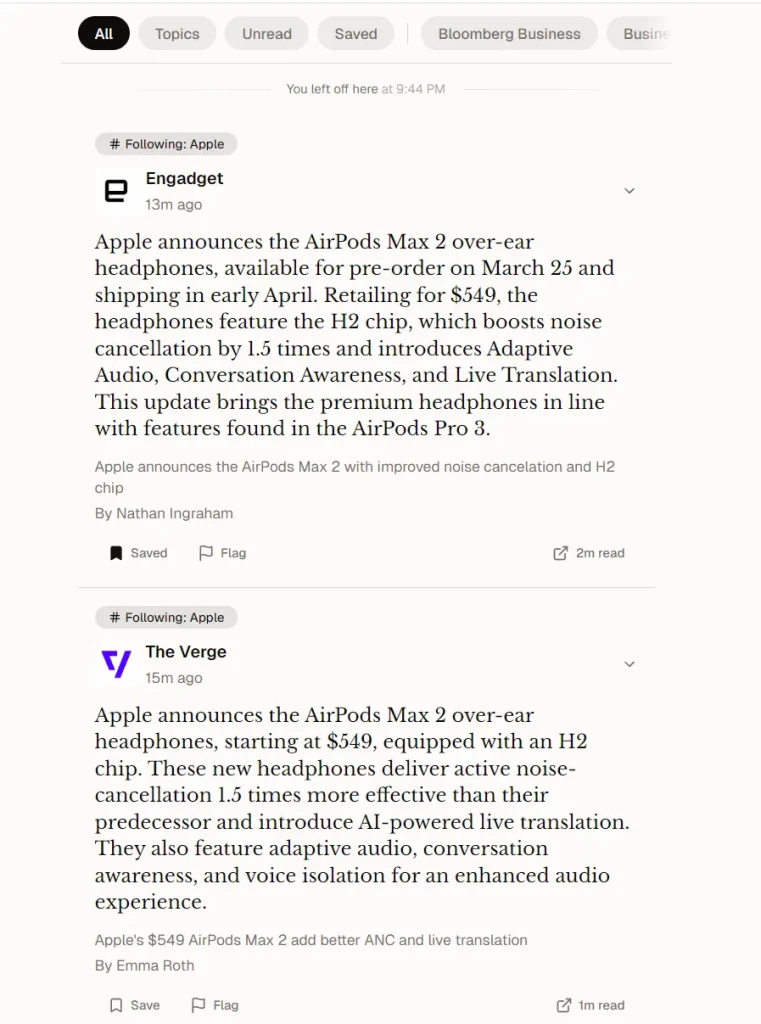
6. Tap any summary to expand it. You’ll see the full 400-character nutgraf, three key points with extracted details, and the “why it matters” context.
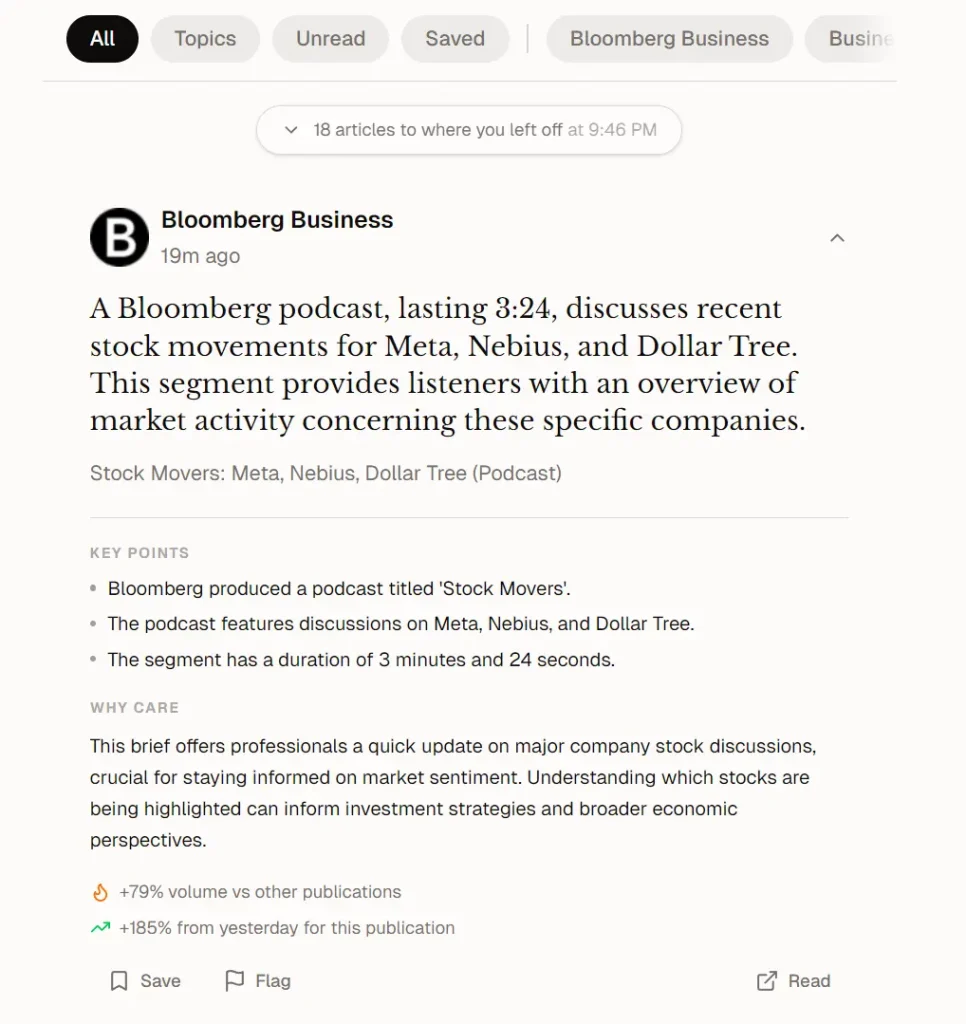
7. Click the Read link at the bottom of any expanded post to read the full original article on the publisher’s website.
Pros
- Consume the core facts of a story in seconds.
- 100% free to use.
- The AI refuses to generate a summary if the source lacks sufficient context.
Cons
- The native mobile app is only available for iPhone and iPad.
- You cannot read full paywalled articles.
- No algorithmic suggestions.
FAQs
Q: Does Nutgrafe work with paywalled articles?
A: No. Nutgrafe reads only the content publishers distribute publicly through RSS and XML feeds. It does not bypass paywalls or reconstruct full articles.
Q: How accurate are the AI summaries?
A: Summaries are tightly constrained to the facts present in the source material. If the AI lacks enough context to produce an accurate summary, it skips the article rather than generating a guess.
Q: Can I use Nutgrafe without creating an account?
A: You can subscribe to the daily email briefing with just an email address. Access to the full personalized feed and app requires a free account.
Q: How does Nutgrafe choose which publications to include?
A: The focus is on established outlets and widely read publications, with a growing set of independent blogs added over time. The source list expands gradually. You can browse what is currently available in the Discover section after signing up.
Q: What makes this different from a standard news aggregator?
A: Standard news apps surface headlines and link to full articles. Nutgrafe generates an original AI summary for each article and adds key points and a “Why It Matters” note.
Q: Does the AI add opinions or analysis to summaries?
A: No. Summaries stick to facts: what happened, what changed, who was involved, and what comes next.





