MMAudio is an open-source AI model that generates synchronized audio for video using multimodal joint training. Developed by a collaboration between the University of Illinois Urbana-Champaign, Sony AI, and Sony Group Corporation.
This tool lets you generate realistic, synchronized audio for silent videos that match their visuals. Video editors, social media influencers, and independent filmmakers can use it to create immersive audio experiences without needing expensive recording equipment or complex post-production.
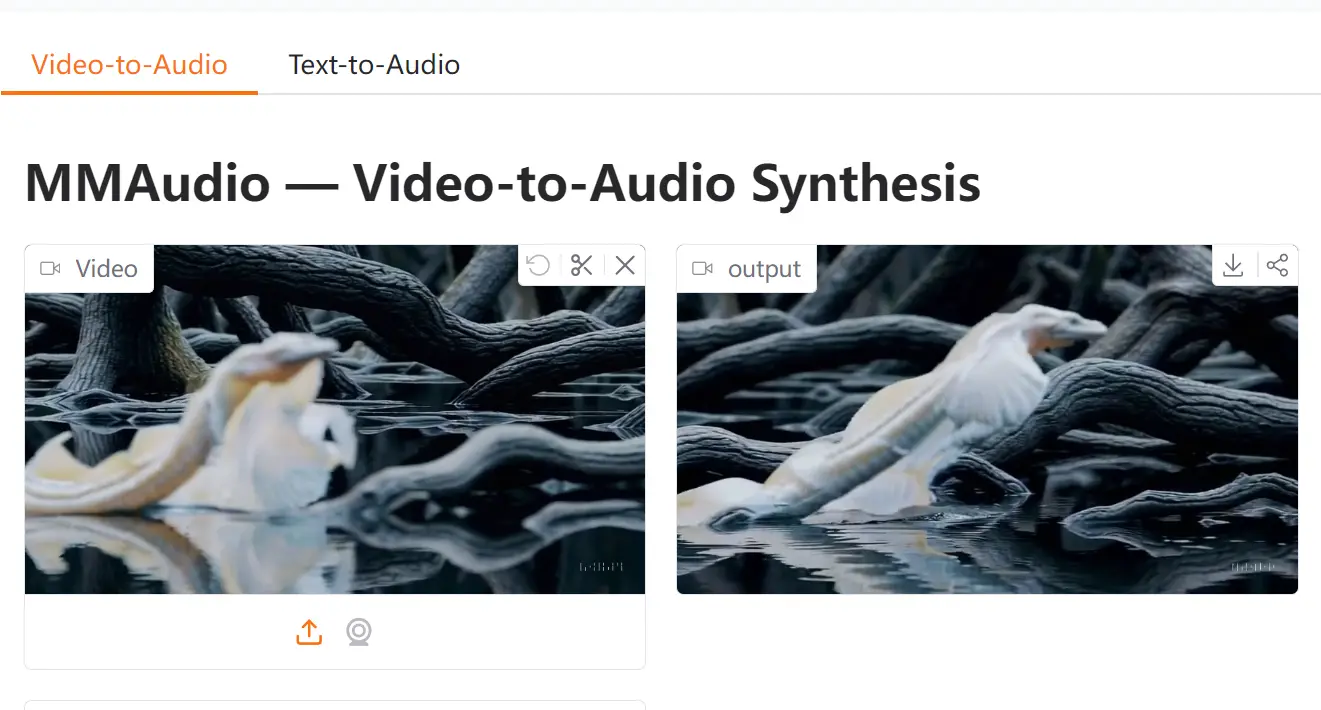
I tested MMAudio by uploading a silent video of a serpent emerging from underwater. The video, generated by OpenAI’s Sora video generation model, lacked any audio, which made it feel incomplete.
After uploading it to MMAudio and adjusting the settings, the AI generated synchronized sounds that perfectly matched the visuals. The serpent’s hissing, the grunting sounds of its movement, water splashing, and even ambient underwater noise were accurately synchronized with the footage.
Features
- Multimodal Joint Training: MMAudio is trained on both audio-visual and audio-text datasets.
- Precise Audio Synchronization: A synchronization module ensures the generated audio aligns perfectly with every frame of the video.
- Open-Source Access: MMAudio is open-sourced on Hugging Face and GitHub.
- Customizable Settings: You can adjust settings such as seed, number of steps, guidance strength, and duration for a customized audio generation experience.
- Supports Multiple Input Types: MMAudio works with both video and text inputs.
Use Cases
- Adding Sound to Silent Footage: Generate realistic sound effects and background ambiance for silent videos, such as nature footage or historical content.
- Creating Voiceovers: Use text prompts to produce synchronized voiceovers for animations, tutorials, or marketing materials.
- Enhancing Video Quality: Improve the impact of videos by adding synchronized audio that matches visual content, including background sound, actions, and character movement.
- Social Media Content: Quickly generate engaging audio for short videos on platforms like TikTok and Instagram, enhancing overall engagement.
- Independent Filmmaking: Create soundscapes and dialogues for low-budget film projects.
Playground
How to Use MMAudio
1. Go to MMAudio’s Hugging Face space or using the embedded playground directly in this post.
2. Choose the video file you’d like to add synchronized audio to.
3. Enter a text prompt or a negative prompt (e.g., avoid specific sounds like music).
4. Fine-tune settings such as seed, number of steps, guidance strength, and duration to get the perfect result.
5. Hit the submit button and let MMAudio generate the audio. It takes only tens of seconds.
Related Resources
FAQs
Q: Can I control the type of audio MMAudio generates?
A: Yes, you can specify the kind of audio you want by using text prompts, negative prompts and adjusting advanced settings.
Q: Is MMAudio suitable for generating music?
A: MMAudio can generate various sounds, including musical elements, but for best results with music, consider using music-specific tools.
Q: How long does it take to generate the audio?
A: The audio generation process typically takes only tens of seconds, depending on the video’s length and complexity.
Q: What kind of prompts should I use for the best results?
A: Descriptive prompts that clearly outline the desired sounds and ambient noises will yield the best results. Avoid vague or overly complex prompts.