Text Behind Image is a free online tool that lets you place text behind the main object of your photos. This effect gives your images a modern look, frequently seen in promotional content and video thumbnails.
For instance, you can place a promotional slogan behind a person in a product shoot or add dramatic text behind an object in a video thumbnail. The tool allows for complete customization, from font choice to positioning, giving you full control over the final look.
What’s remarkable about this tool is its backstory. A 16-year-old high school student created it in just three hours using AI code editors. After its release, the tool quickly gained recognition, earning the Product Hunt Best of the Day award and garnering over 600 upvotes.
How To Use It:
1. Go to the Text Behind Image editor website and sign up for a free account using your Google account.
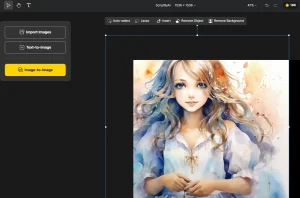
2. Upload a photo from your device. This might take a few seconds while the server processes your file and removes the background from the main subject.

3. Click “Add New Text Set” to insert your text.
4. Replace the default text and adjust the font size, font family, font weight, position, opacity, and rotation. You can create multiple text sets with varying parameters to achieve layered effects or emphasize different aspects of your subject. This allows for complex designs with multiple text elements interacting with the image’s subject.
For example, you could have one text set with a large, bold font behind the subject for the main message, and another with a smaller, italicized font slightly offset for a secondary detail or a website address. Experimenting with these parameters offers granular control over the final image.

5. Click “Save Image” to download your edited photo.