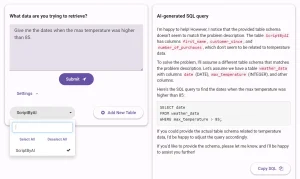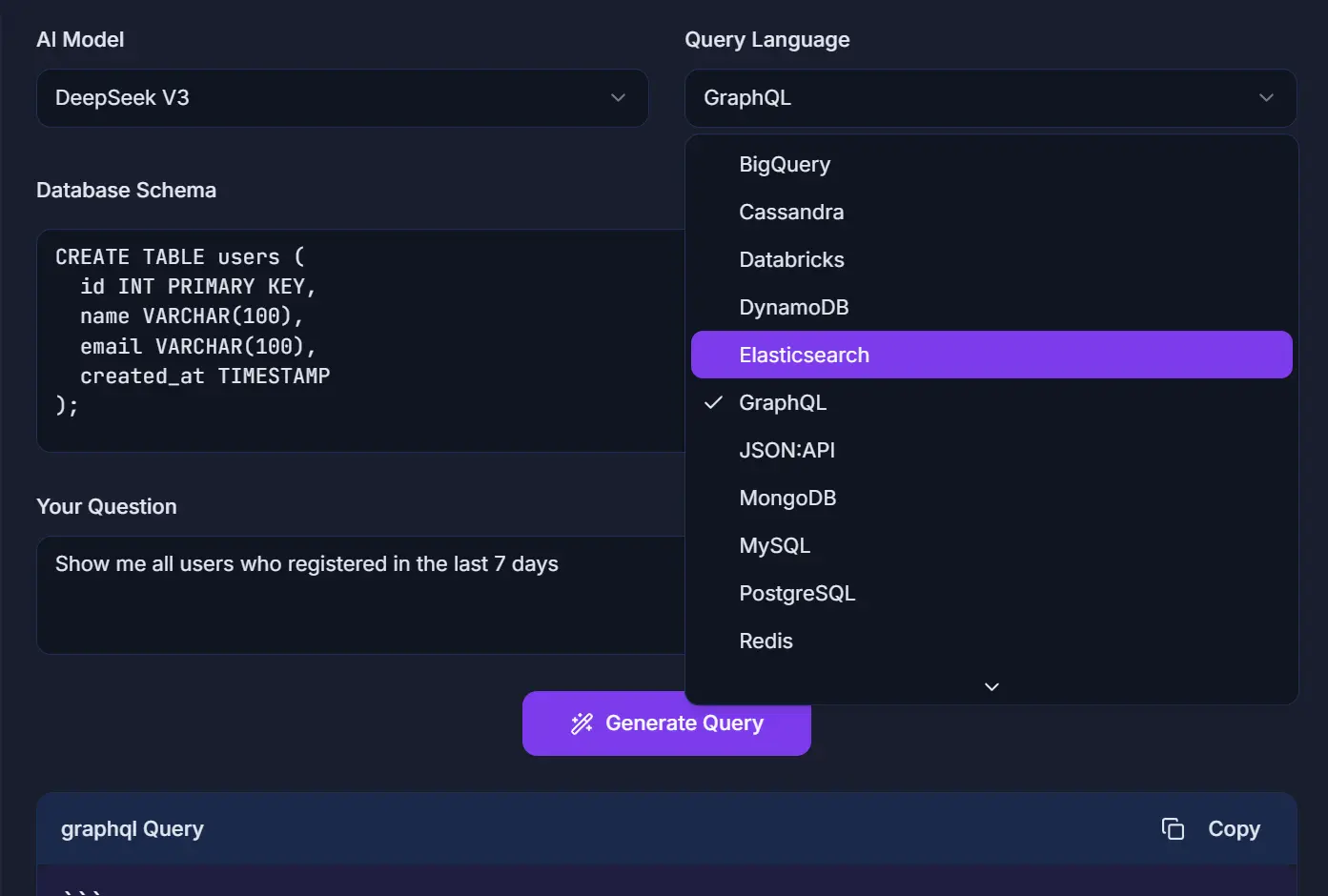
Query GPT is a free, open-source online tool that converts natural language questions into SQL and NoSQL database queries using advanced AI models like Deepseek and Gemini.
It’s helpful for developers who need to switch between different database languages, data analysts who want to quickly pull specific information, and even students learning the ropes of database management.
Features
- AI-Powered Query Generation: Uses advanced language models to understand complex natural language questions and convert them into precise database queries.
- Multi-Database Support: Generates queries for 14+ database types including BigQuery, MySQL, PostgreSQL, MongoDB, Cassandra, Elasticsearch, DynamoDB, Snowflake, and GraphQL.
- Syntax Highlighting: Displays generated queries with beautiful color-coded syntax highlighting that makes code easier to read and understand.
- Instant Results: Processes natural language inputs and delivers complete queries in seconds, regardless of complexity.
- Smart Schema Analysis: Analyzes provided database schemas to generate more accurate and contextually appropriate queries.
- Easy Sharing: Allows users to copy generated queries with a single click for immediate use or team collaboration.
- Self-Hosting Option: Provides GitHub repository access for developers who want to deploy the tool using their own AI API providers.
- Browser-Based Security: Processes all data in your browser session without storing schemas or queries on external servers.
Use Cases
- Business Analysts: Generate complex reporting queries without deep SQL knowledge, such as “Show me all customers who purchased more than $1000 worth of products in the last quarter.”
- Data Scientists: Quickly create exploratory queries for data analysis, like “Find the average order value grouped by customer segment and month.”
- Product Managers: Extract insights from user behavior data with queries such as “Get all users who signed up last month but haven’t made their first purchase.”
- Software Developers: Speed up database integration work by generating boilerplate queries for CRUD operations and complex joins.
- Database Administrators: Create maintenance and monitoring queries, including “Show tables with more than 1 million rows and their last update timestamps.”
How to Use It
1. Go to the Query GPT website and type your database question in natural language, being as specific as possible about what data you want to retrieve. For example, instead of “show customers,” write “show all customers who registered in the past 30 days.”

2. For optimal results, provide your database schema in the optional schema field. This step significantly improves query accuracy because the AI understands your table structures, column names, and relationships. You can paste your schema definition or let the system infer it from your question context.
3. Click the generate button to process your request. The AI will analyze your natural language input, consider the provided schema if available, and produce a complete database query in your target language. The entire process typically takes just a few seconds.

4. Copy the generated query using the convenient one-click copy feature. You can then paste it directly into your database management tool, application code, or share it with team members.
5. You have the option to self-host Query GPT using your own AI API provider. More details are available in its GitHub repository.
Pros
- Free and Open-Source: The tool is completely free to use, and you can access its source code on GitHub.
- Wide Database Support: It is compatible with many popular SQL and NoSQL databases.
- Improves Productivity: It significantly speeds up the process of writing database queries.
- No Data Storage: The tool processes everything in your browser session and does not store your schema or queries, which is good for privacy.
Cons
- Accuracy Depends on Input: The quality of the generated query is highly dependent on how clearly you phrase your question and the completeness of the provided schema.
- Potential for Errors in Complex Cases: For very complex and niche queries, the generated code might require manual adjustments.
- Requires Some Knowledge: While it simplifies query generation, a basic understanding of your database structure is still beneficial for the best results.
FAQs
Q: Do I need to provide my database schema?
A: Providing your schema is optional but recommended for more accurate results. Without it, Query GPT will make an educated guess based on your question.
Q: Is my data safe with Query GPT?
A: Yes, the tool does not store your database schema or queries. All processing occurs within your browser session.
Q: Are there usage limits on the free version?
A: The free tier includes a generous daily query limit that accommodates most individual users. Heavy users or teams requiring unlimited access can explore premium options or implement the self-hosted version using their own AI API keys for unrestricted usage.