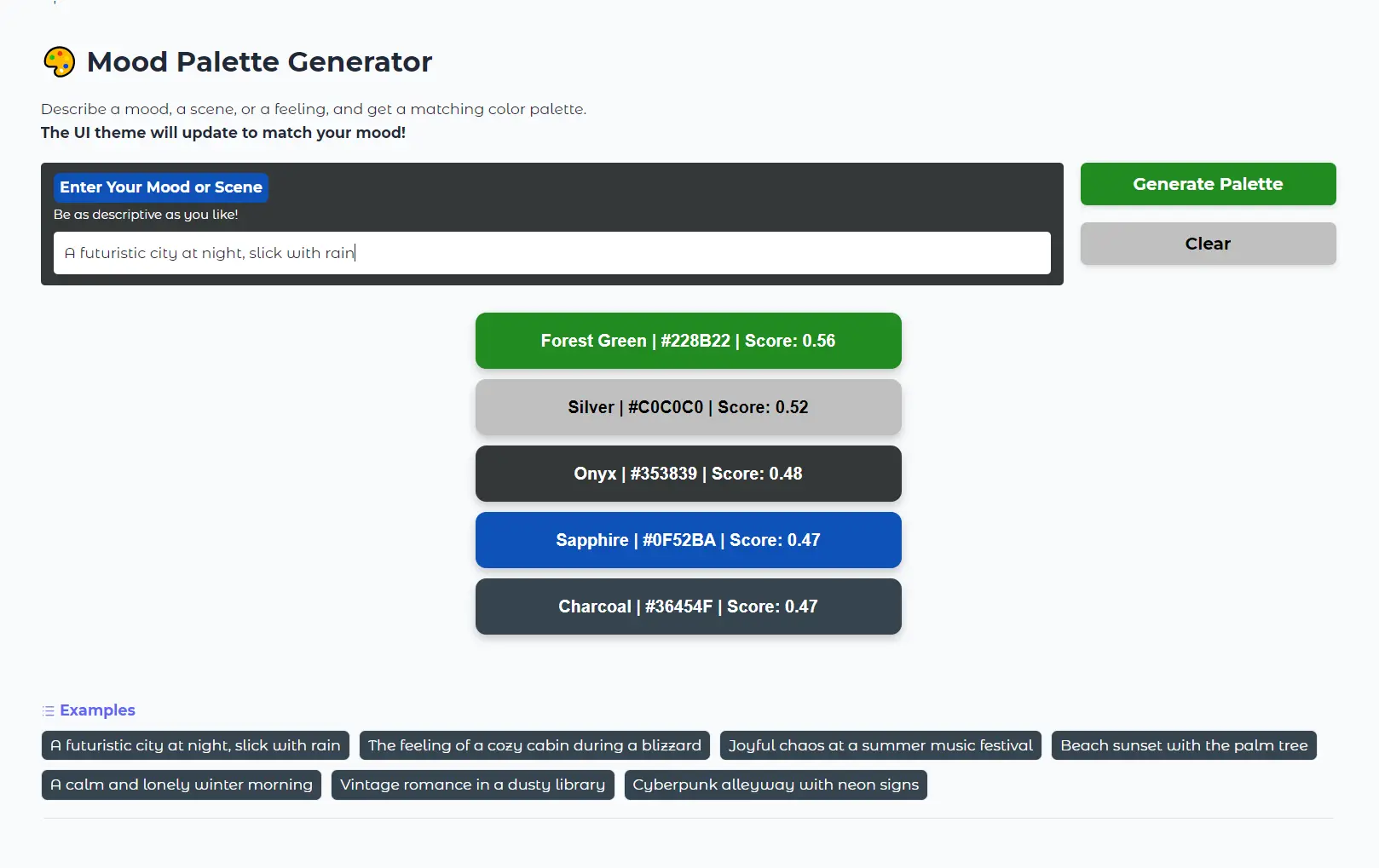
The Mood Palette Generator is a free AI tool from Google that creates color palettes from text descriptions. You describe a mood, a scene, or even just a feeling, and the tool generates a corresponding five-color palette.
This tool is built on Google’s EmbeddingGemma, a text embedding model. This technology is what allows the generator to understand the semantic meaning behind your words, not just the keywords.
Try It Out
Features
- Semantic Color Matching: Converts text descriptions into numerical embeddings that capture the emotional and visual essence of your words.
- Dynamic UI Theming: The entire interface transforms to reflect your generated palette.
- Precision Scoring: Each color comes with a similarity score showing how closely it matches your description’s semantic meaning.
- Five-Color Palettes: Generates complete color schemes with hex codes and descriptive names for immediate use in design projects.
- No Registration Required: Access the full functionality directly through your browser without creating accounts or providing personal information.
- Multilingual Support: Built on EmbeddingGemma’s 100+ language capabilities for global accessibility.
Use Cases
- Brand Identity: If you’re starting a new brand, you can describe its core values or target audience—like “calm and trustworthy financial services” or “energetic and youthful street food”—to generate a foundational color scheme.
- Web and App Design: A developer or UI/UX designer can input the purpose of a website or app, such as “a productivity app for focused work,” to get a palette that reflects the intended user experience.
- Artistic Inspiration: An artist experiencing a creative block can describe the mood of a piece they want to create, like “a lonely winter morning,” to find a starting point for their color choices.
- Event Theming: Planning an event? Describe the theme, for instance, “a vintage romance wedding,” and get a coordinated color palette for invitations, decorations, and attire.
- Social Media Content: A content creator can generate palettes that match the theme of a specific post or an entire campaign.
Case Studies
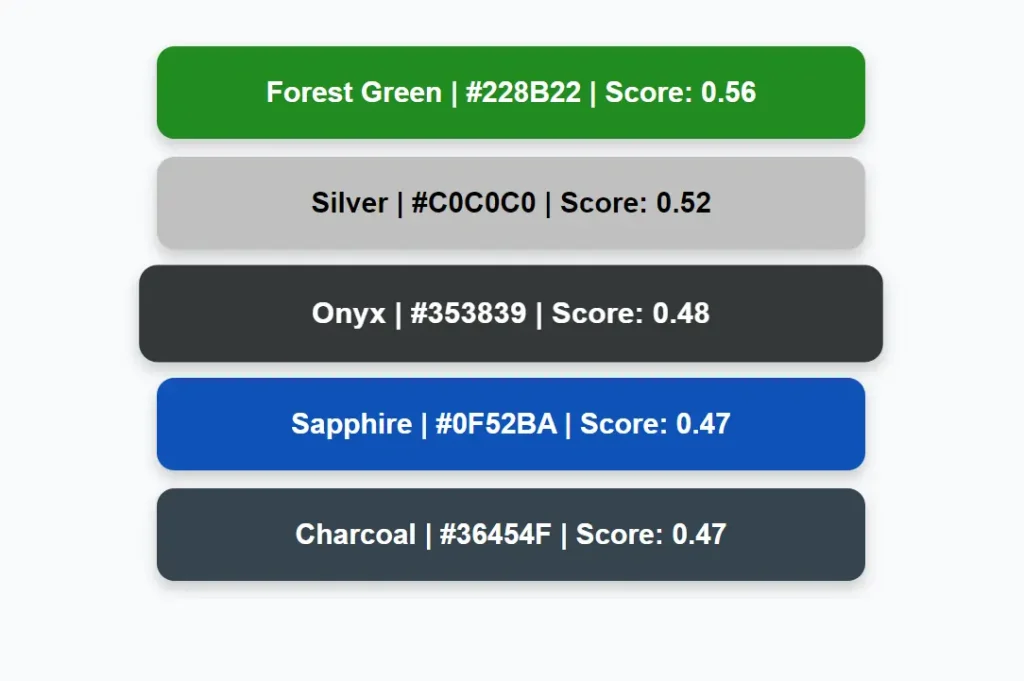
Testing the tool with “A futuristic city at night, slick with rain” produces a sophisticated palette combining Forest Green (#228B22, Score: 0.56), Silver (#C0C0C0, Score: 0.52), and Onyx (#353839, Score: 0.48). The high scores for darker, metallic tones accurately capture the cyberpunk aesthetic while the forest green adds an unexpected organic element that works surprisingly well.
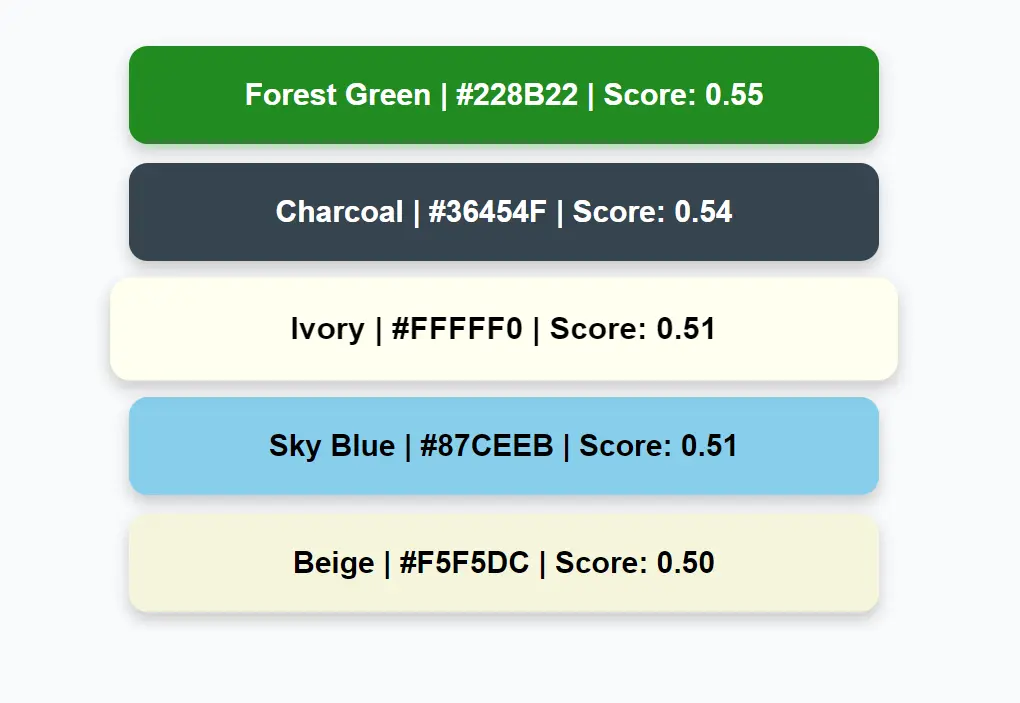
When prompted with “The feeling of a cozy cabin during a blizzard,” the generator creates a warmer palette featuring Forest Green (#228B22, Score: 0.55), Charcoal (#36454F, Score: 0.54), and Ivory (#FFFFF0, Score: 0.51). The combination of deep, grounding colors with clean ivory perfectly captures the contrast between harsh external conditions and internal warmth.
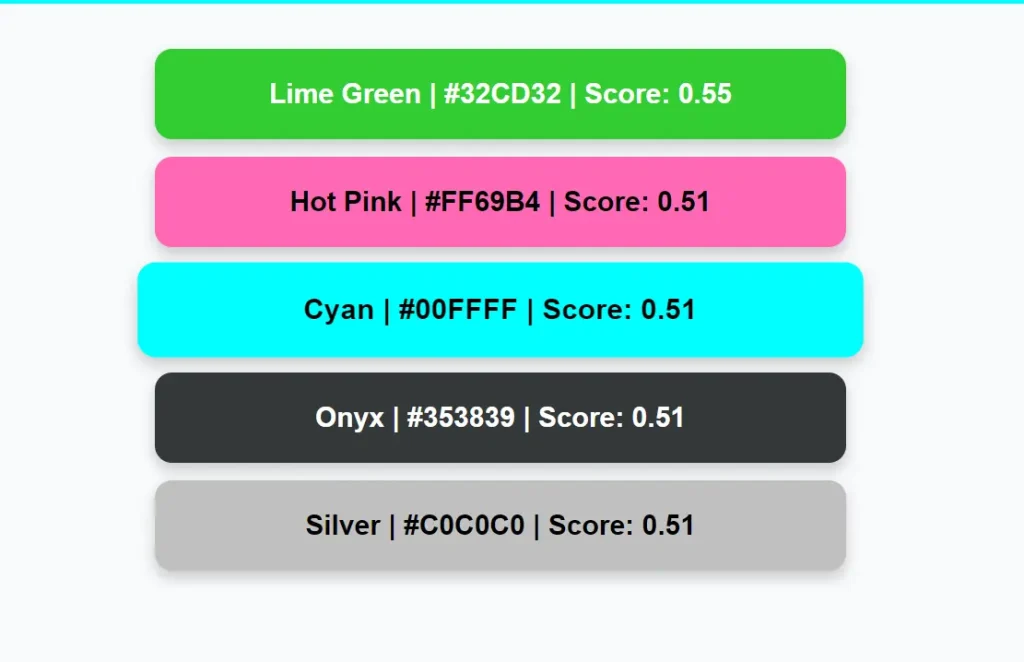
For “Cyberpunk alleyway with neon signs,” the tool shifts dramatically to Lime Green (#32CD32, Score: 0.55), Hot Pink (#FF69B4, Score: 0.51), and Cyan (#00FFFF, Score: 0.51). The electric palette immediately evokes the artificial brightness and energy of a neon-lit urban environment.
The “Beach sunset with palm tree” prompt generates a tropical palette of Turquoise (#40E0D0, Score: 0.54), Coral (#FF7F50, Score: 0.52), and Forest Green (#228B22, Score: 0.51). The natural progression from ocean blues to sunset oranges demonstrates the tool’s ability to capture temporal and environmental elements within a single color scheme.

How To Use It
1. Visit the Mood Palette Generator on Hugging Face Spaces to access the tool directly in your browser.
2. Type your mood, scene, or feeling description into the text box. The AI works best with descriptive phrases rather than single words: think “misty morning forest” instead of just “forest.”
3. Click the “Generate Palette” button to process your description. The system typically responds within seconds, displaying your five-color palette with names, hex codes, and similarity scores.
Pros
- Free to Use: The tool is completely free.
- Intuitive: It’s incredibly easy to use; there is no learning curve.
- Fast: Palettes are generated almost instantly.
- Creative Inspiration: It provides a unique way to brainstorm color schemes based on concepts rather than just visual formulas.
Cons
- No Customization: You cannot adjust or refine the generated colors within the tool. You have to take the hex codes and modify them in separate design software.
- Limited to Five Colors: The generator only produces five-color palettes, which might not be sufficient for more complex design projects.
Related Resources
- EmbeddingGemma Documentation: Official technical documentation for the underlying AI model powering the color generation.
- Google AI Blog: Detailed explanation of EmbeddingGemma’s capabilities and creative applications beyond color generation.
- Color Theory Fundamentals: Background knowledge on color relationships and psychological impacts to enhance your palette generation.
FAQs
Q: Why do some descriptions produce unexpected color combinations?
A: EmbeddingGemma captures semantic relationships that might not align with obvious visual associations. A “winter morning” might include unexpected purples because the model associates winter with twilight hours or emotional coldness rather than just snow and ice.
Q: How can I get more variety in my generated palettes?
A: Try rephrasing your descriptions with different emotional angles or specific details. “Calm ocean” versus “stormy sea at dawn” will produce notably different results even though both involve water. Adding time periods, weather conditions, or emotional modifiers typically increases color diversity.
Q: Does the tool work better with certain types of descriptions?
A: Descriptive scenes with multiple sensory elements tend to produce more interesting palettes than single objects or abstract concepts. “Abandoned greenhouse filled with dying plants” generates more nuanced colors than simply “greenhouse” because it provides emotional and environmental context.
Q: Can I save or bookmark my favorite generated palettes?
A: The tool doesn’t include built-in saving functionality, but you can bookmark the page URL after generation or manually copy the hex codes to a text file.
Q: What is a text embedding?
A: A text embedding is a numerical representation of text that captures its semantic meaning. This allows AI models like EmbeddingGemma to understand the context and “vibe” of words, enabling applications like semantic search and creative tools like this palette generator.
Q: How does the “match score” work?
A: The match score represents the similarity between the numerical embedding of your text prompt and the pre-computed embedding of each color in the tool’s library. A higher score means the AI found a closer semantic match.