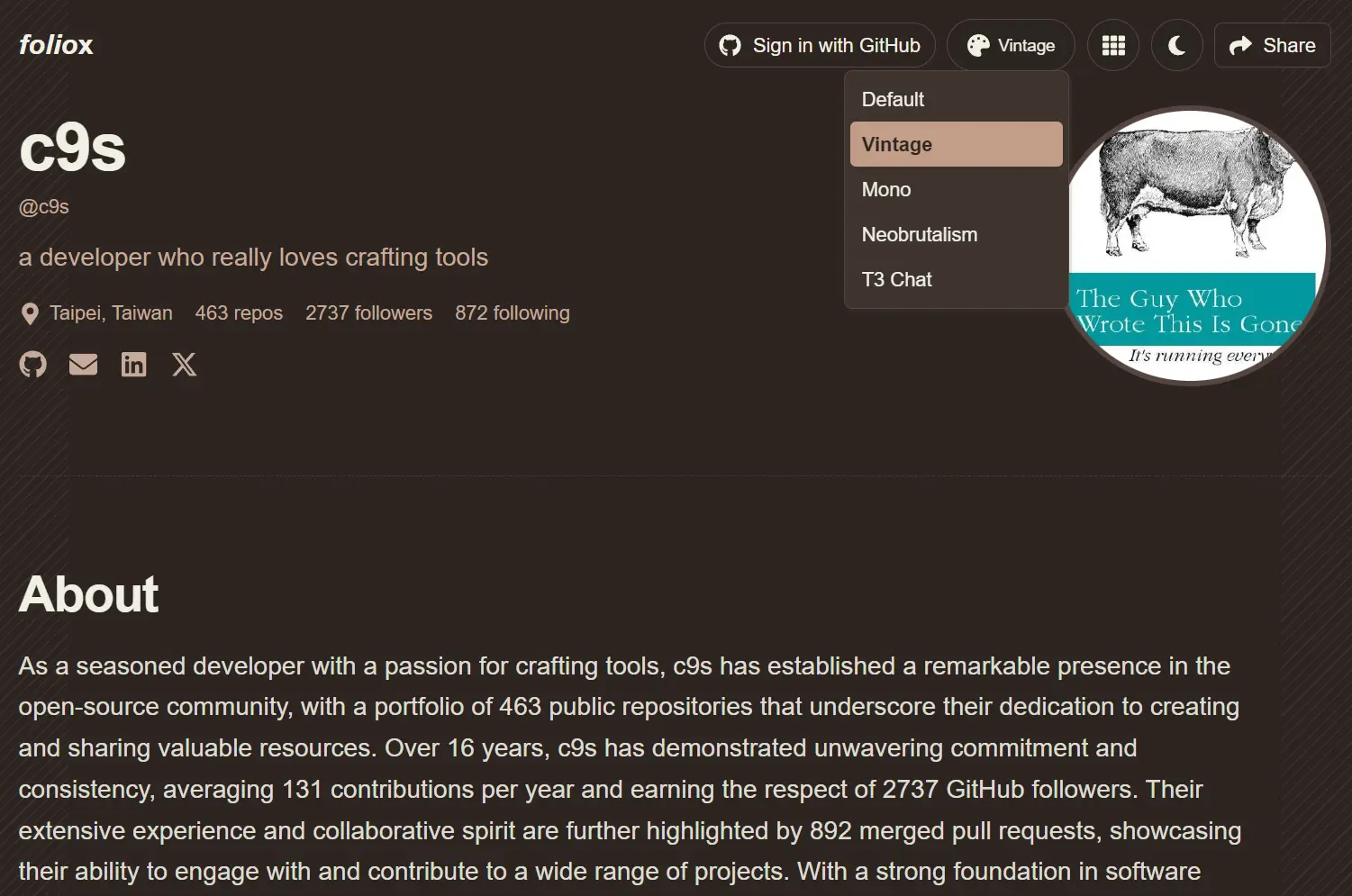
Foliox is a free, open-source, AI-powered GitHub portfolio generator that transforms your GitHub profile into a professional developer portfolio.
The tool fetches your GitHub profile data, analyzes it with Groq AI, and generates a minimal, clean portfolio website with professional summaries, project highlights, dev skills, contribution history, featured work, and more.
Features
- Automatic Portfolio Generation: Enter any GitHub username and receive a portfolio instantly. The AI fetches profile data, repositories, contribution graphs, and project statistics through the GitHub GraphQL API.
- AI-Powered Content Creation: Groq AI generates professional summaries, project highlights, and SEO-optimized descriptions based on your actual code and contributions.
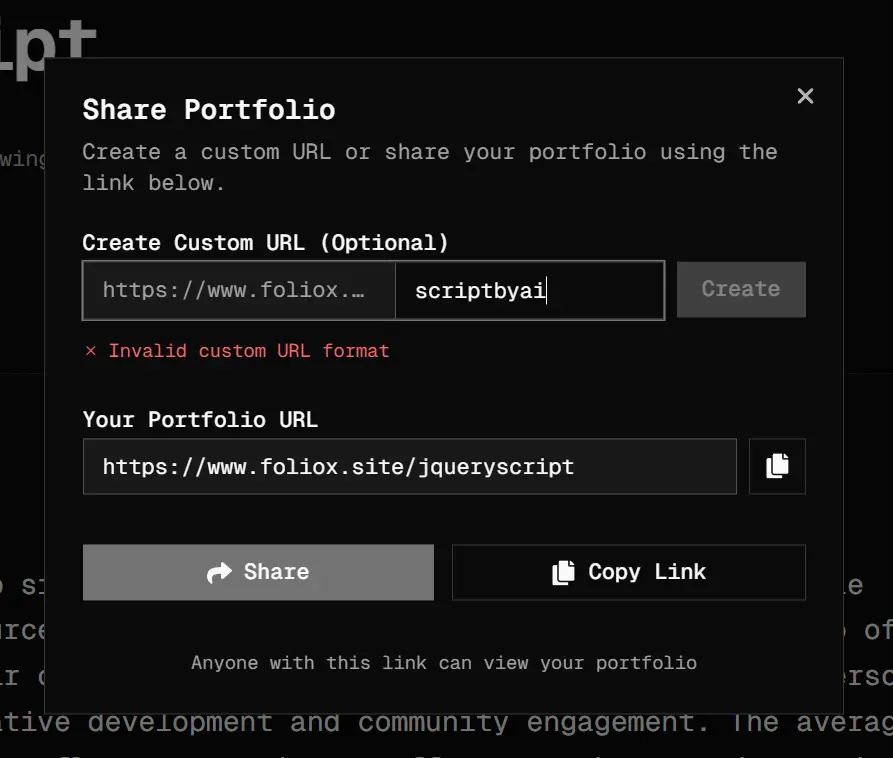
- Custom Share URLs: Create memorable custom URLs like yoursite.com/john-doe instead of yoursite.com/github-username for easier sharing and personal branding.
- Multiple Design Options: Choose from 4 color themes (Default, Vintage, Mono, Neobrutalism) and 2 layout options (Classic Layout, Bento Layout) with full dark mode support.
- LinkedIn Integration: Optional LinkedIn profile data fetching adds professional information beyond your GitHub activity.
- Live Project Screenshots: Automatically captures and displays screenshots of your project homepages using a Screenshot API.
- Responsive Design: The portfolio works perfectly across all devices with optimized mobile viewing.
- SEO Optimization: Dynamic metadata generation improves search engine visibility for your portfolio.
Use Cases
- Job Seekers: Create a presentable portfolio in under a minute to include in your application materials.
- Open Source Maintainers: Generate a public portfolio page that highlights your key projects and community contributions.
- DevRel and Content Creators: Quickly build portfolio pages for workshops or talks to showcase relevant code examples and projects in an attractive format.
- Development Teams: Self-host Foliox internally to create standardized portfolio pages for team members.
- Students and Bootcamp Grads: Transform a sparse GitHub profile into a polished, professional site that emphasizes learning projects and newly acquired skills.
How To Use It
1. Visit the Foliox website and sign in with your GitHub account (OPTIONAL).
2. The system automatically fetches your profile information, repository list, contribution graph, and project statistics. This happens in seconds through the GitHub GraphQL API.
3. Groq AI analyzes your profile and generates professional content. The AI writes your bio, creates project descriptions, and highlights your most significant contributions based on factors like stars, forks, and commit activity.
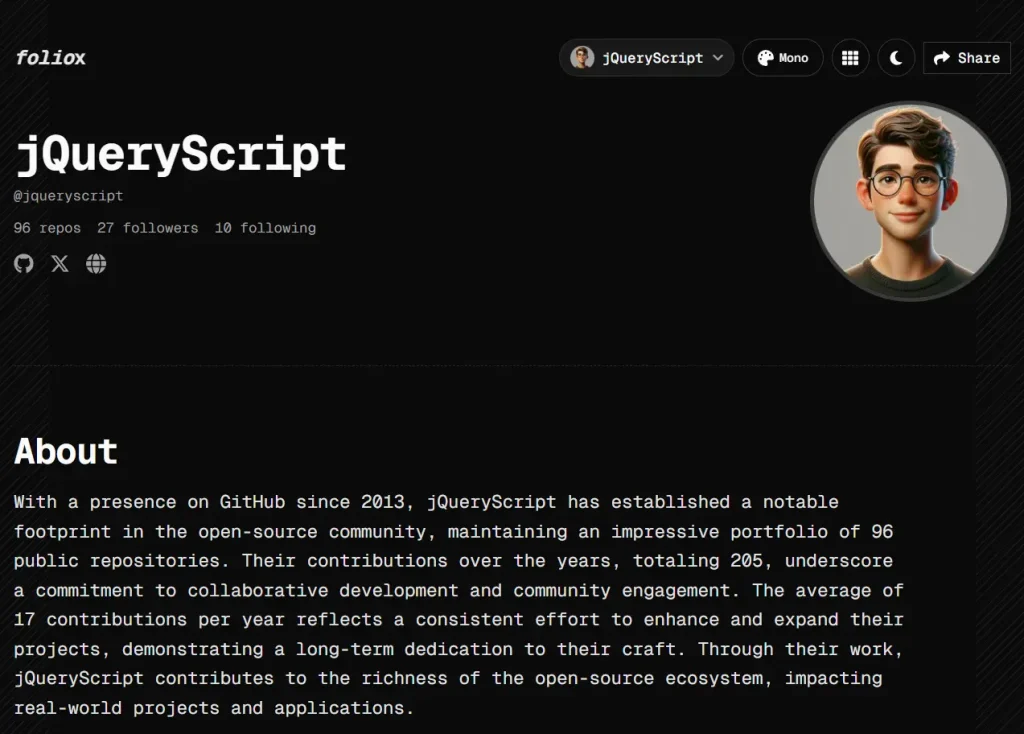
4. Your complete portfolio page appears with all sections populated: hero section with your profile, featured projects with screenshots, contribution timeline, and technical skills breakdown.

5. You can create a custom share URL through the Share button on your portfolio. Enter your preferred slug and the system validates availability. Your portfolio becomes accessible at foliox.site/scriptbyai instead of the default GitHub username URL.
Self-Hosted Deployment
This option lets you run a custom portfolio generator on your own infrastructure. You will need Node.js 20+, a PostgreSQL database, and a Groq API key to run this locally.
1. Clone the repository from Github:
git clone https://github.com/KartikLabhshetwar/foliox.git2. Install all dependencies:
cd folioxnpm install
3. Copy .env.example to .env.local. You must fill in GROQ_API_KEY (get this from groq.com), DATABASE_URL, and API_KEYS.
4. Initialize the database:
npx prisma migrate dev
5. Launch the server:
npm run dev6. Open localhost:3000 in your browser and enter any GitHub username to generate a portfolio.
7. For GitHub OAuth integration (to show private repositories), create a GitHub OAuth App in your developer settings. Set the callback URL to your-domain/api/auth/callback/github and add the CLIENT_ID and CLIENT_SECRET to your environment variables.
Pros
- Zero Manual Content Writing: The AI generates all textual content, saving significant time and effort.
- Immediate Live Deployment: Your portfolio is live and publicly accessible within seconds of entering your username.
- Open Source and Customizable: You can change styles, add sections, or alter the AI prompts.
- Developer-Friendly Tech Stack: Built with Next.js, TypeScript, and Tailwind CSS.
- Effective Caching: The database cache prevents hitting GitHub API rate limits and makes repeat visits very fast.
Cons
- Dependency on Groq API: The free cloud version and any self-hosted instance require a Groq API key.
- Static Snapshot: The portfolio is a snapshot in time. It doesn’t automatically update on every GitHub push without triggering a cache refresh or rebuild.
Related Resources
- Foliox GitHub Repository: Access the source code, documentation, and deployment instructions.
- Groq Cloud: Get the API key required to power the AI text generation features.
- Vercel AI SDK: Documentation for the AI framework used to build this tool.
- Groq Documentation: Learn about Groq AI models and API integration for understanding how Foliox generates content.
- GitHub GraphQL API Explorer: Explore the GitHub API that Foliox uses to fetch your profile data and repositories.
FAQs
Q: Can I use Foliox to create portfolios for other people’s GitHub accounts?
A: Yes, you can enter any public GitHub username to generate a portfolio. The tool works with any GitHub profile that has public repositories. Private repositories only appear if the account owner signs in through GitHub OAuth in the self-hosted version.
Q: How often does my portfolio update with new GitHub activity?
A: The default caching system updates portfolio data every hour. Your portfolio will show new commits, repositories, and contributions after the cache expires. Self-hosted deployments can adjust the DEFAULT_CACHE_TTL environment variable to change this timing.
Q: What happens if I want to edit the AI-generated content?
A: The cloud-hosted version does not support direct editing of AI-generated content. Self-hosted deployments give you access to the source code where you can modify the AI prompts or bypass AI generation entirely for specific sections.
Q: Does Foliox work with GitHub organizations or only personal accounts?
A: Foliox works only with personal GitHub accounts.