FLUX Fill Outpaint is a free AI outpainting tool that expands your photos using Black Forest AI’s new FLUX.1-Fill-dev model. This 12 billion parameter rectified flow transformer fills areas in existing images based on text descriptions.
Black Forest Labs now offers a newer FLUX Outpainting tool that can expand images to custom canvas sizes and common social media aspect ratios directly in the browser.

This newer workflow is a better option if you want a current BFL outpainting tool with preset sizes for Instagram, YouTube, LinkedIn, X, and TikTok.

Read the updated guide here: FLUX Outpainting: Free AI Outpainting Tool for Social & Product Images
If you find yourself limited by the original dimensions of your images, or struggle to create cohesive backgrounds, this tool provides a solution. It can be useful for content creators, designers, and developers who need to extend and enhance images without incurring costs.
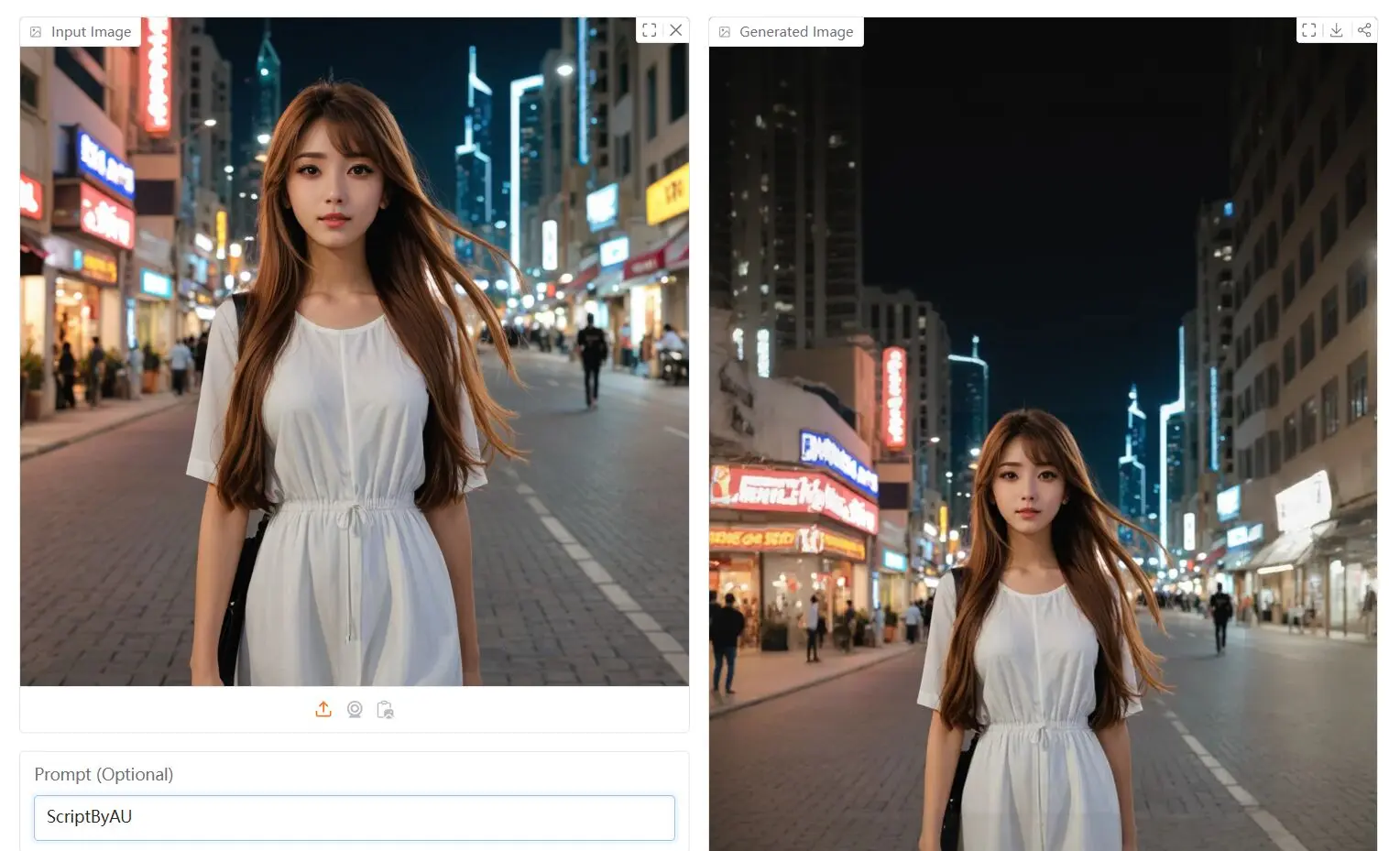
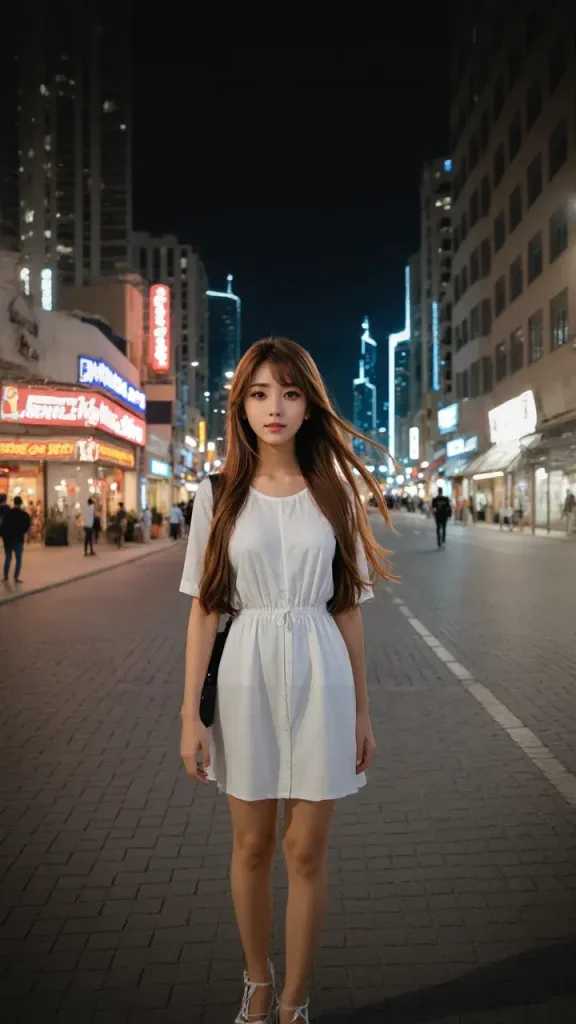
I used FLUX Fill Outpaint to expand a photo of a girl that I have in my collection, and the results were quite remarkable. I uploaded the photo, chose a 9:16 aspect ratio, and aligned the original photo to the middle. After hitting the generate button, the AI took about 30 seconds to process the image.
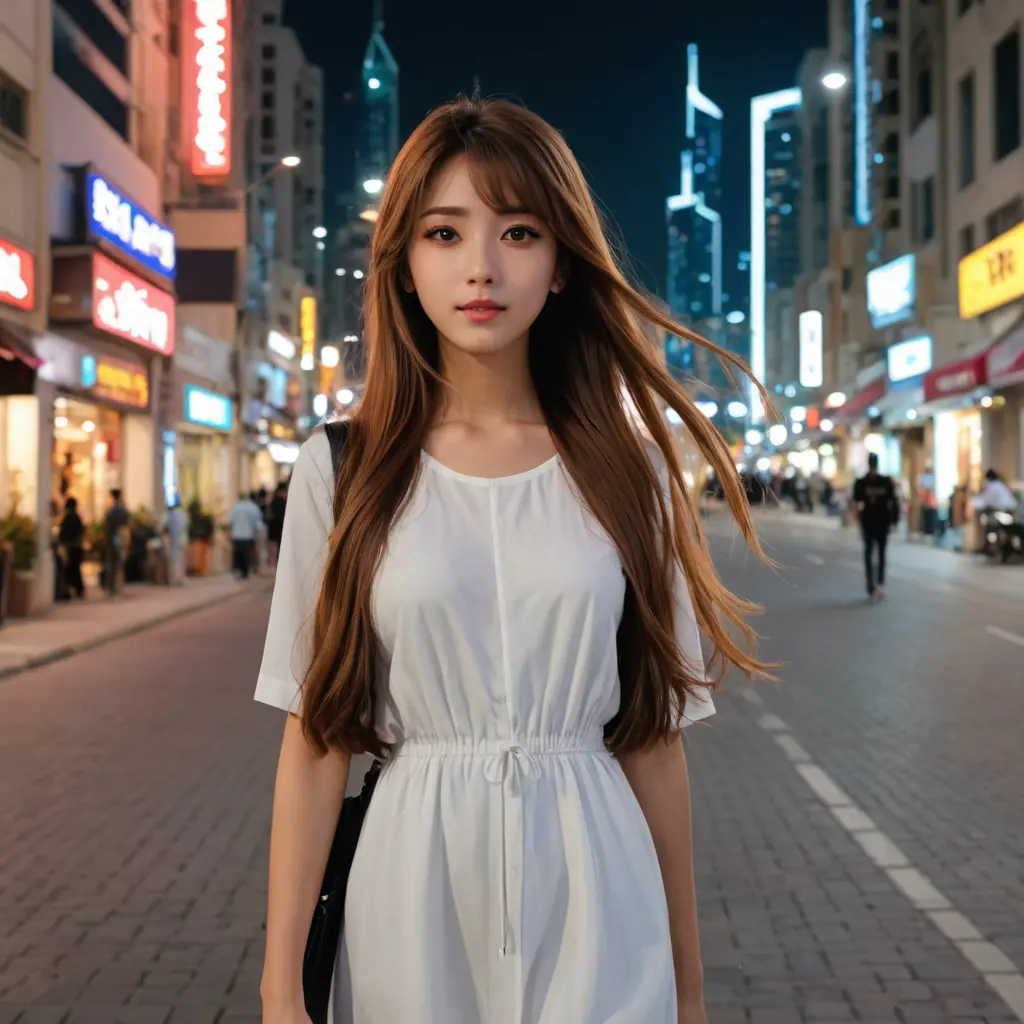
The outcome exceeded my expectations. Not only did the tool extend the image, it also enhanced the original photo. The colors of the subject and background became clearer, and, impressively, the AI completed the girl’s legs and high heels, transforming the half-length portrait into a high-quality full-body shot. This demonstrates the tool’s ability to not just expand but also intelligently fill in missing details.
Playground
Features
- Multiple Model Integration: Combines OpenAI’s CLIP-VIT-Large-Patch14, Google’s T5-v1_1-XXL, and Alimama-Creative’s FLUX.1-dev-Controlnet-Inpainting-Alpha.
- Multiple Aspect Ratios: Preset options include 9:16, 16:9, 1:1, and custom settings for precise control over dimensions.
- Alignment Options: Choose to align the original image to the middle, top, left, right, or bottom of the extended image.
- Resize Control: Adjust the size of the input image with options like Full, 75%, 50%, 33%, 25%, or a custom percentage.
- Advanced Settings: Fine-tune the expansion process with parameters for Target Width, Target Height, Steps, Mask Overlap (%), Overlap Top, Overlap Right, Overlap Left, and Overlap Bottom.
- Text-Based Guidance: Use text prompts to guide the AI in generating specific content during the expansion process.
Use Cases
- Graphic Design Projects: Designers can use this tool to expand their artwork or design mockups by adding extra elements or extending backgrounds. For example, you might need to extend a banner or advertisement that fits a specific aspect ratio.
- Content Creation: Content creators who need to expand or extend the backgrounds of images for blogs, social media, or video thumbnails will find this tool useful for creating more engaging visuals.
- Photography: Photographers can extend the canvas of portraits or landscape images to create wider compositions, enhance details, or improve framing.
- Web Development: Developers working on websites and apps can use FLUX Fill Outpaint to extend background images or adjust the size of visual content without compromising quality or design integrity.
How To Use It
- Access the FLUX Fill Outpaint playground on this page or visit the FLUX Fill Outpaint Hugging Face space.
- Upload the image you want to extend.
- Select your desired aspect ratio from the provided options: 9:16, 16:9, 1:1, or choose “Custom” for specific dimensions.
- Choose the alignment for your original image: Middle, Top, Left, Right, or Bottom.
- Set the resize percentage for your input image: Full, 75%, 50%, 33%, 25%, or a custom value.
- Optionally, adjust the advanced settings: Target Width, Target Height, Steps, Mask overlap (%), Overlap Top, Overlap Right, Overlap Left, and Overlap Bottom.
- Click the “Generate” button. The AI will process your image and expand it within approximately one minute.
Pros
- Zero Cost: Completely free to use
- Multiple AI Models: Leverages advanced technologies
- Quick Processing: Generates results within one minute
- Versatile Alignment Options: Supports various image positioning
- No Technical Expertise Required: User-friendly interface
Cons
- Limited Customization: Advanced users might want more granular controls
- Potential Style Inconsistencies: Complex images might show subtle AI generation artifacts
FAQs
Q: What is AI Outpainting?
A: AI Outpainting uses advanced AI technology to expand and enhance images while maintaining their original style.
Q: How does AI Outpainting work?
A: AI Outpainting uses deep learning models to analyze and generate additional content based on existing image data.
Q: Can I use FLUX Fill Outpaint for free?
A: Yes, FLUX Fill Outpaint is a free online tool.
Q: How long does it take to expand an image?
A: The tool can expand your photo in just one minute.